Real-size design
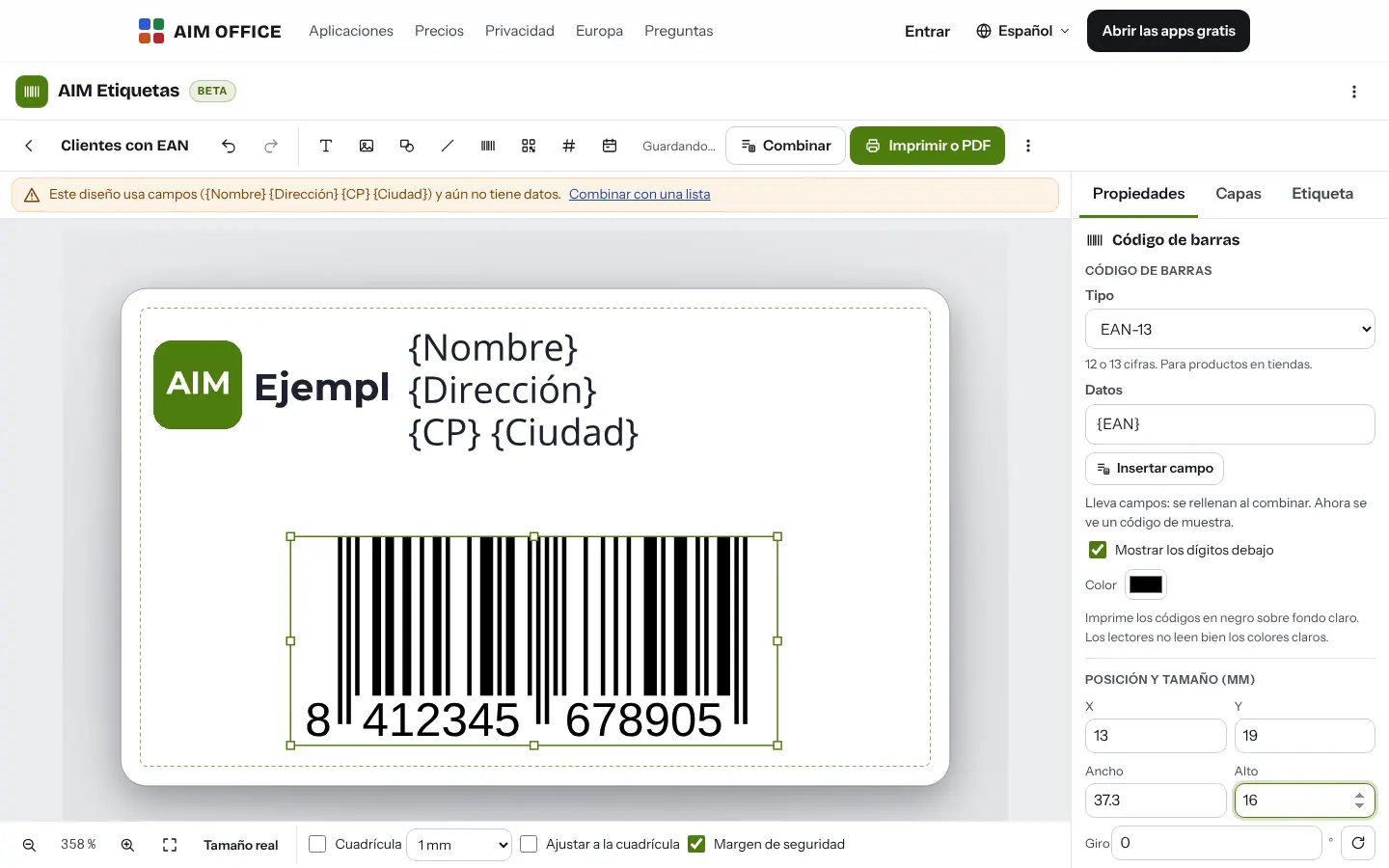
You see the label at its real size, with a grid and a safety margin. Self-fitting text, images, shapes, layers and millimetre-precise alignment.
AIM Labels
A4 label sheets, business cards and envelopes at real size, with EAN, Code 128 and QR codes, merging from your spreadsheet or CSV, and a PDF accurate to the millimetre.
What usually happens, and how AIM Labels solves it.
You print a sheet of labels and everything comes out shifted.
AIM Labels has templates with the real sizes of the best-selling sheets and produces a PDF accurate to the millimetre.
Writing a hundred addresses on a hundred labels, one by one.
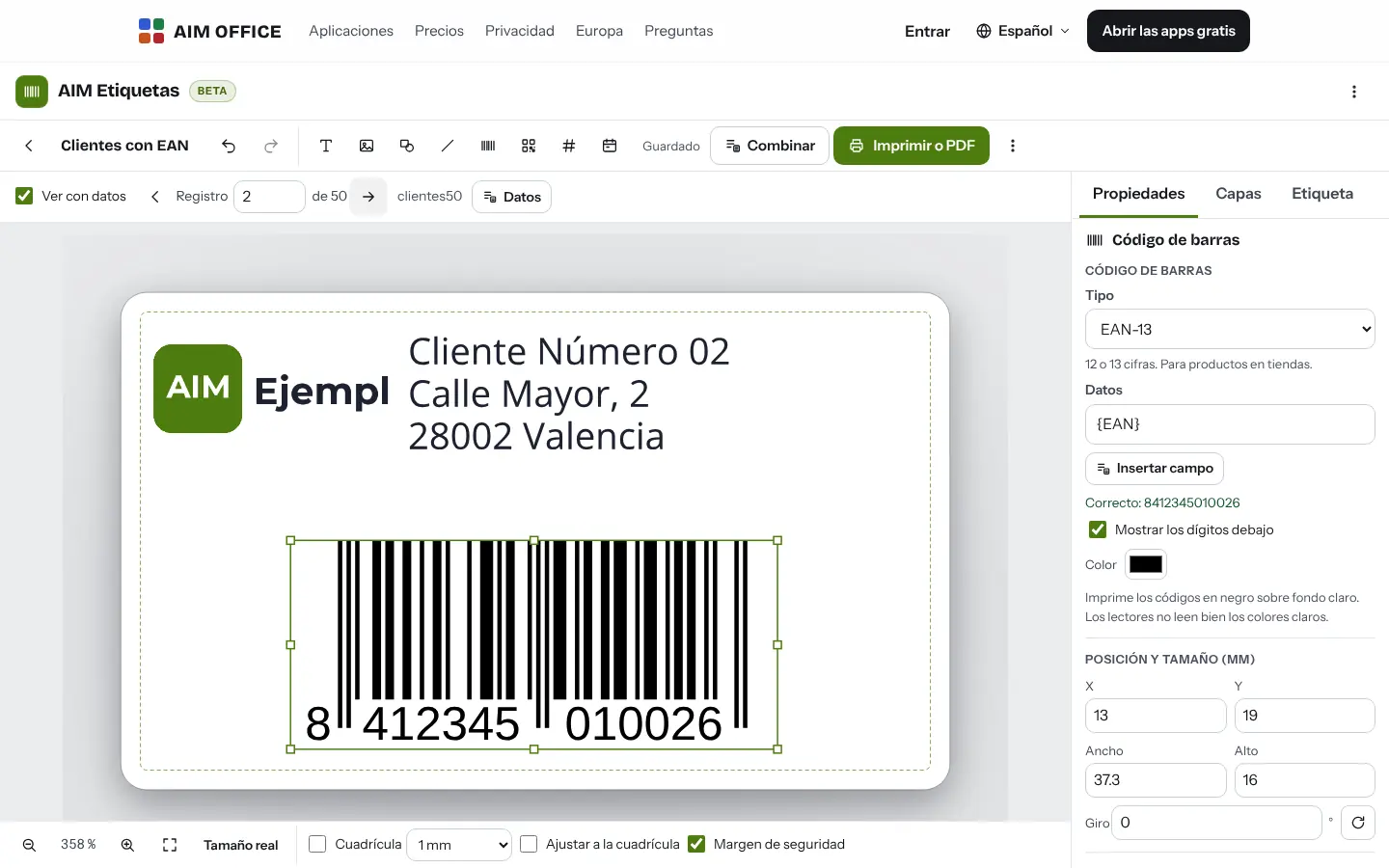
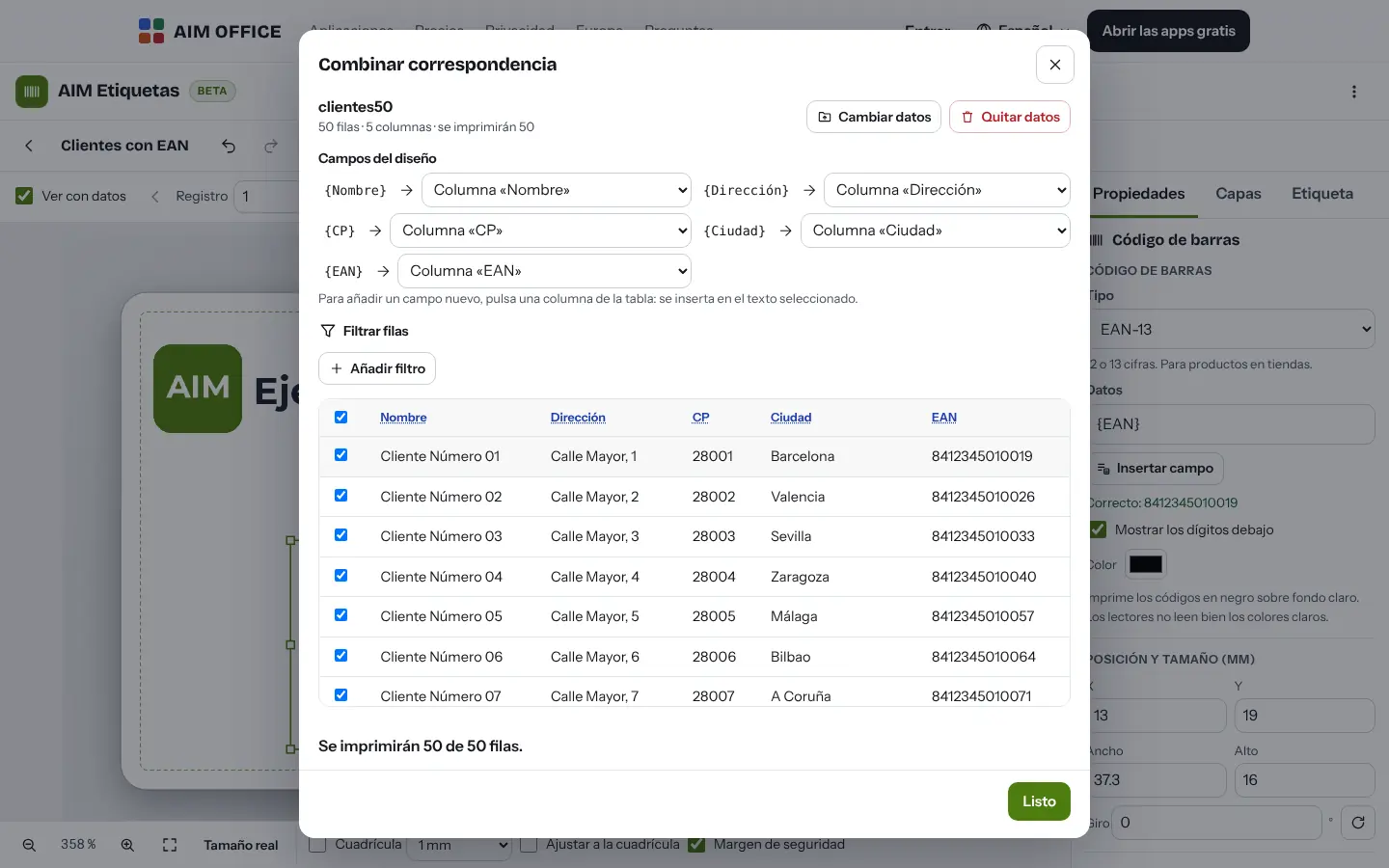
Each row of your spreadsheet or CSV fills in one label.
A badly generated barcode won't scan on any reader.
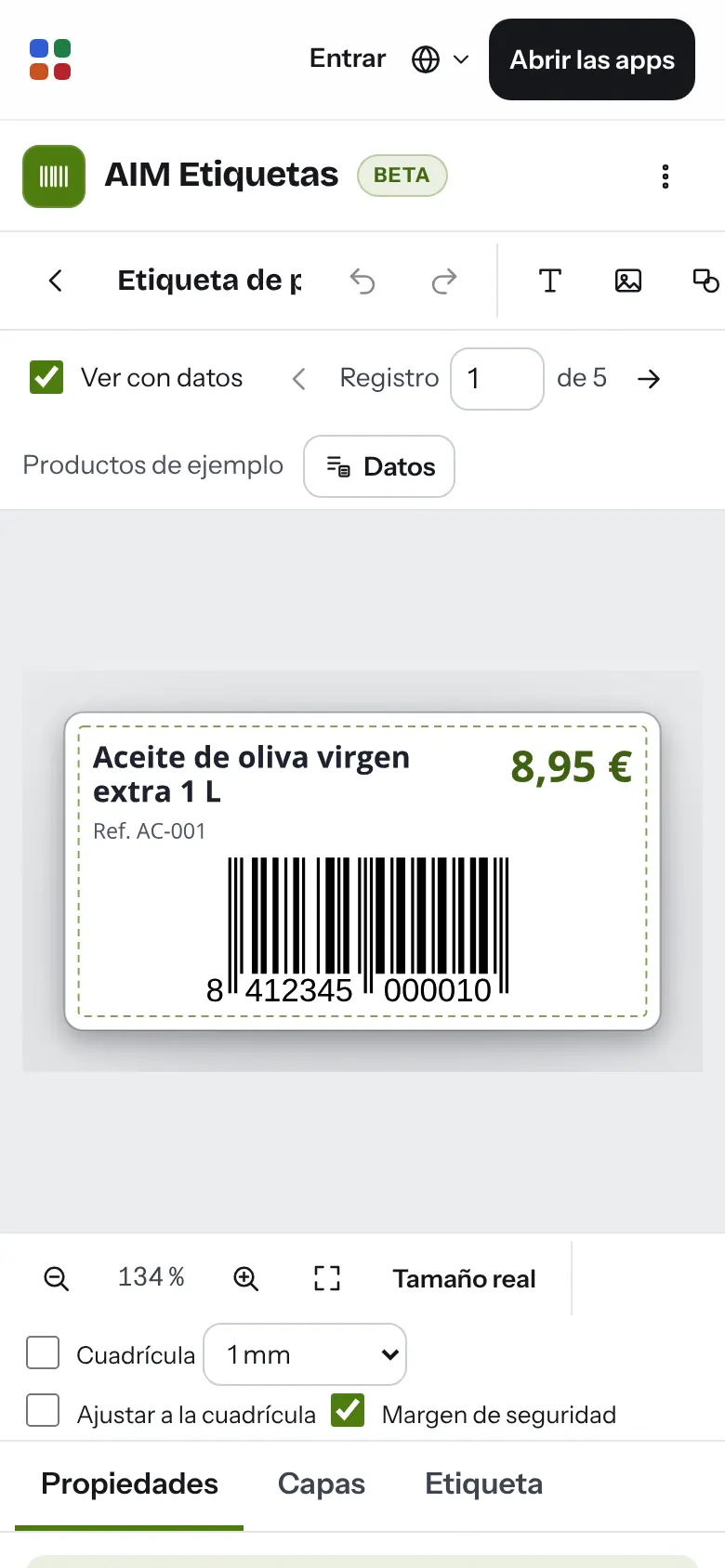
EAN, Code 128 and QR with their check digit, and it warns you before printing if a code isn't valid.
Getting started is this simple. And this is what you'll see: screenshots of the real app.
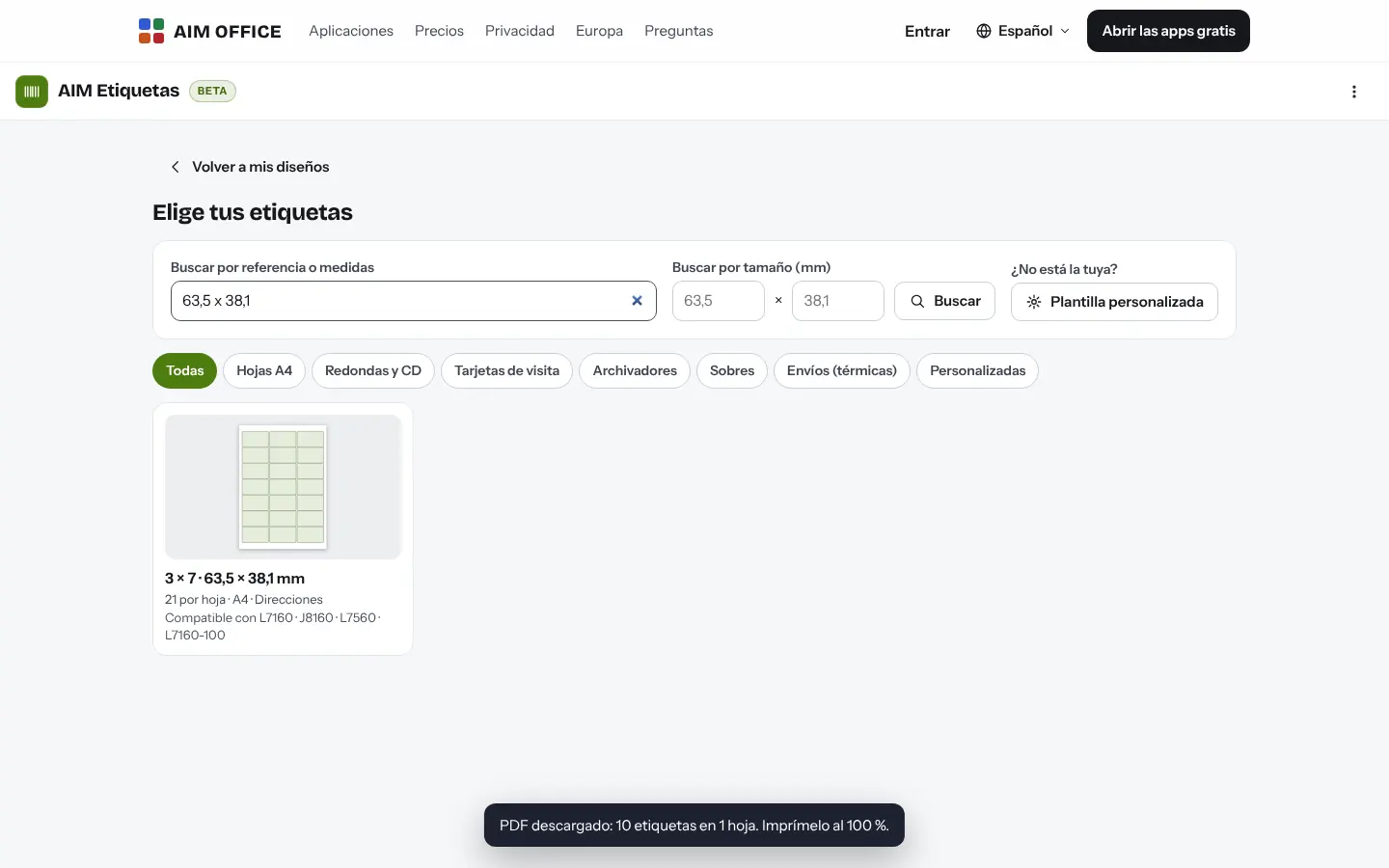
Search by the reference on the box, by size or by the number of labels per sheet. If it isn't there, create your own with a ruler.
Text, images, logos, shapes and barcodes or QR codes. Add fields like {Nombre} or {EAN} to fill them from your list.
Load your XLSX or CSV file, choose which rows to print and download the exact PDF. Calibrate your printer once and everything lands in place.
Everything AIM Labels does today, told by what it solves for you.
You see the label at its real size, with a grid and a safety margin. Self-fitting text, images, shapes, layers and millimetre-precise alignment.
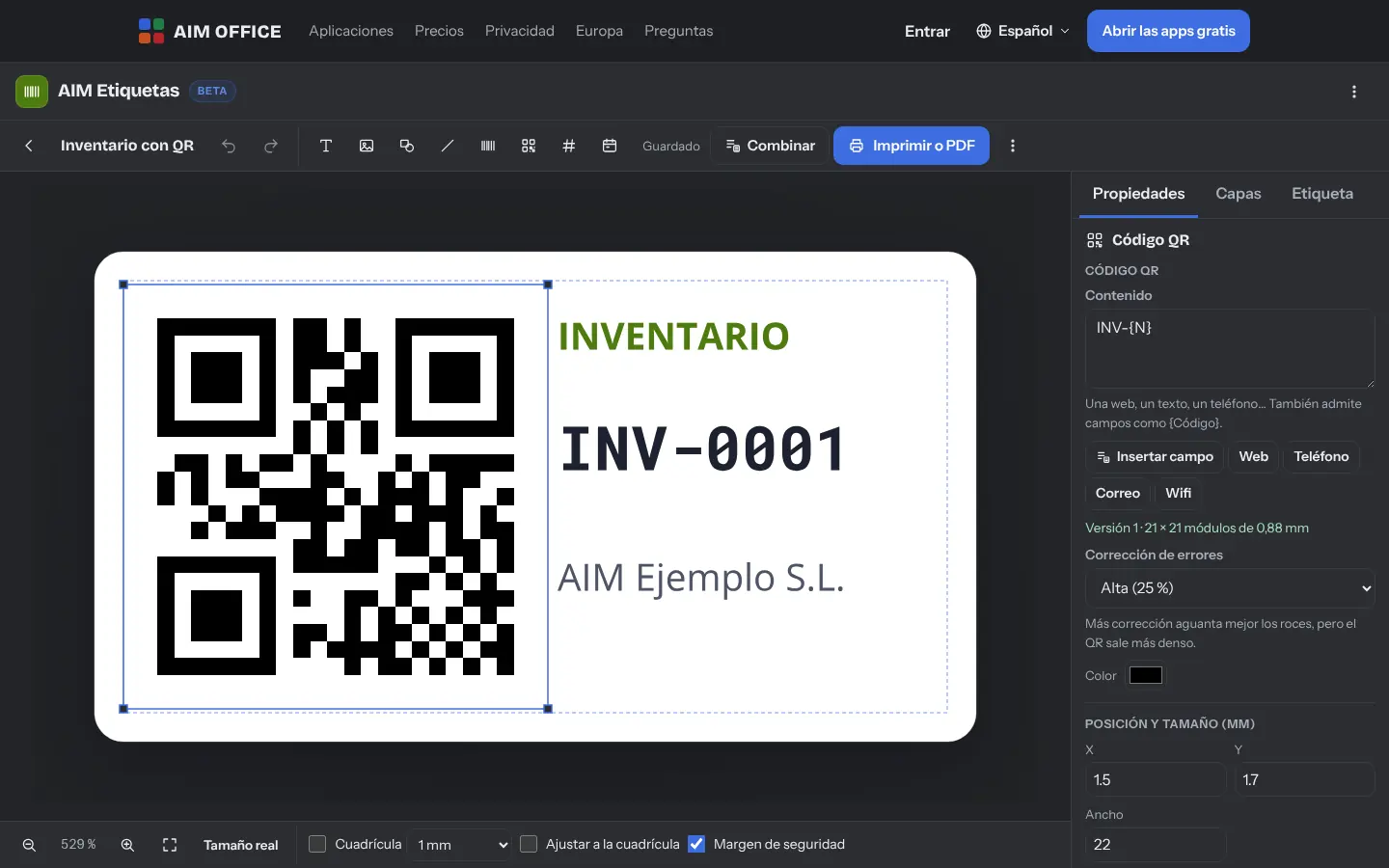
Addresses, products or inventory: each row of your spreadsheet or CSV fills a label, with automatic numbering and the date.
Templates with the real measurements of the best-selling A4 sheets, cards, envelopes and shipping labels. Search by product code or by size.
Choose which column goes into each field, filter rows, remove the ones you don't need, print several copies, and get a warning if a field has no column.
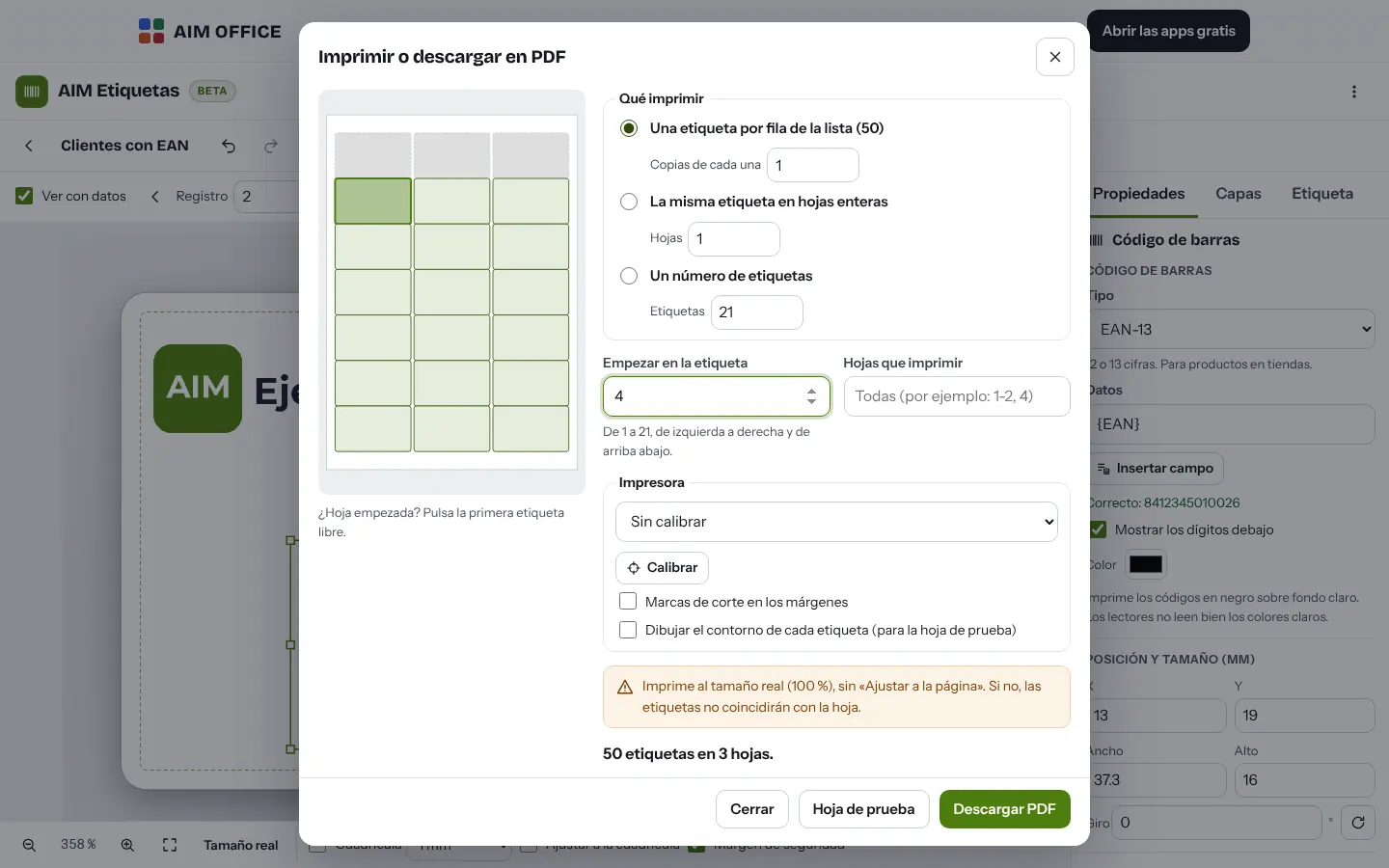
Start at any label you like so you don't waste the rest of a used sheet, or print the same label across the whole sheet.
EAN-13, EAN-8, UPC-A and ITF-14 with their check digit, Code 128, Code 39 and QR. If a code isn't valid, it tells you before printing.
Print the calibration sheet, measure the offset and AIM Labels corrects it in everything you print, with crop marks if you need them.
85 × 55 mm business cards, DL envelopes with a return address and 100 × 150 mm shipping labels, one per page.
SMEs, freelancers and firms that already work this way.
Product labels with name, price and EAN-13 barcode, taken from your item list.
Envelopes and address labels for sending greetings or notices to all your clients.
Numbered inventory labels with a QR code for each piece of equipment or each shelf.
Badges and name cards for every attendee, straight from the registration list.
Each app does its own job and hands the work on to the next.
Export your AIM CRM contacts to CSV and open them here to print their addresses.
Prepare the list of products or addresses in AIM Sheets and merge it with your design.
The same products as on your labels, invoiced in AIM PRAXIS.
What stays on your device, what travels encrypted and what we store. No small print.
Your designs and the lists you merge are stored in your browser. They aren't sent to our servers.
Export each design as its own file to keep it or move it to another device.
Nothing from your labels or your lists. No analytics or advertising.
Biomag S.L.U., a Spanish company. Hosted in Amsterdam (EU), with no advertising and no trackers. Read the privacy policy
Start free, no card. Pro only if you need it.
€0Forever. No sign-up, no card.
From €1.99€1.99 a month with annual billing, or €2.49 a month paying every 6 months. VAT included, no commitment.
Search by the reference on the box or by size. If it isn't there, create a custom template with the paper size, rows, columns and margins.
Every printer feeds paper slightly differently. Print the calibration sheet, measure the offset and AIM Labels will correct it. Always print at 100 %, without fitting to the page.
EAN-13, EAN-8, UPC-A, ITF-14, Code 128, Code 39 and QR.
Yes, XLSX or CSV with a header row. Each column becomes a field for your design.
No. It works with any office printer and A4 label sheets, and with 100 × 150 mm shipping label printers.
No sign-up, no card and nothing to install. It opens in your browser in a second.