A channel for every topic
#general for everyone, a channel per project, client or department, and private channels with their own link for whoever needs to be there. Everyone joins and leaves when they like.
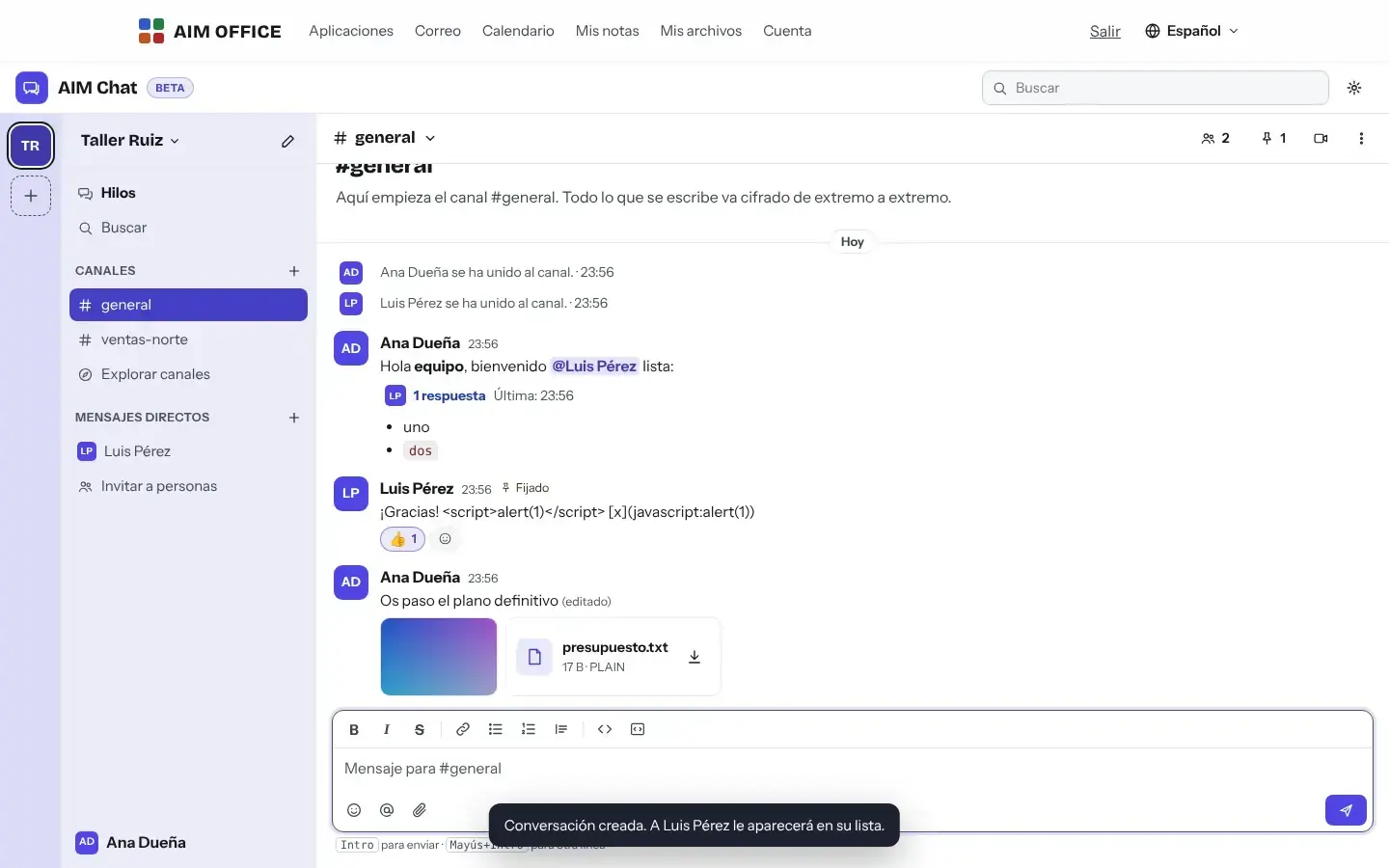
AIM Chat
Channels by topic or project, direct messages, threads, mentions and files. All end-to-end encrypted: not even we can read it.
What usually happens, and how AIM Chat solves it.
The team talks on everyone's personal messaging app and everything gets mixed up.
AIM Chat organises the conversation into channels by topic, project or client, with threads that keep the channel clean.
Company data goes through servers that can read it.
Messages are end-to-end encrypted: not even we can read them.
To talk to an outside collaborator you have to sign them up to another tool.
Inviting means sending a link: whoever joins needs no account.
Getting started is this simple. And this is what you'll see: screenshots of the real app.
Give it a name and AIM Chat creates the #general channel. To create the team you need your free AIM account.
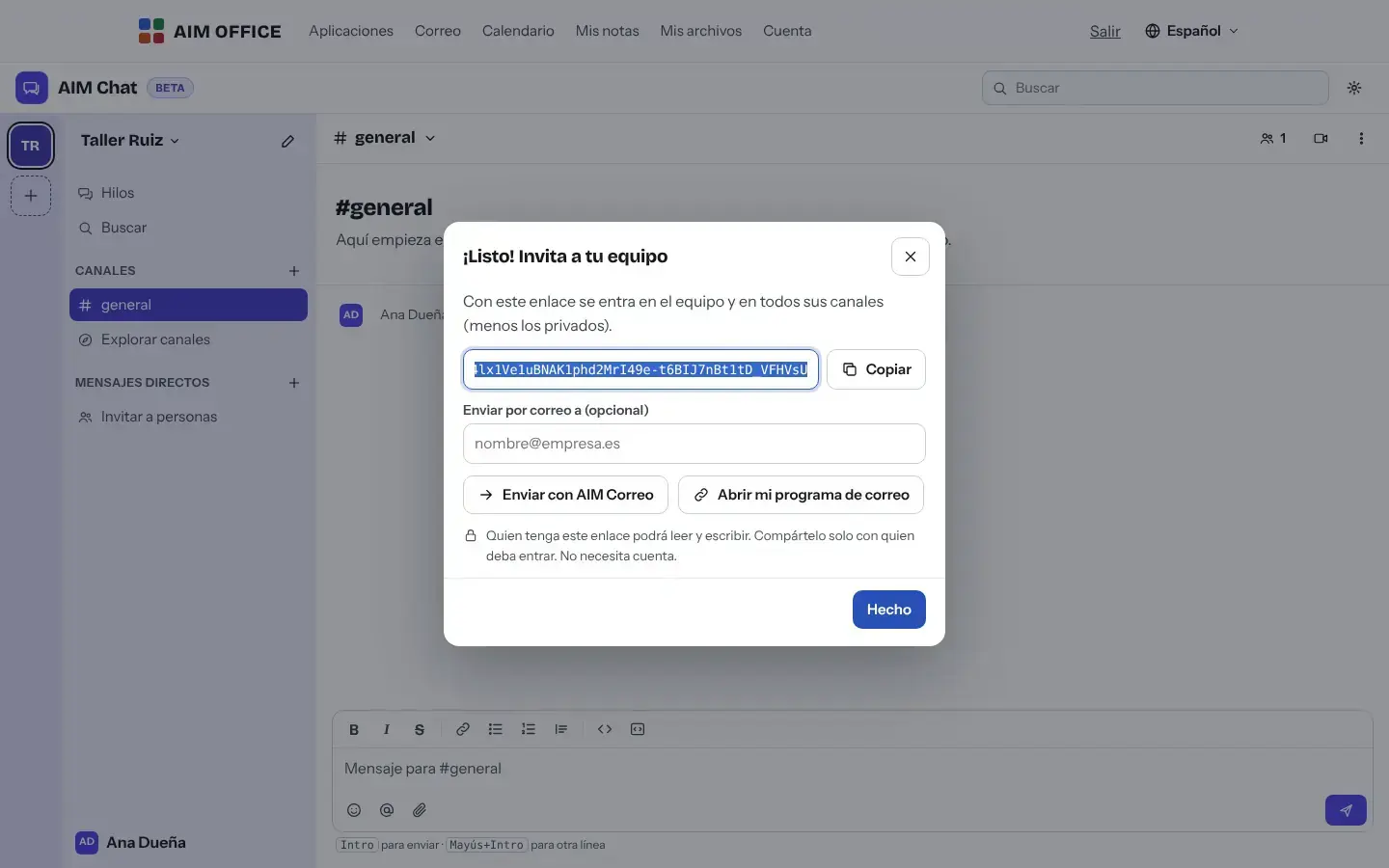
Share the link through AIM Mail or however you like. Whoever receives it chooses a name and joins, without creating an account.
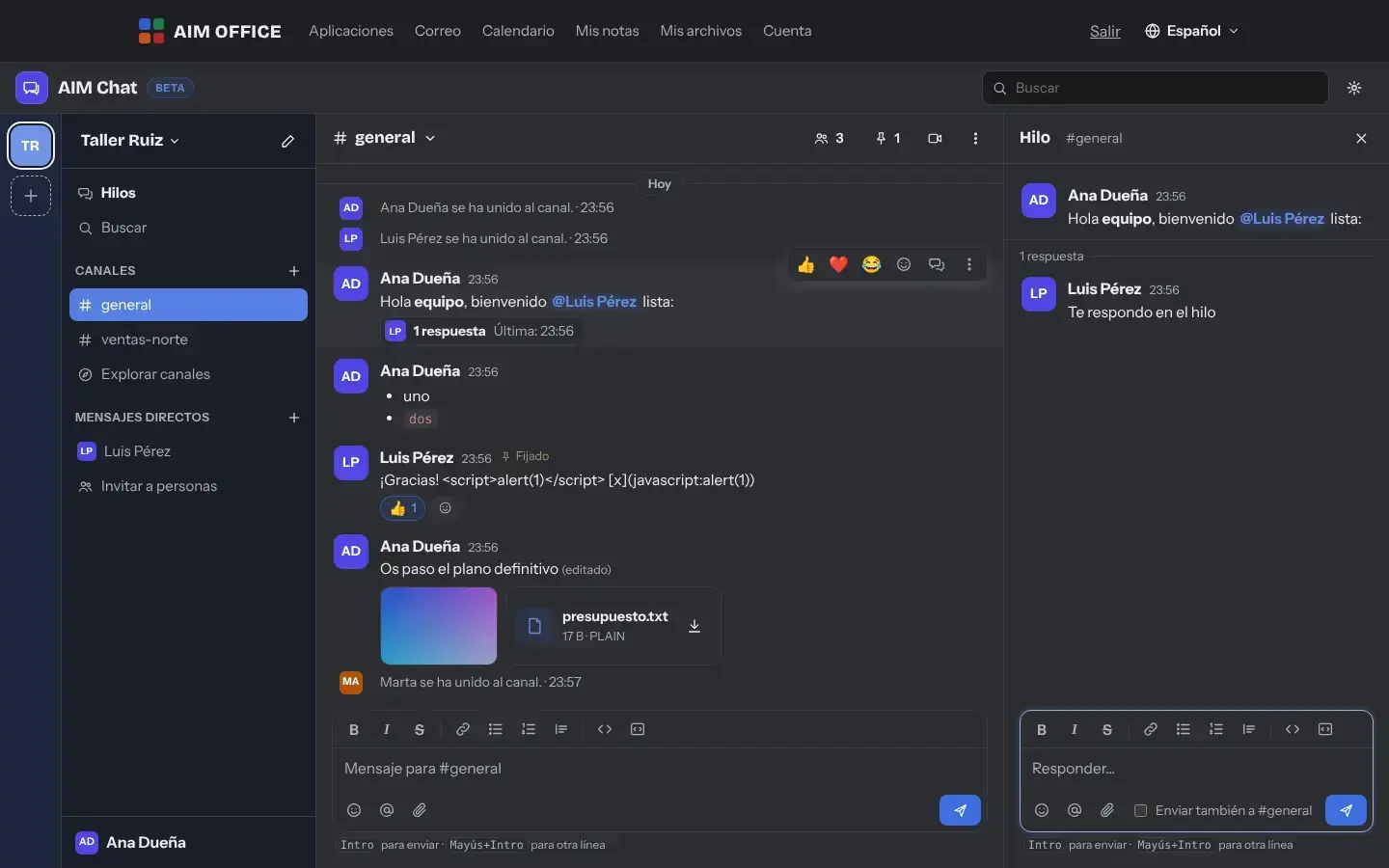
With your account you open public or private channels and write direct messages; anyone who joins with a link reads and writes in that channel. Reply in threads so each conversation stays in its place.
Everything AIM Chat does today, told by what it solves for you.
#general for everyone, a channel per project, client or department, and private channels with their own link for whoever needs to be there. Everyone joins and leaves when they like.
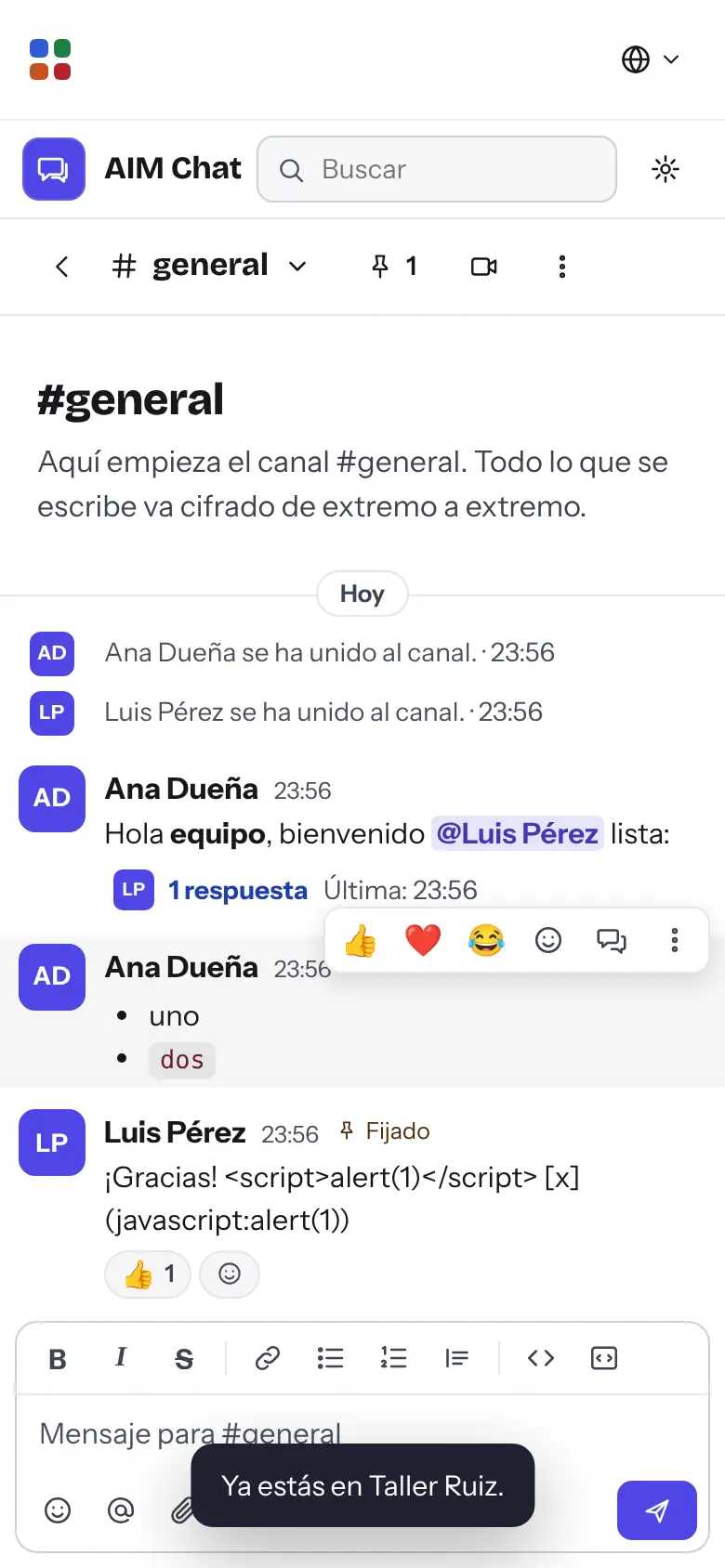
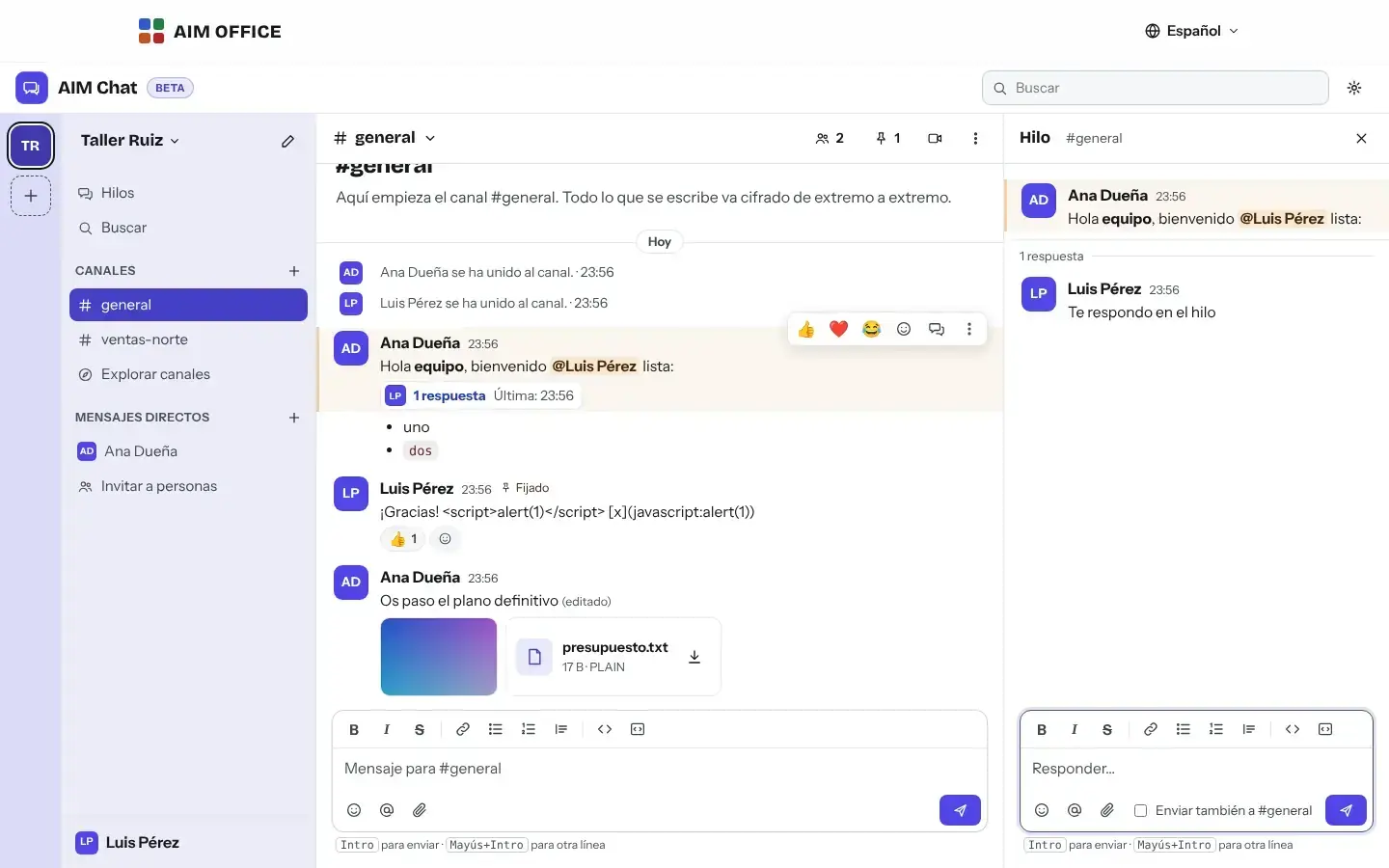
Reply to a message in its thread and, if you like, post it to the channel too. Long conversations don't bury everything else.
Copy the team link or send it through AIM Mail. Whoever joins doesn't need an account: they choose a name and a colour, and that's it.
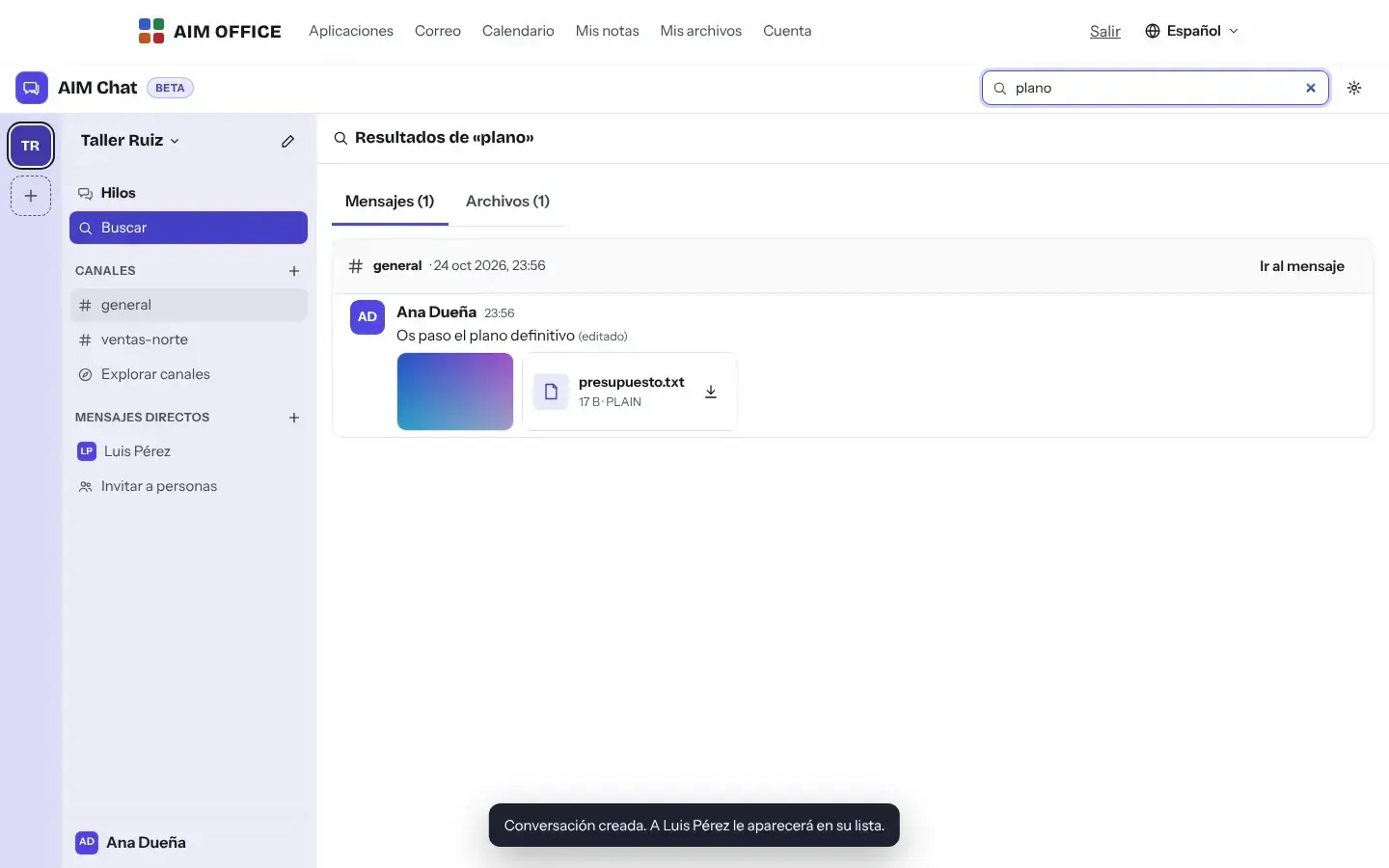
Find messages by keyword without worrying about accents, filter by channel or person and locate shared files.
Type @ and pick the person, or use @canal and @aquí. Unread messages and mentions are counted separately, so you know what's for you.
Bold, italics, strikethrough, code, lists, quotes and links. React with an emoji, pin what matters and edit or delete what you wrote: with your account, from any browser where you open your keyring. What is deleted disappears from the conversation, but its encrypted text stays on the server.
Share documents and images in the conversation, encrypted just like messages. For bigger files, AIM Send.
Every message is signed with your browser's key: nobody can edit or delete what someone else wrote.
SMEs, freelancers and firms that already work this way.
A channel per site with the day's photos, and direct messages with the foreman. Subcontractors join with a link, without creating accounts.
Conversations about each matter in their own private channel, end-to-end encrypted, without relying on personal messaging apps.
Channels per client and per campaign, threads for each piece of work and mentions to ask the right person for a review.
People at home, in the office or on the road, in the same chat from the browser, with nothing to install.
Each app does its own job and hands the work on to the next.
“Call” opens AIM Meetings in another tab: you create the meeting and paste its link into the chat.
Send the invitation to the team or to a private channel through AIM Mail, with the link already written in.
For files over 25 MB, send them encrypted with AIM Send and paste the link into the chat.
What stays on your device, what travels encrypted and what we store. No small print.
Every message and every file is encrypted in your browser with the room's key, which travels in the link after “#” and never reaches our server.
Only the encrypted text, its size and its dates. We can’t read the messages, channel names or files. A deleted message disappears from the conversation, but its encrypted text remains on the server.
Your browser keeps a copy so it opens instantly, works offline and can be searched. Your links' keys go in your keyring, encrypted with a recovery code only you have.
Biomag S.L.U., a Spanish company. Hosted in Amsterdam (EU), with no advertising and no trackers. Read the privacy policy
Start free, no card. Pro only if you need it.
€0Forever. No sign-up, no card.
From €1.99€1.99 a month with annual billing, or €2.49 a month paying every 6 months. VAT included, no commitment.
To create a team, yes: your free AIM account keeps its links and keys. The people you invite don't need an account.
Only whoever has the link with its key. The server stores the encrypted messages and can't read them. Share the links only with people you choose.
AIM Chat works in your phone’s browser, with nothing to install. There is no separate app.
Not inside the chat. “Call” opens AIM Meetings in another tab: you create the meeting and paste its link into the channel.
No: anyone with the link has the channel's key and keeps it even if they leave. To cut off access, create another channel and share its link only with the people you want.
Every channel and every direct message is a shared link, and they count towards your account's maximum: 50 on the Free plan and 500 with Pro. Each conversation holds up to 200,000 messages.
As long as you stay on the same browser, nothing. If you lose it and also clear the browser data, nobody will be able to open those links again, not even us.
Up to 25 MB each. Everything you share counts towards your link storage: 2 GB with the Free plan, 20 GB with Pro.
No sign-up, no card and nothing to install. It opens in your browser in a second.