One link and you're done
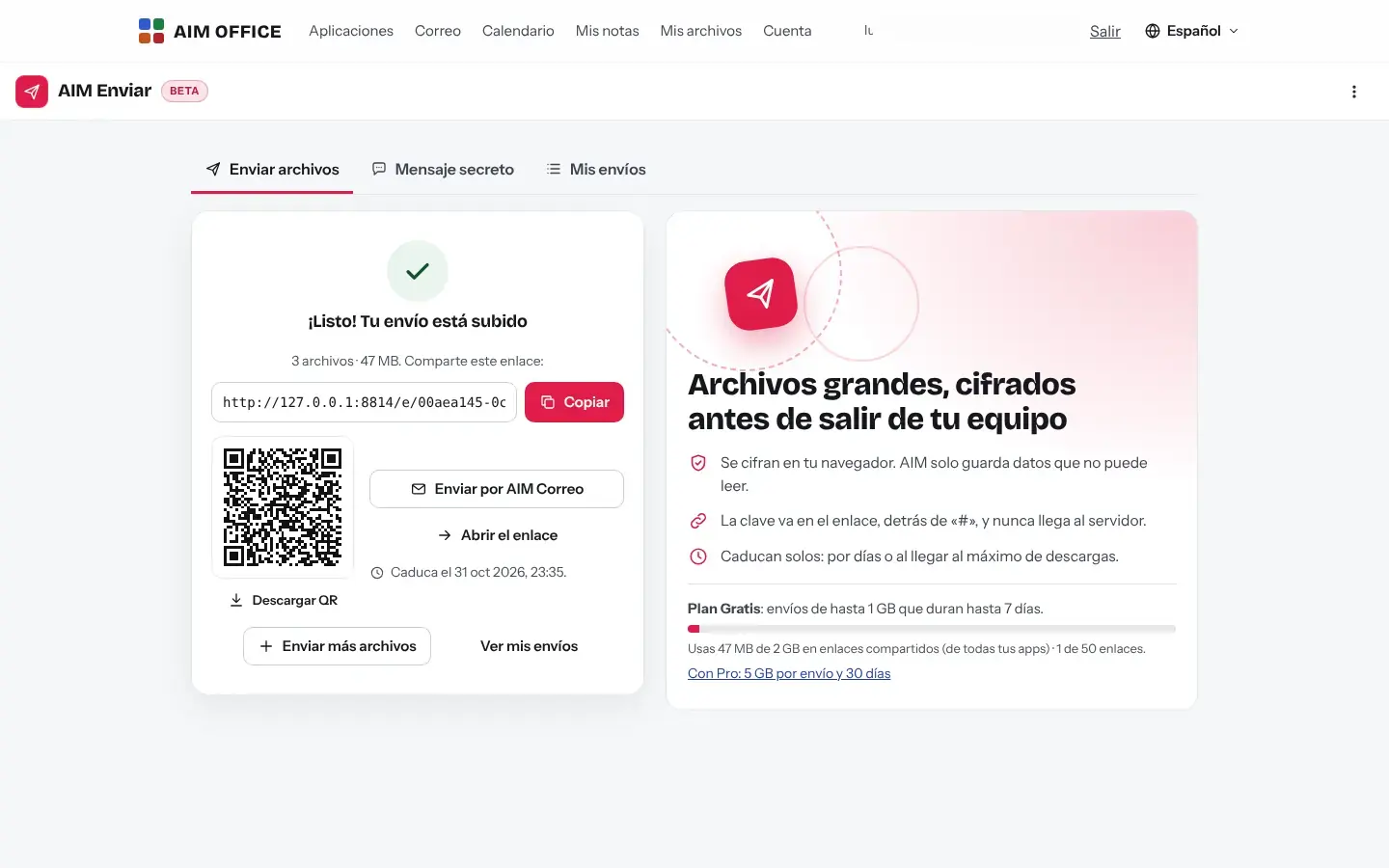
Copy the link, send it through AIM Mail or let people scan the QR code. Whoever receives it doesn't need an account.
AIM Send
Send files and folders with a link that expires, password-protected if you like, or a secret message that can be read only once. Not even we can open them.
What usually happens, and how AIM Send solves it.
The file is too big to send by email.
AIM Send sends whole files and folders with a link: up to 1 GB per transfer on the Free plan and up to 5 GB with Pro.
The files you send stay on other people's servers forever.
They're encrypted before leaving your computer, the link expires by itself and you can delete it sooner.
You send a password by email and it stays there forever.
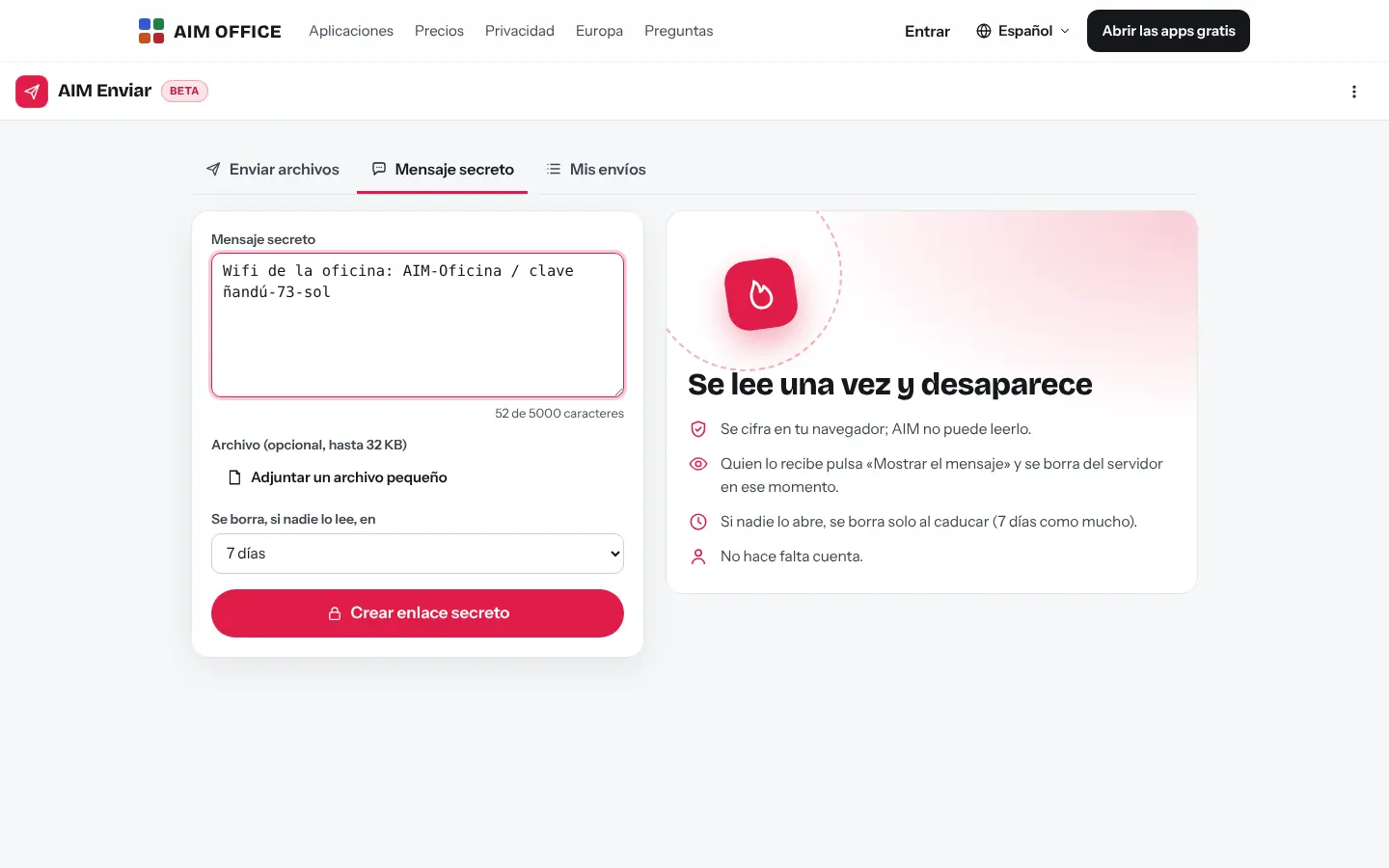
A secret message is deleted from the server as soon as it's read.
Getting started is this simple. And this is what you'll see: screenshots of the real app.
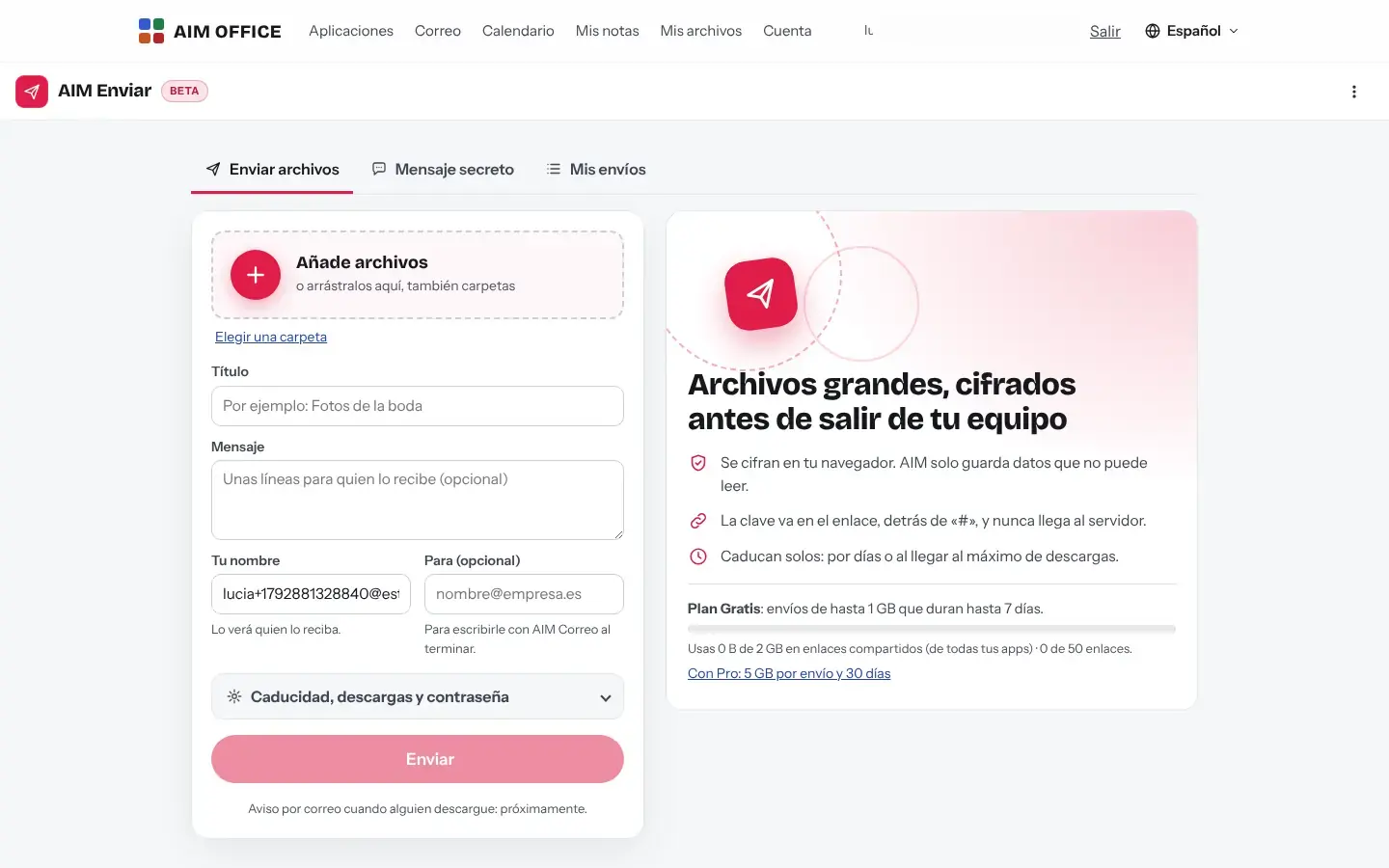
Drag in files or whole folders, add a title and a message. To send, you need your free account.
Decide when it expires, how many times it can be downloaded and whether it has a password. It's encrypted in your browser as it uploads.
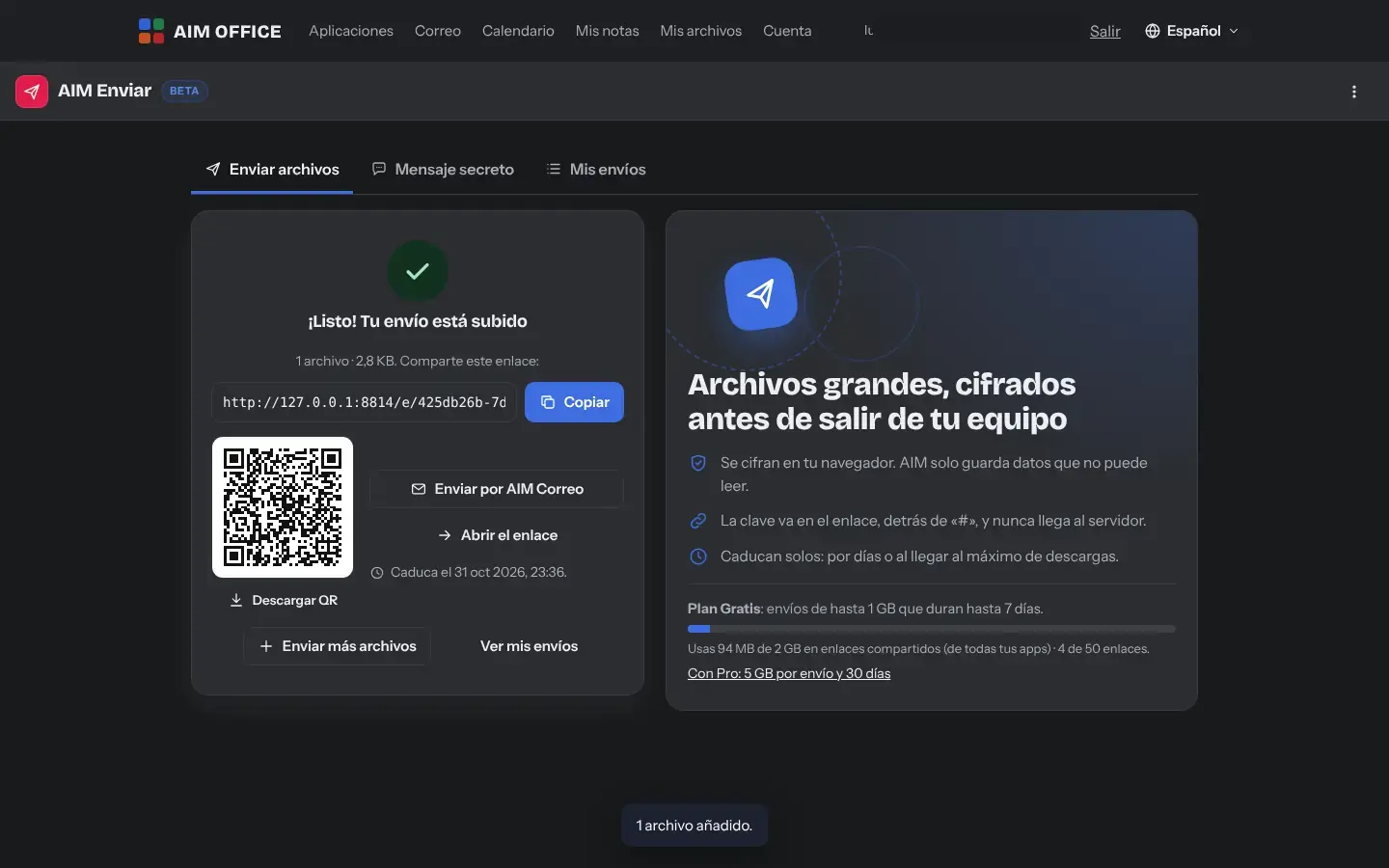
Copy it, send it through AIM Mail or show it as a QR code. In “My transfers” you can see its downloads and expiry.
Everything AIM Send does today, told by what it solves for you.
Copy the link, send it through AIM Mail or let people scan the QR code. Whoever receives it doesn't need an account.
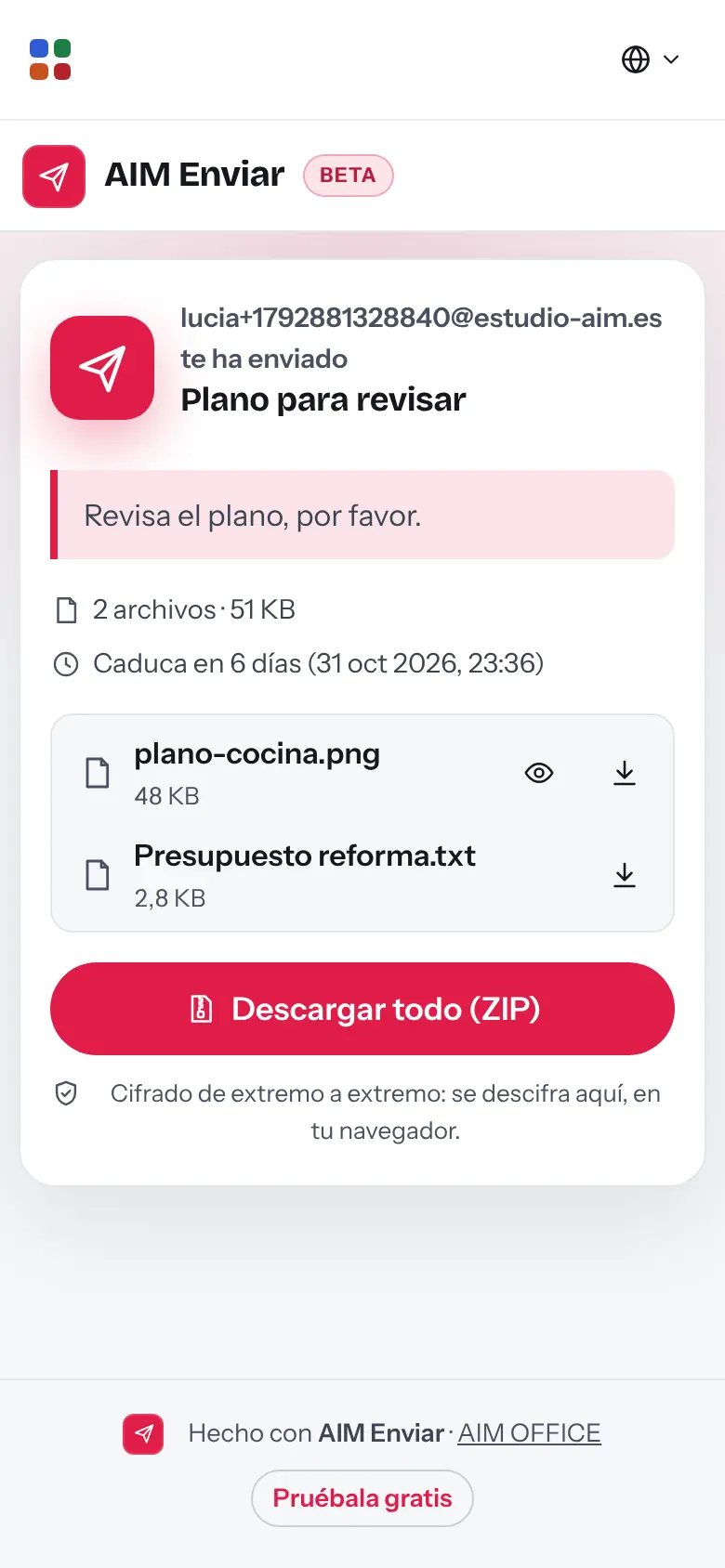
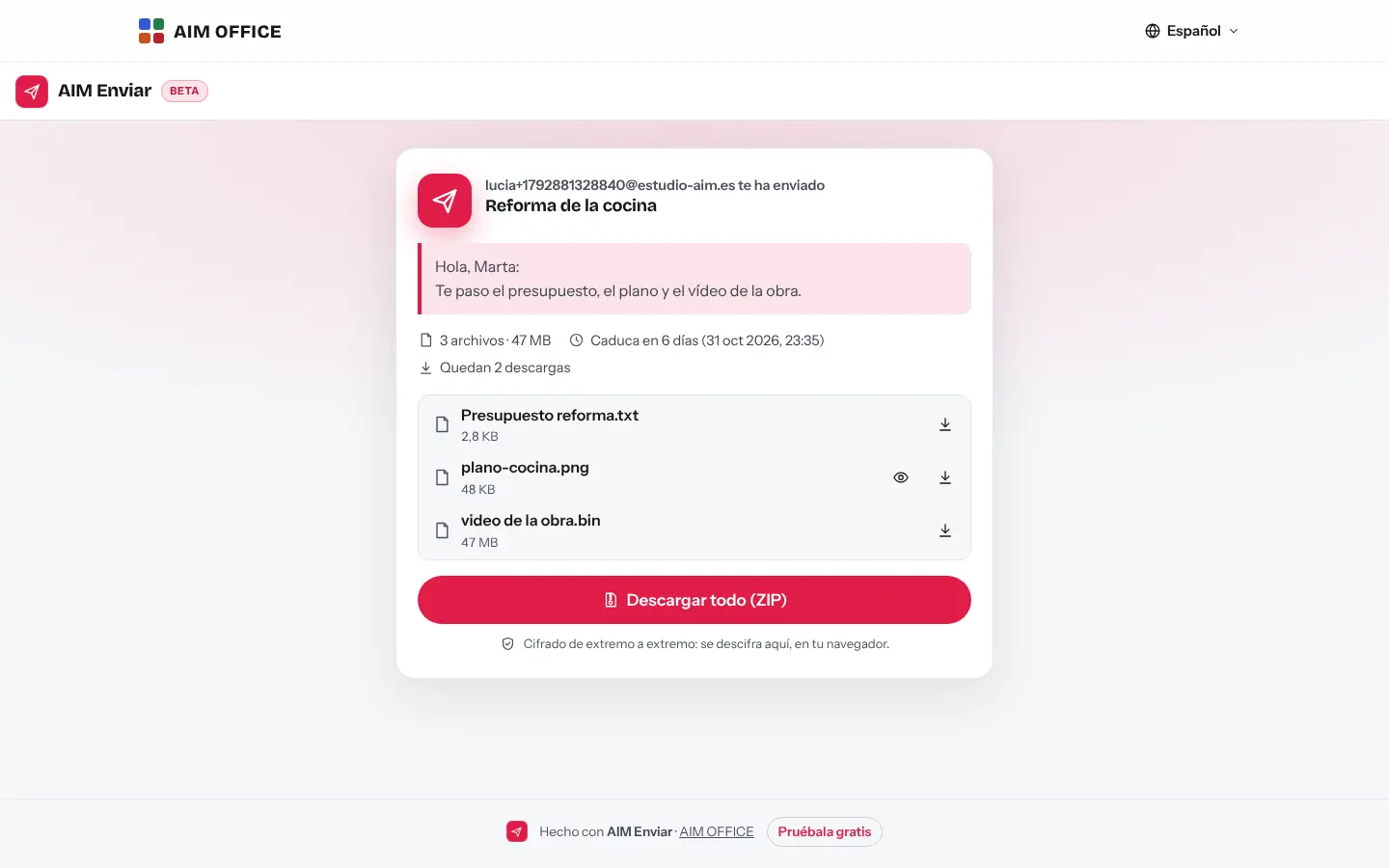
Whoever opens the link sees the files with their size, your message and the expiry date, previews the images and downloads everything as a ZIP, decrypted in their browser.
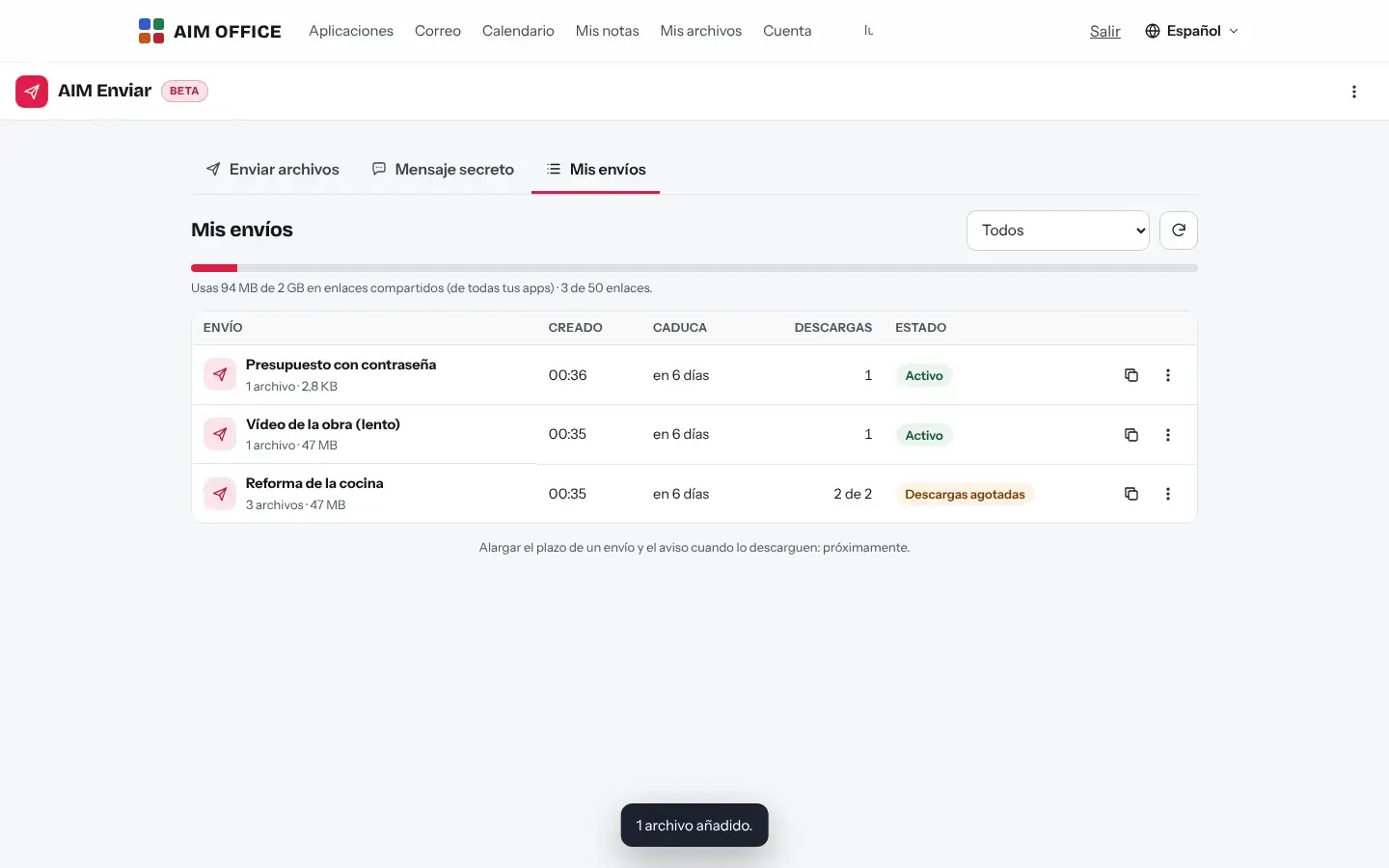
In “My transfers” you can see how many times each transfer has been downloaded and when it expires. Delete it early if you made a mistake.
A password, a Wi-Fi key or a sensitive detail, with a small file if needed: it's deleted from the server as soon as it's read or when it expires.
Choose how many days the link lasts and how many downloads it allows (with no limit it is 1,000, and once reached the transfer is deleted), and add a password that is mixed into the link's key. The server enforces the limit: it cannot be downloaded more times.
Add folders with their subfolders. They download as a ZIP with the same structure, up to 5 GB with Pro, and it is built on the fly without loading it all into memory.
While it's encrypted and uploaded, you see the speed and the time left.
SMEs, freelancers and firms that already work this way.
Videos, high-res photos and final designs to the client, with a link that expires when the project ends.
Heavy plans and renders to the client and the site, with a password.
A client's sensitive documents that no intermediary can read, with a download limit.
The Wi-Fi password or the login to a program, as a secret message that disappears once read.
Each app does its own job and hands the work on to the next.
Send the link through AIM Mail in one click, without stuffing heavy files into the message.
Videos you record with AIM Record, sent with a link when they're too big for email.
For files over 25 MB in AIM Chat, send them with AIM Send and paste the link.
What stays on your device, what travels encrypted and what we store. No small print.
Files are encrypted in your browser with a key that sits in the link, after the “#”, and your browser never sends it to us. We can't open them.
Only the encrypted content, its size and its dates. Transfers are deleted when they expire or reach their download limit, and a secret message as soon as it's read.
To send you need your free account. Your transfers' keys go in your keyring, encrypted with a recovery code only you have.
Biomag S.L.U., a Spanish company. Hosted in Amsterdam (EU), with no advertising and no trackers. Read the privacy policy
Start free, no card. Pro only if you need it.
€0Forever. No sign-up, no card.
From €1.99€1.99 a month with annual billing, or €2.49 a month paying every 6 months. VAT included, no commitment.
With the Free plan, up to 1 GB per transfer for 7 days at most; with Pro, up to 5 GB and 30 days.
No. They open the link in any browser and download.
Yes: by default you get an email when someone downloads the transfer (at most one per hour). You can turn it off when you create it or in “My transfers”.
The upload is cut off and you have to send it again. What was half uploaded appears in “My transfers” as “Upload not finished”, you can delete it, and it is deleted automatically if two days pass without progress. If only the connection drops, the upload resumes without repeating what was already uploaded.
It counts when it starts. As long as you don't close the page you can retry for three hours without using up another download; if you close or reload it, it counts again. In an old browser, a download of more than 600 MB is not supported: we tell you before you start, without using up a download, and you can download the files one by one.
No. It's encrypted on your device before it's uploaded, and the key sits in the part of the link the browser doesn't send to the server.
You'll find it in “My transfers”, with its full link, for as long as you keep your keyring. Without the full link nobody can open the transfer, not even us.
Yes: the same link works for all of them, up to the number of downloads you choose.
No sign-up, no card and nothing to install. It opens in your browser in a second.