Attachments that open by themselves
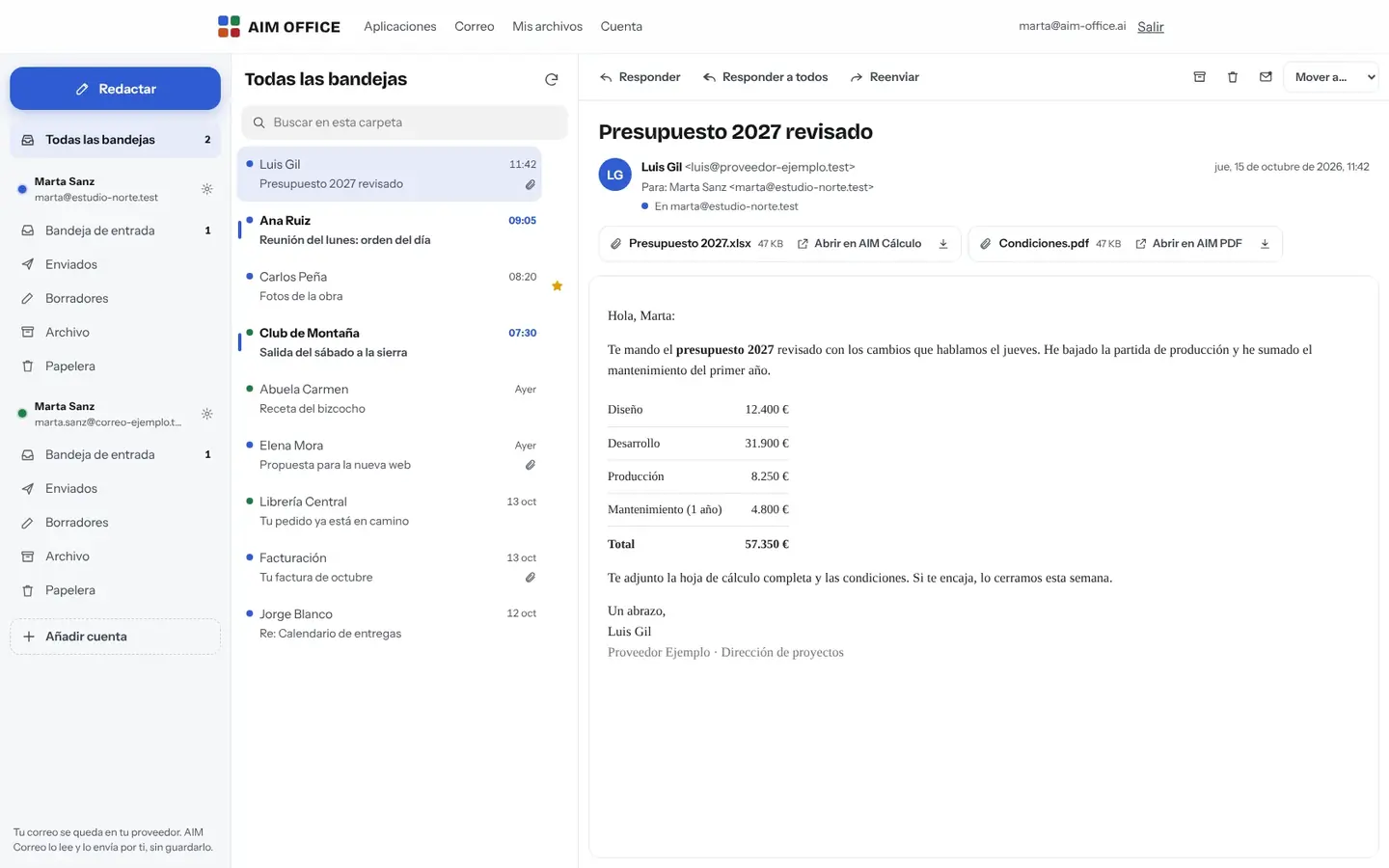
A document, spreadsheet, presentation or PDF opens in one click in AIM Docs, AIM Sheets, AIM Slides or AIM PDF, without downloading it first.
AIM Mail
Read and send email from the accounts you already have, together in one place, and open attachments straight in the AIM apps. Your email stays with your provider: we keep no copies.
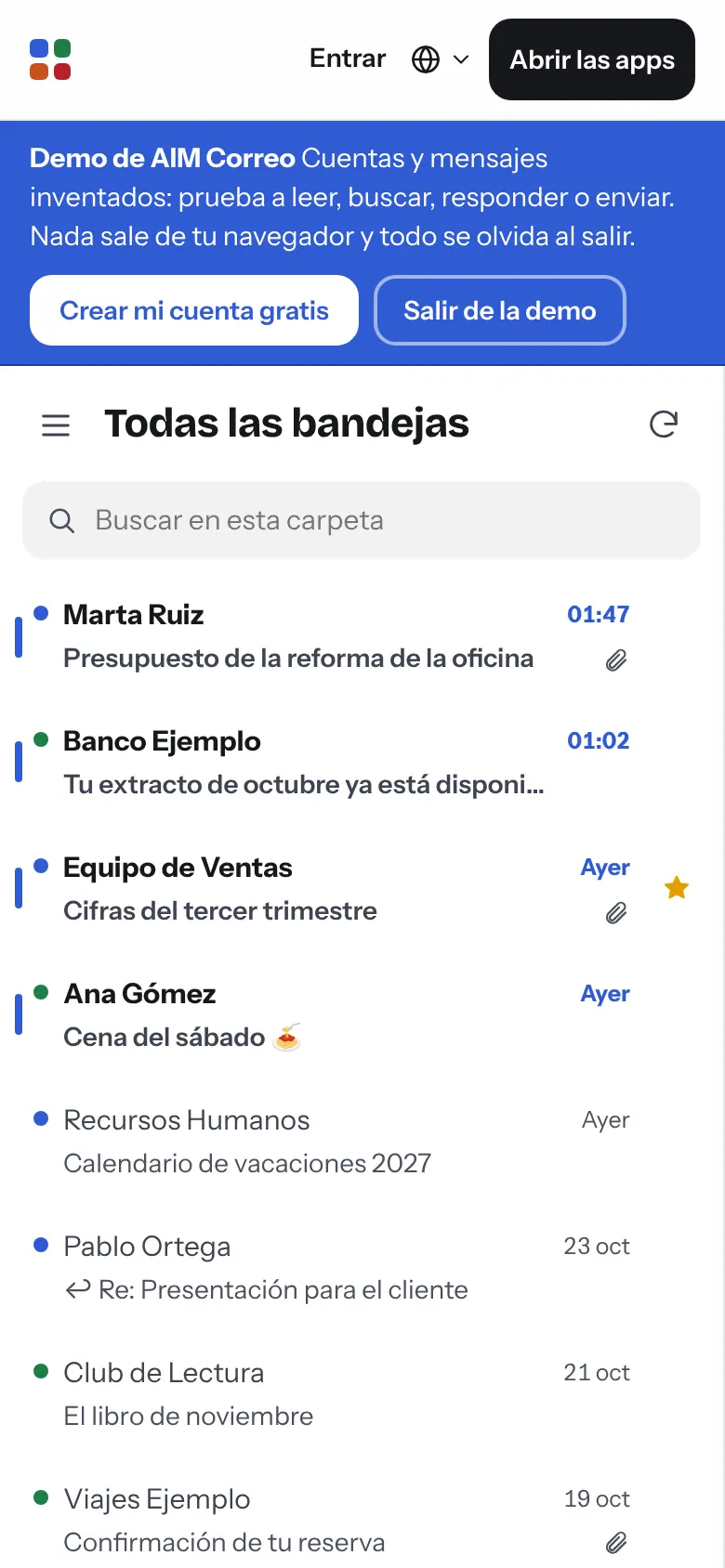
What usually happens, and how AIM Mail solves it.
You jump from tab to tab to check the email of each account.
AIM Mail brings all your accounts into a single inbox, and each one keeps its folders.
To open an attachment you download it, look for something to open it with, and it ends up lost in Downloads.
Documents, spreadsheets, presentations and PDFs open with one click in the AIM apps.
Yet another service that keeps a copy of all your email.
AIM Mail keeps no copies: your email stays with your provider, and images that reveal you've opened a message are blocked.
Getting started is this simple. And this is what you'll see: screenshots of the real app.
Enter your email and sign in with the link we send you, no passwords to remember. Or try the demo first.
Your company email, your domain or the most common providers. Before saving each account we check that it can receive and send.
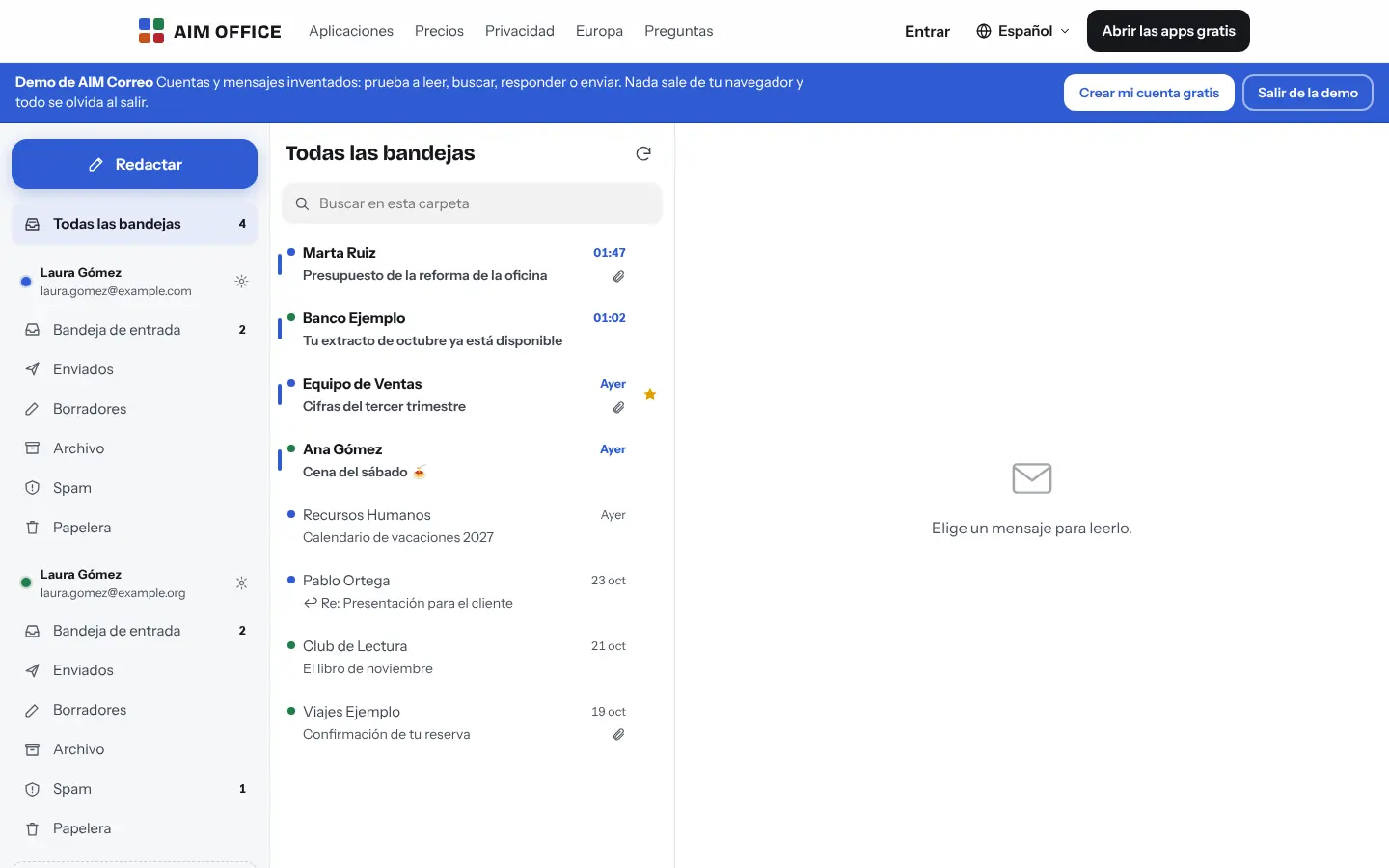
One inbox with all your accounts or each one separately, with its folders. Reply from the right account.
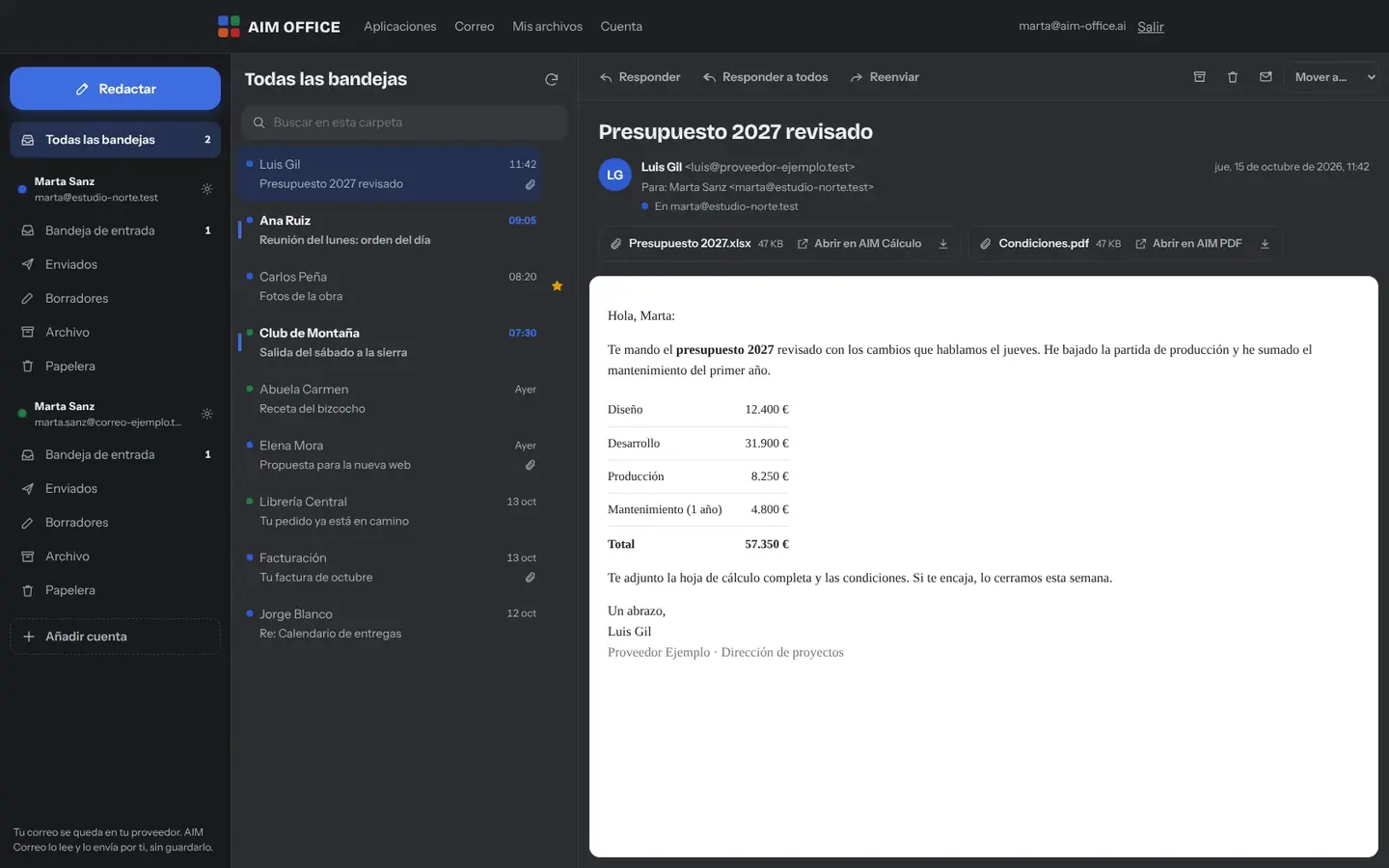
Everything AIM Mail does today, told by what it solves for you.
A document, spreadsheet, presentation or PDF opens in one click in AIM Docs, AIM Sheets, AIM Slides or AIM PDF, without downloading it first.
The “All inboxes” view gathers what's new from every account, and each account keeps its folders: inbox, sent, drafts, archive, spam and bin.
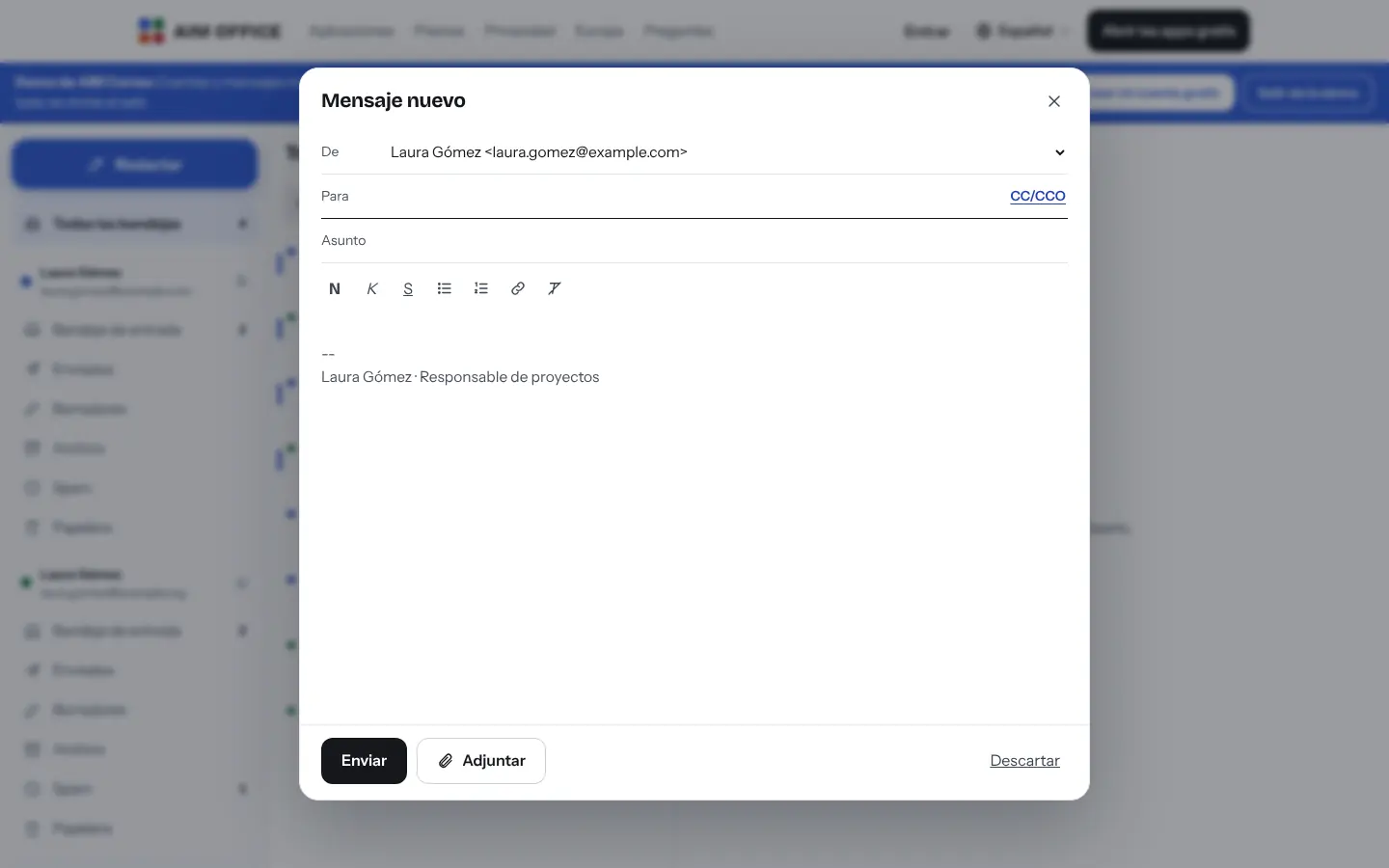
Bold, italics, lists and links, one signature per account, Cc and Bcc, and attachments. What you write is saved in your browser until you send it, in case the tab closes.
Messages that reply to each other, from Inbox and Sent, are grouped into a single row with their message count. You open them collapsed or expanded and can archive or delete them whole (with “Undo”) or mark them as read. Messages already loaded are grouped, without reading your whole mailbox, and you can turn it off whenever you like.
Remote images are not loaded until you click “Show images”, so that no one can tell when you open a message. If your provider has checked SPF, DKIM and DMARC, you see it next to the sender; AIM Mail reads that annotation, it does not repeat the check. If there is none, the message is marked “unverified”, without assuming anything is fake. It also warns about domains that imitate another and names that pose as a company.
Lists the newsletters you receive by sender, with how many you have opened. Requests unsubscribe with one click (only if your provider confirms the message's signature) or by email, always to the address the newsletter itself indicates and after asking you.
Find messages in the folder you're viewing, in any of your accounts.
Meeting invitations you receive can be accepted or declined and go into AIM Calendar.
If the attachments are too heavy, save them in AIM Cloud with Pro and share the link.
The demo has made-up accounts and messages so you can try everything: read, search, reply and send. Nothing leaves your browser.
SMEs, freelancers and firms that already work this way.
Business and personal email together in one tab, without mixing up which account you're replying from.
The main address and each department's, with customers' spreadsheets and PDFs opening instantly.
Orders, suppliers and the online shop, each with its own account, in a single inbox.
The accounts for each of your company's brands or domains, each with its own signature.
Each app does its own job and hands the work on to the next.
Documents you receive open in AIM Docs, and spreadsheets in AIM Sheets.
Invitations from AIM Calendar and other calendars are answered from the email itself.
For files that won't fit in an email, send an encrypted AIM Send link.
Email your AIM CRM contacts from their record.
What stays on your device, what travels encrypted and what we store. No small print.
Every time you open a folder, our server connects to your provider, reads it and shows it to you. A message you've just opened is kept in memory for two minutes at most, never on disk.
For each account we store the address, name, signature, servers and password (or app password), encrypted and tied to your AIM account. When you remove the account, it's deleted.
The message you're writing and the accounts you've collapsed are stored only on your device, and are deleted when you sign out.
Biomag S.L.U., a Spanish company. Hosted in Amsterdam (EU), with no advertising and no trackers. Read the privacy policy
Start free, no card. Pro only if you need it.
€0Forever. No sign-up, no card.
From €1.99€1.99 a month with annual billing, or €2.49 a month paying every 6 months. VAT included, no commitment.
No. AIM Mail reads and sends email from the accounts you already have. Your email stays with your provider and AIM connects to it when you use it.
Your company email or your own domain, and accounts from the most common providers. Some ask for an app password: we explain how to create one.
Up to 3 with your free account and up to 50 with Pro.
Yes, to connect your mailboxes: it's free and you create it with your email. The demo works without an account.
Yes, in your phone's browser, with the same inbox and the same accounts.
We stop connecting to it and delete its password. Your email stays intact at your provider.
No sign-up, no card and nothing to install. It opens in your browser in a second.