A canvas that never ends
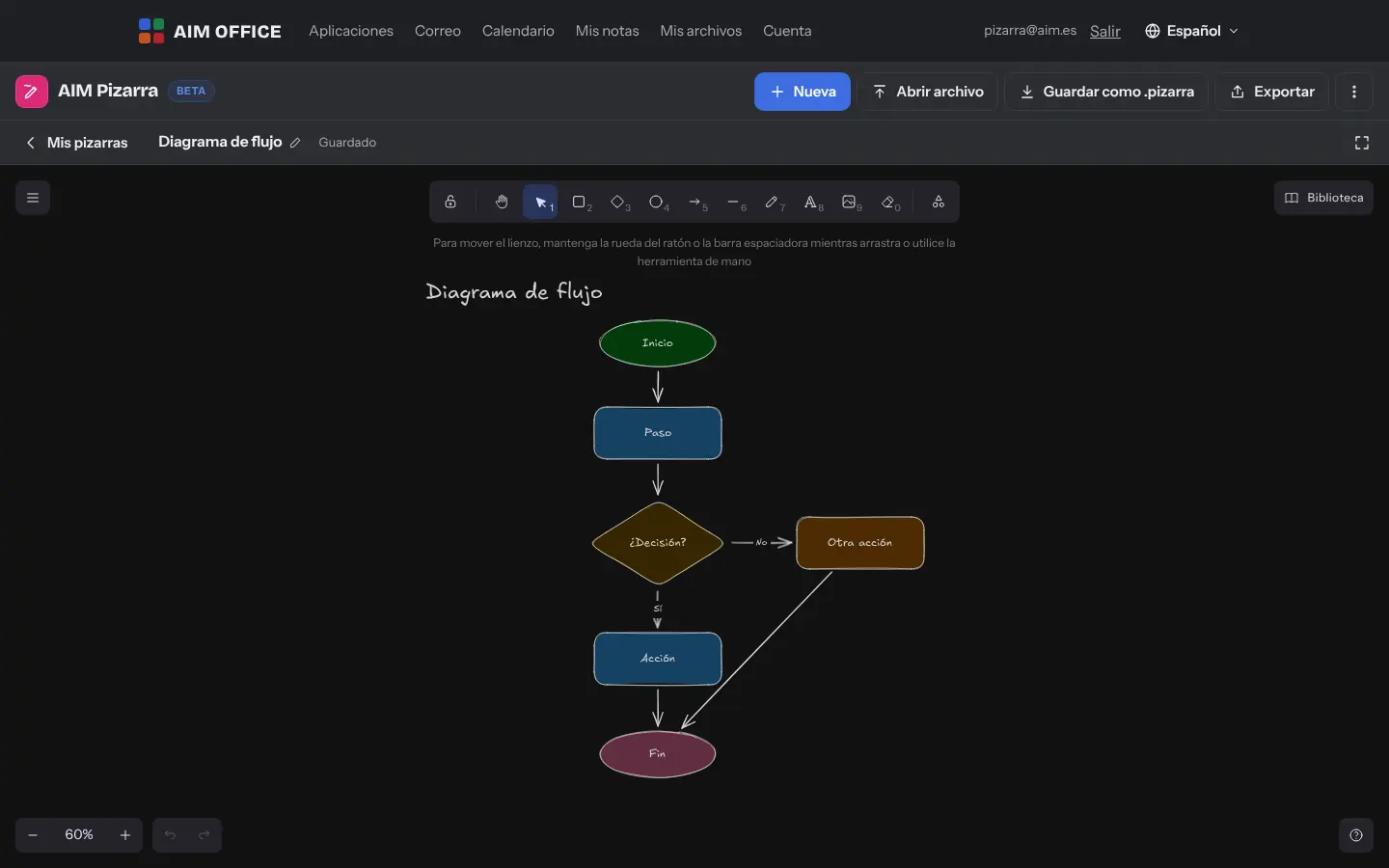
Zoom in, zoom out and move around without limits. Shapes, arrows that stay attached to shapes, lines, text and freehand strokes with the feel of a paper sketch.
AIM Whiteboard
An infinite whiteboard for sketching ideas, outlines and flows freehand, with shapes, arrows, notes, text and images. Fast, simple and with everything stored on your device.
What usually happens, and how AIM Whiteboard solves it.
The brainstorm stays on a meeting-room whiteboard that someone wipes.
AIM Whiteboard gives you an endless canvas, saved on your computer and exported as PNG, SVG or PDF.
Starting from a blank page is hard and the meeting goes on getting organised.
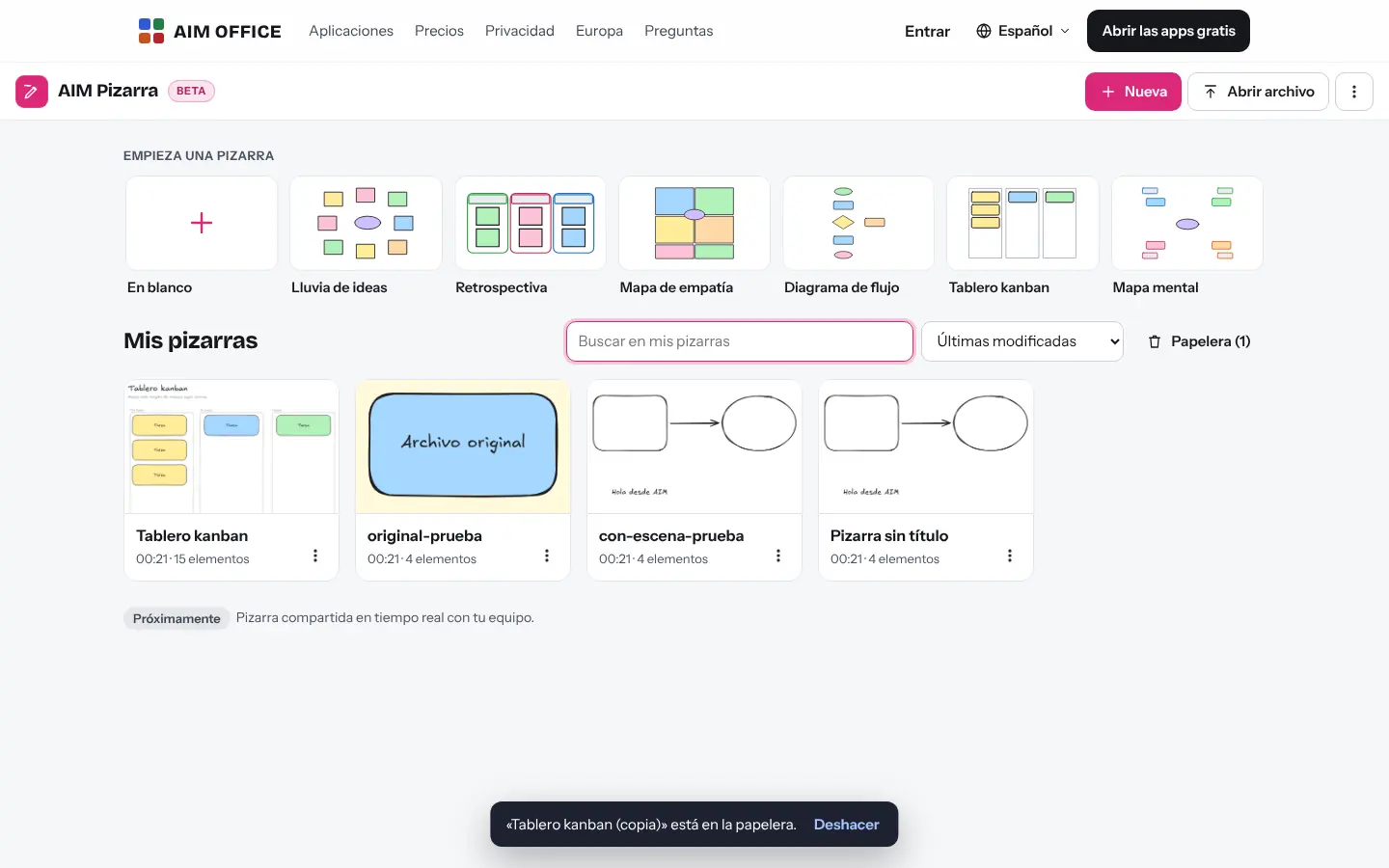
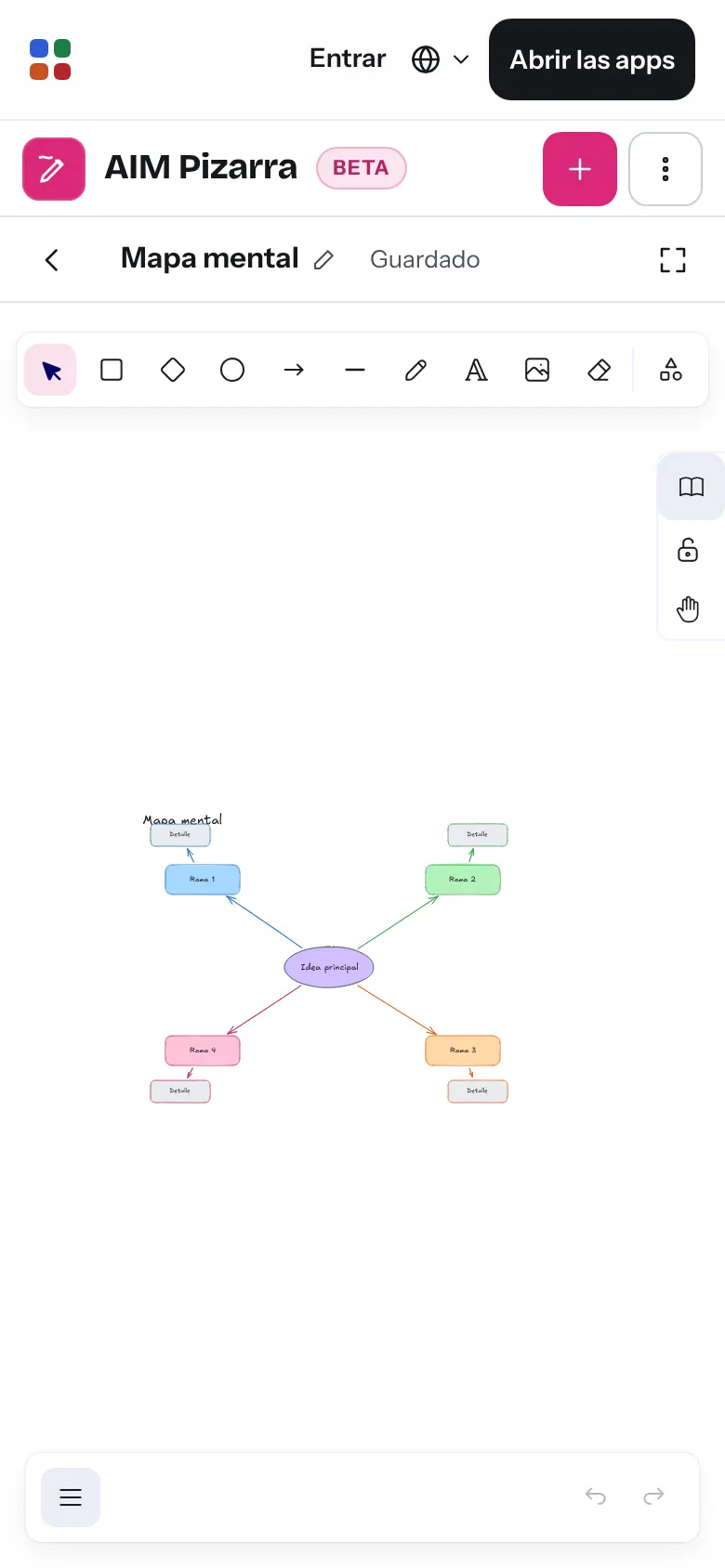
Six ready-made templates: brainstorm, retrospective, empathy map, flowchart, kanban and mind map.
A diagram exported as an image can no longer be changed.
PNG and SVG files carry the whiteboard inside: open them again and keep editing.
Getting started is this simple. And this is what you'll see: screenshots of the real app.
Brainstorm, retrospective, empathy map, flowchart, kanban board or mind map, ready to fill in.
Shapes, arrows that stick to them, text, freehand strokes and images. Change colours, line widths and font style.
It saves itself in your browser. Export it as PNG, SVG or PDF, or save the .pizarra file to carry on another day.
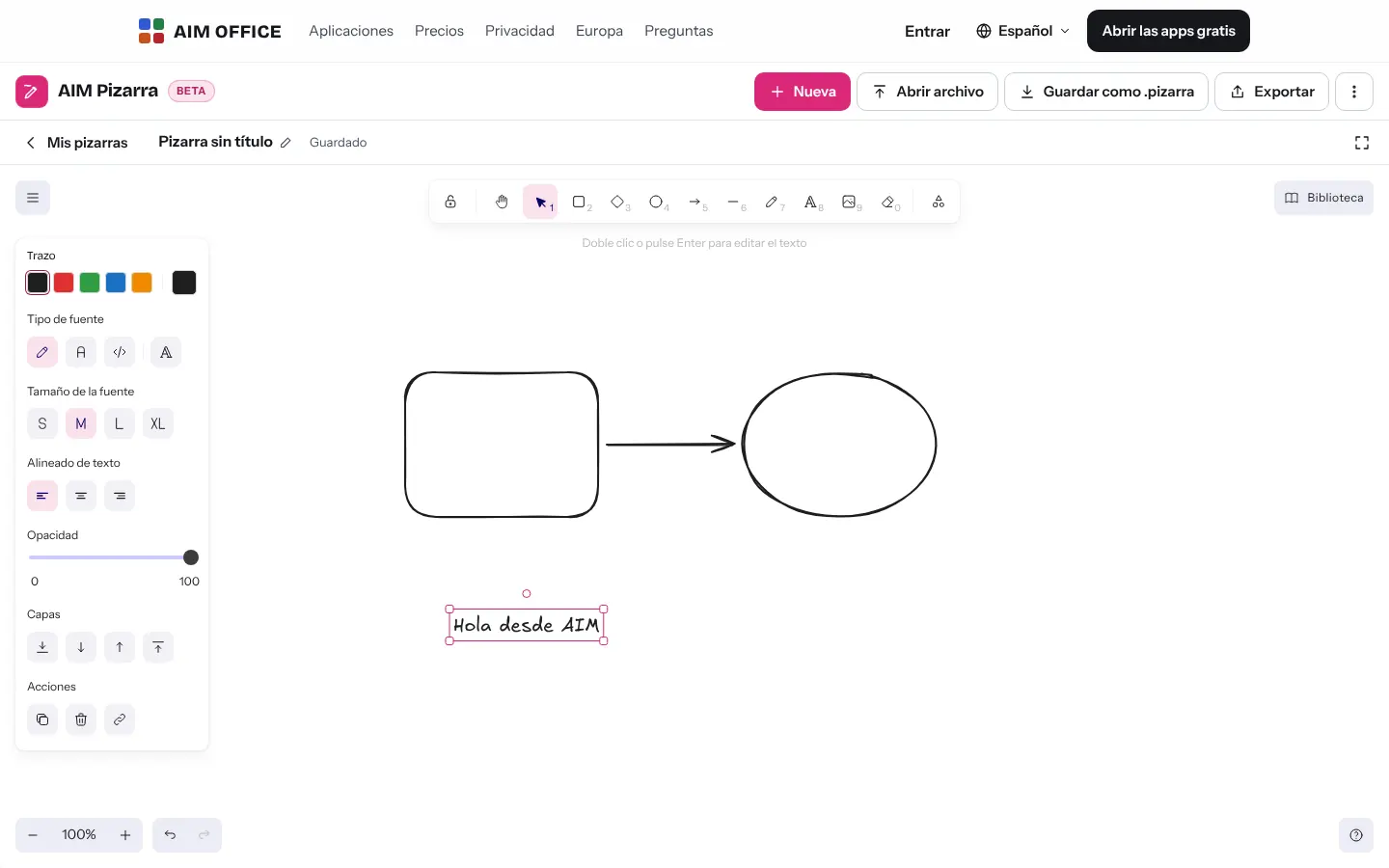
Everything AIM Whiteboard does today, told by what it solves for you.
Zoom in, zoom out and move around without limits. Shapes, arrows that stay attached to shapes, lines, text and freehand strokes with the feel of a paper sketch.
Six templates ready for a brainstorm, a retrospective, an empathy map, a flowchart, a kanban board or a mind map.
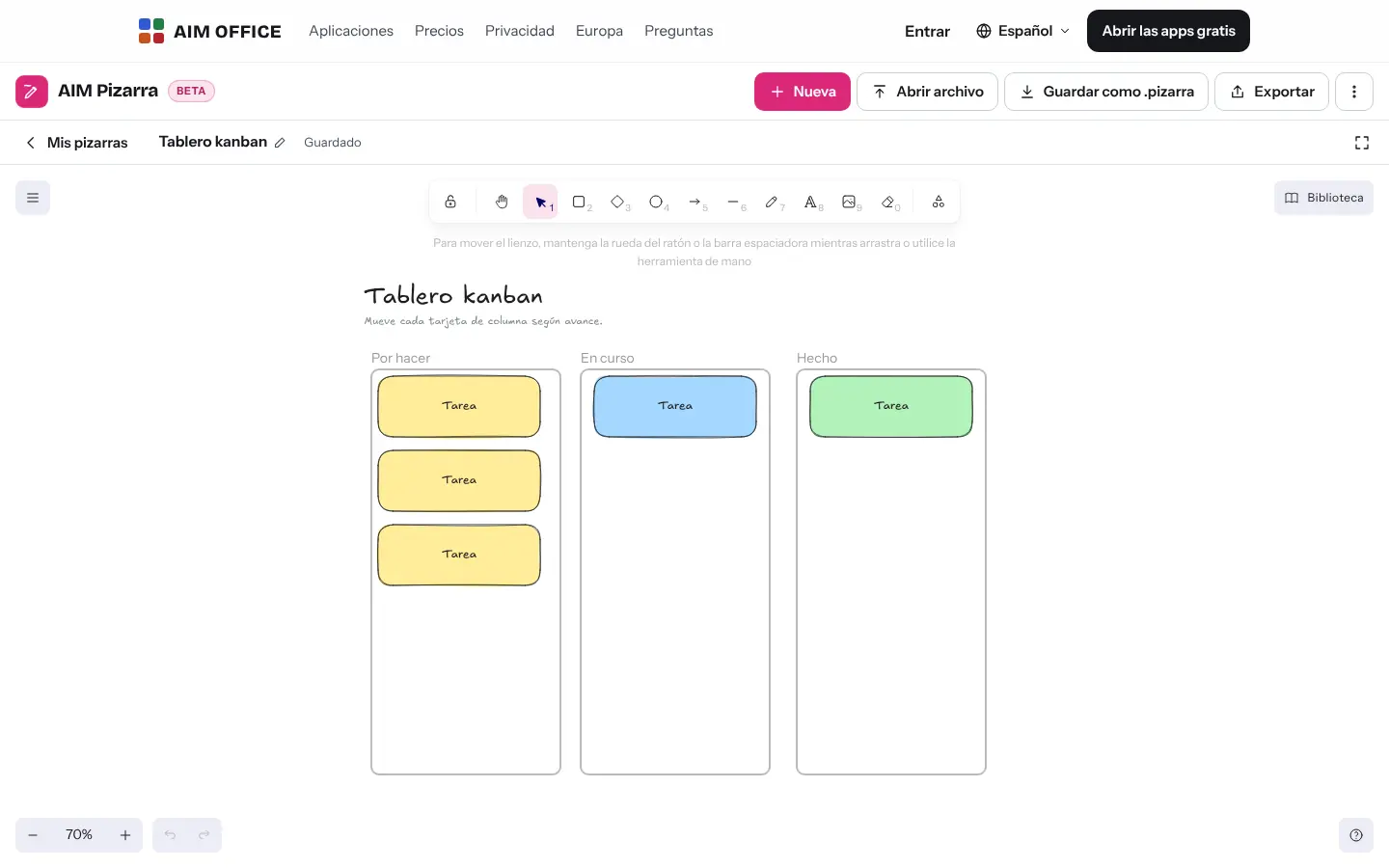
Columns, notes and arrows to organise a project, share out work or explain a process in a meeting.
Stroke and background colours, fills, line widths, line styles, font styles and opacity. Group, align and arrange items.
Download the whiteboard as PNG, SVG or PDF (the whiteboard as an image on an A4 sheet). PNG and SVG files contain the whiteboard inside: if you reopen them, you can keep editing.
Open files from other whiteboards and your own .pizarra files. Your library of saved items comes with you to every whiteboard.
Search by name or by the text inside, sort them and restore anything you deleted from the bin for 30 days.
SMEs, freelancers and firms that already work this way.
A campaign brainstorm with the client and their audience's empathy map, on the same whiteboard.
Explain a process by drawing it live while you share your screen in AIM Meetings.
The monthly retrospective: what went well, what to improve and what we'll do, with coloured sticky notes.
Sorting loose ideas into a mind map before writing a report or preparing a presentation.
Each app does its own job and hands the work on to the next.
When your sketch needs precision (org charts, floor plans, processes with thousands of shapes), move on to AIM Diagrams.
Export the whiteboard as PNG or SVG and insert it into your AIM Slides presentation.
Share your screen in AIM Meetings and draw while you explain.
What stays on your device, what travels encrypted and what we store. No small print.
Your whiteboards and your library are stored in your browser. They aren't sent to our servers and you don't need an account.
Save each whiteboard as a .pizarra file whenever you like and take it to another device.
Nothing from your whiteboards. No analytics or advertising.
Biomag S.L.U., a Spanish company. Hosted in Amsterdam (EU), with no advertising and no trackers. Read the privacy policy
Start free, no card. Pro only if you need it.
€0Forever. No sign-up, no card.
From €1.99€1.99 a month with annual billing, or €2.49 a month paying every 6 months. VAT included, no commitment.
No: each whiteboard is edited by one person. To draw while others watch, share your screen in AIM Meetings.
Yes, if you exported them as a whiteboard file or as PNG or SVG with the scene embedded. AIM Whiteboard opens them and you can keep editing.
Yes. On tablets and phones you can draw with your finger or a stylus, and move around the canvas with two fingers.
It goes to the bin and you can recover it for 30 days.
Nothing. AIM Whiteboard is free and needs no sign-up.
No sign-up, no card and nothing to install. It opens in your browser in a second.