Every change, in its place
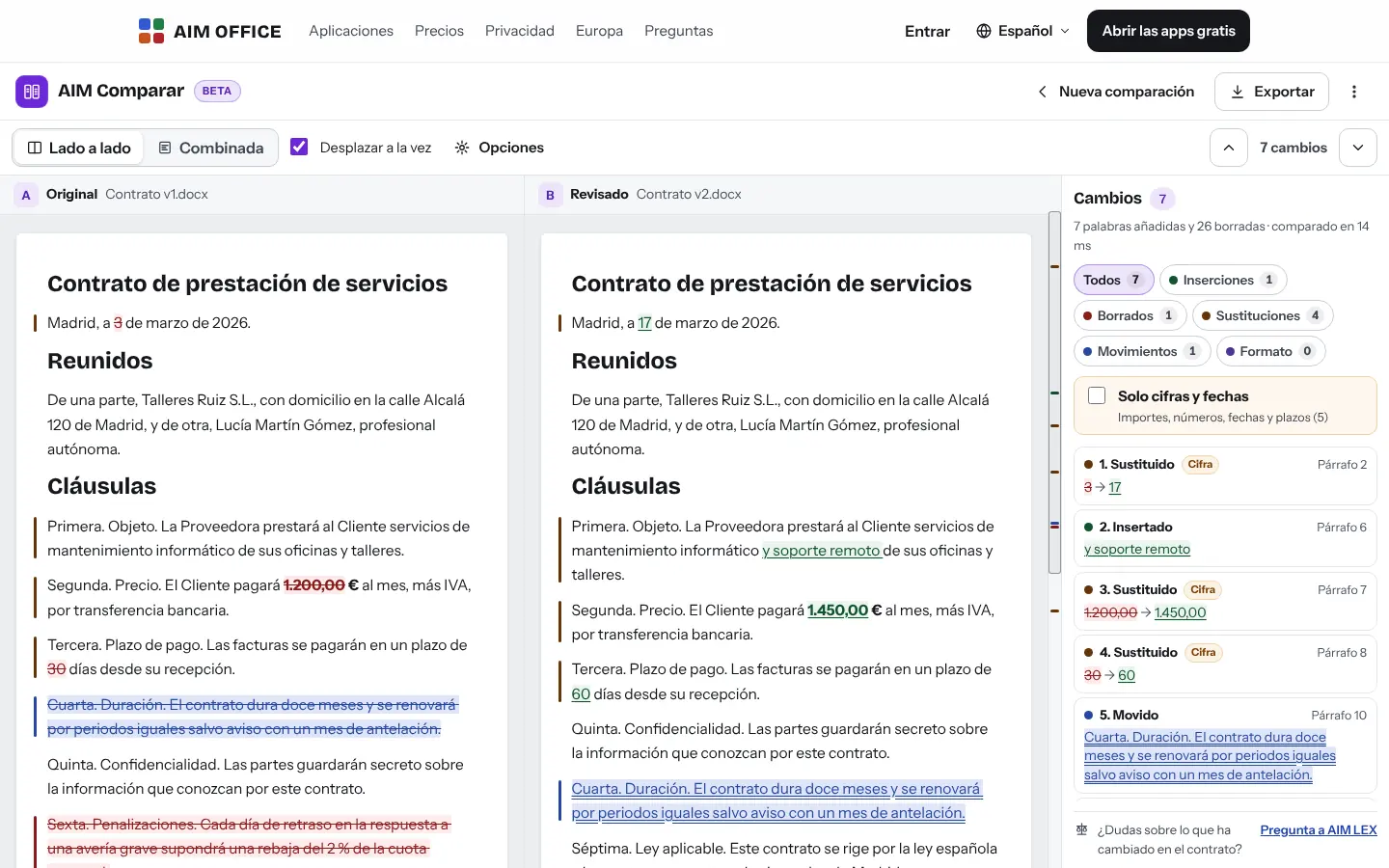
Insertions in green, deletions struck through, substitutions and moves in their own colour, on both sides, with synchronised scrolling.
AIM Compare
Compare two versions of a document, a PDF, a spreadsheet or a text: every insertion, deletion, move and formatting change, highlighted. Plus a DOCX with tracked changes ready to accept or reject.
What usually happens, and how AIM Compare solves it.
The contract comes back "with small changes" and you don't know which.
AIM Compare marks every insertion, deletion, move and formatting change between the two versions.
A changed amount slips past you among hundreds of lines.
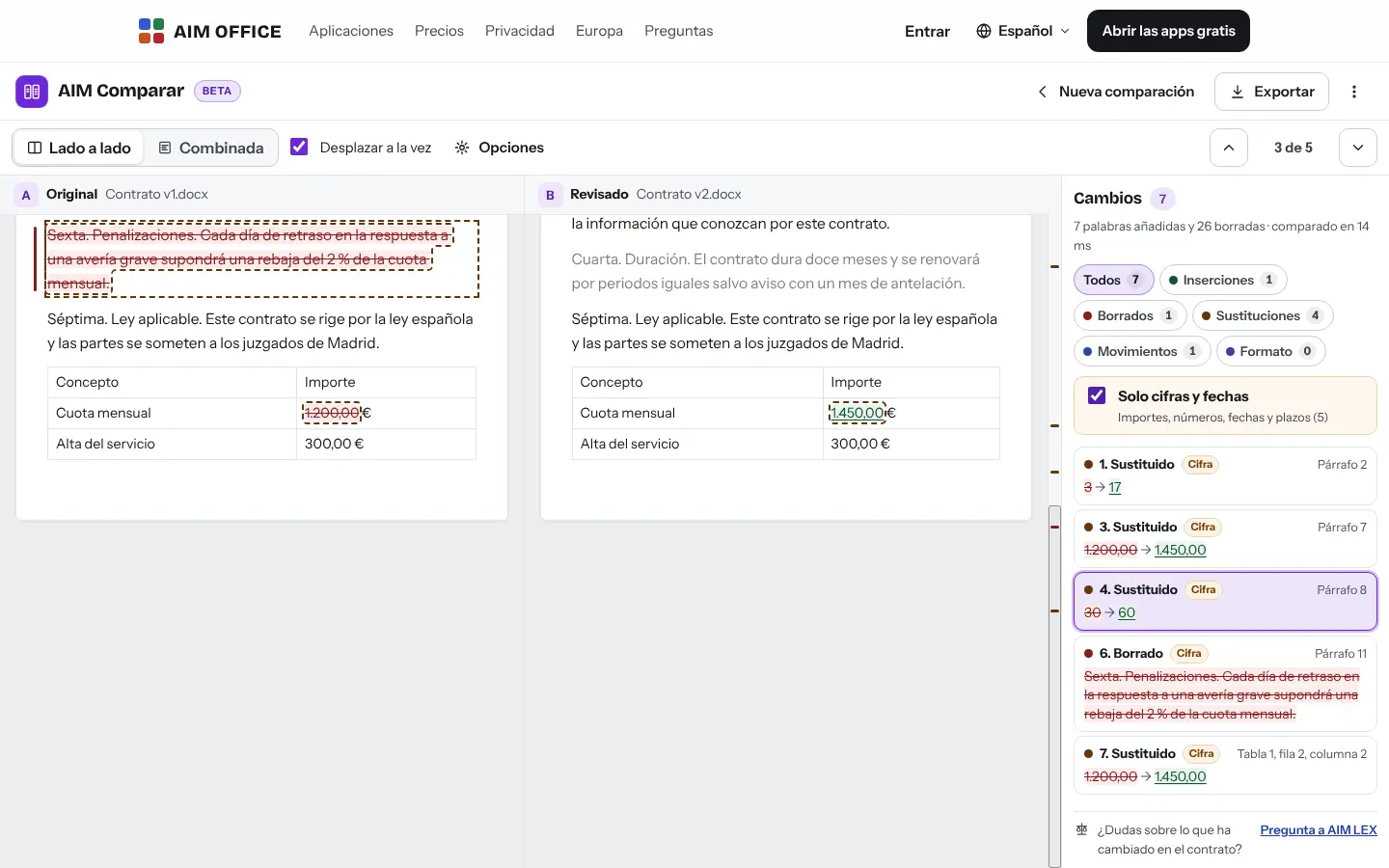
With one click you see only the changes to amounts, dates and deadlines.
A moved clause looks deleted and rewritten.
AIM Compare detects it as moved, even if it was renumbered.
Getting started is this simple. And this is what you'll see: screenshots of the real app.
The original and the revised version: DOCX, PDF with text, XLSX, CSV, Markdown or pasted text.
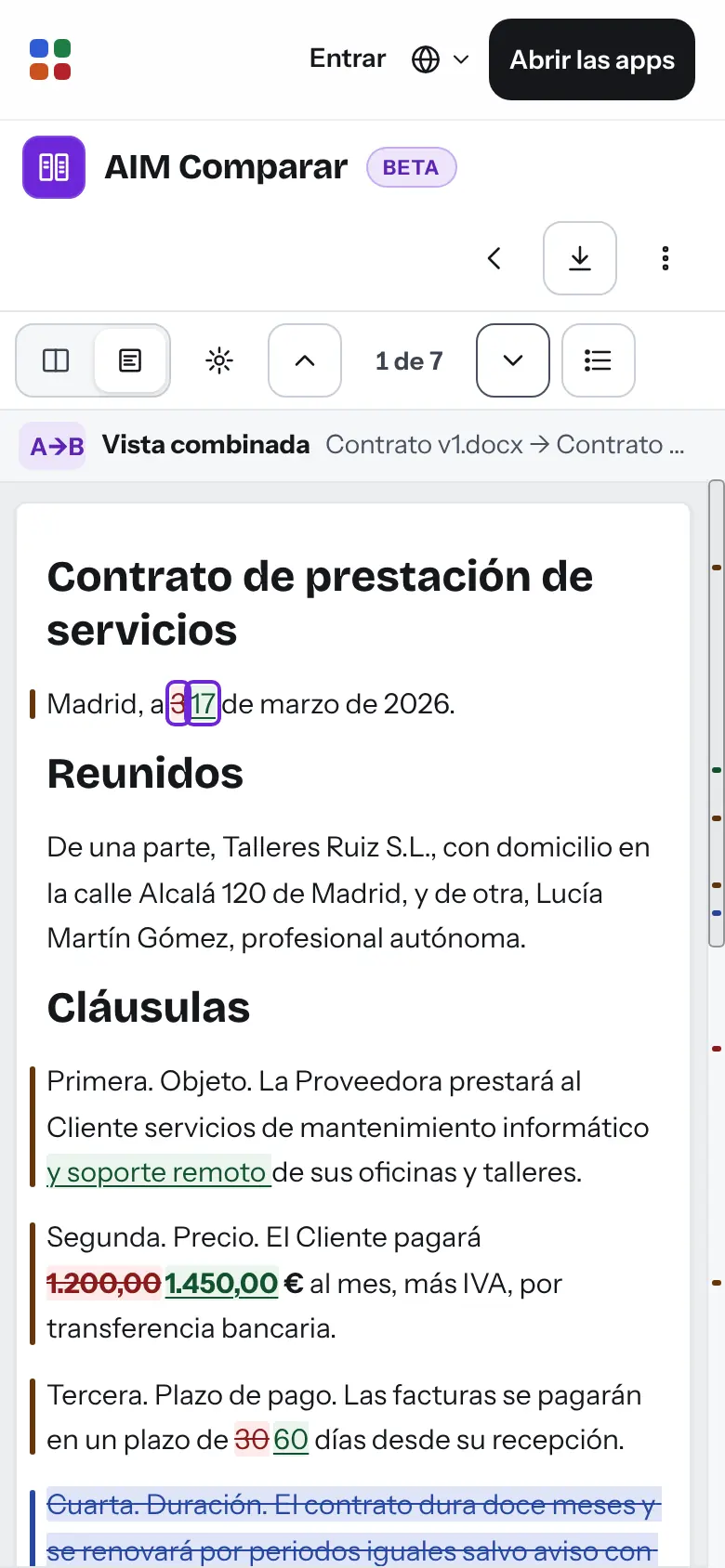
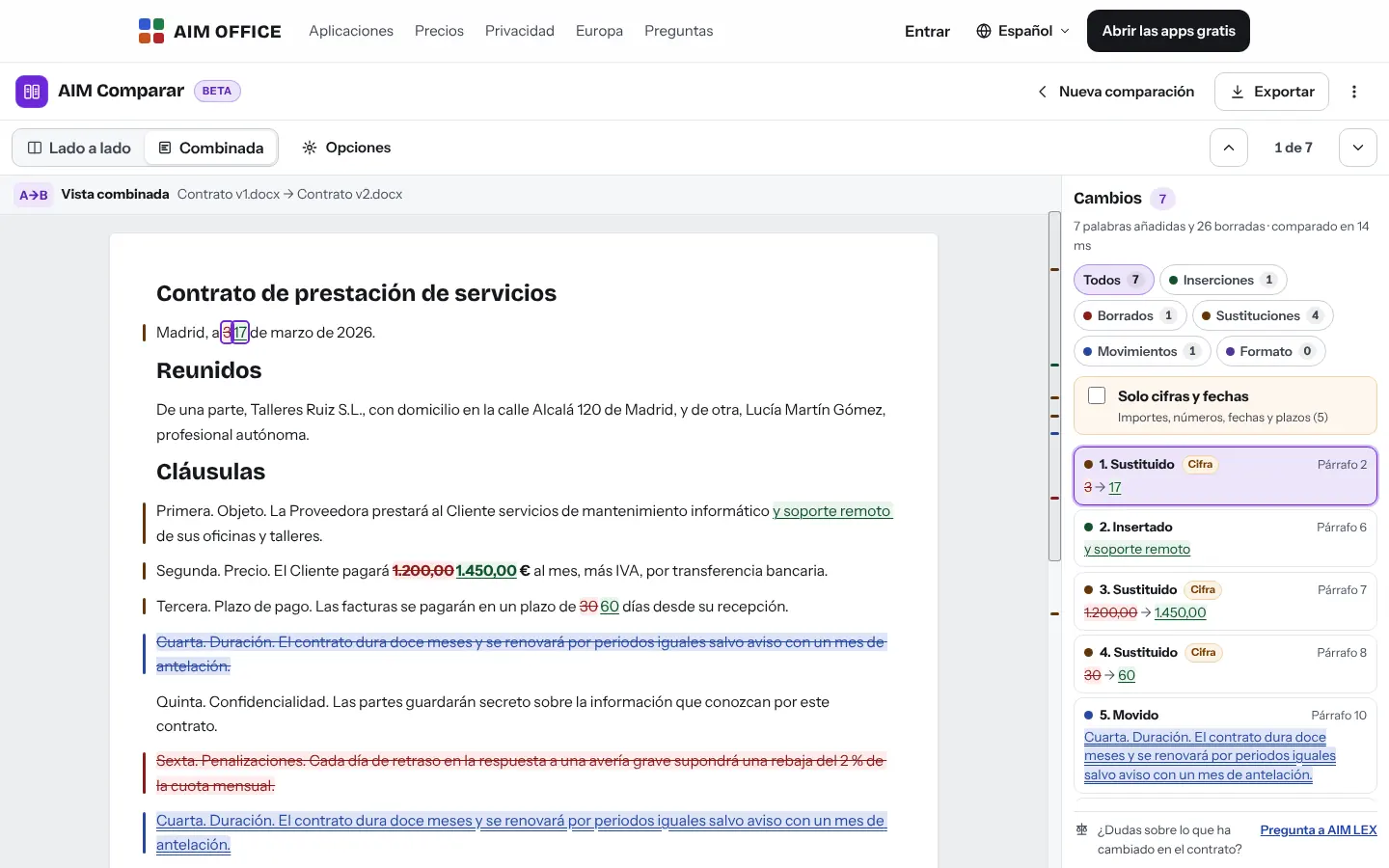
Side by side or in a combined view, with the list of changes alongside. Jump from one to the next with the arrows.
A PDF report, a web page with the changes or a DOCX file with track changes to accept or reject them one by one.
Everything AIM Compare does today, told by what it solves for you.
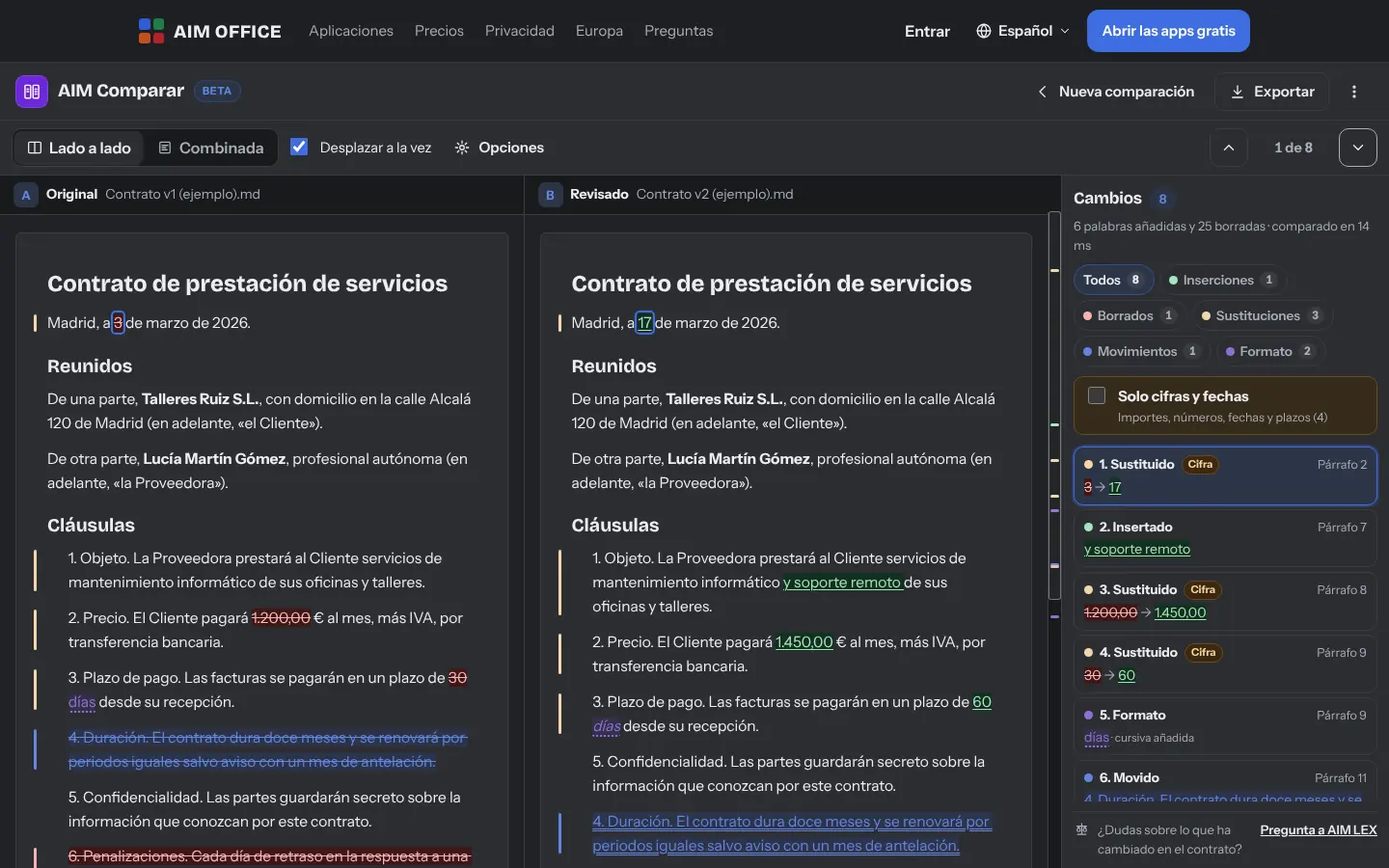
Insertions in green, deletions struck through, substitutions and moves in their own colour, on both sides, with synchronised scrolling.
The combined view shows the revised document with what was removed and what was added, just as the person approving it would read it.
With one click, only the changes to amounts, dates, deadlines and numbers written out in words. So a €1,200 that became €1,450 doesn't slip past you.
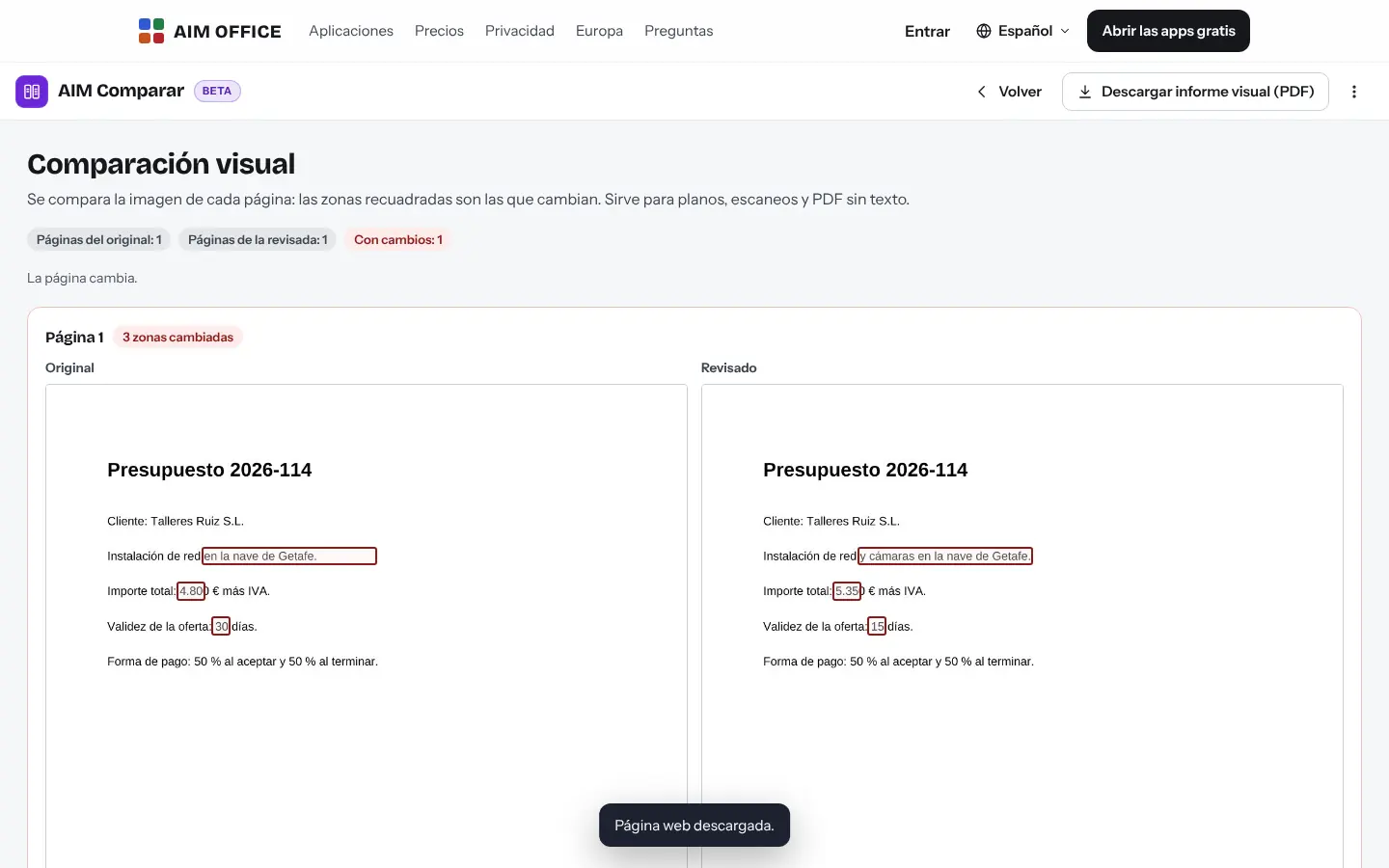
For plans, scans or PDFs without text, it compares the image of each page (up to 60 pages) and marks the areas that changed, with its report in PDF.
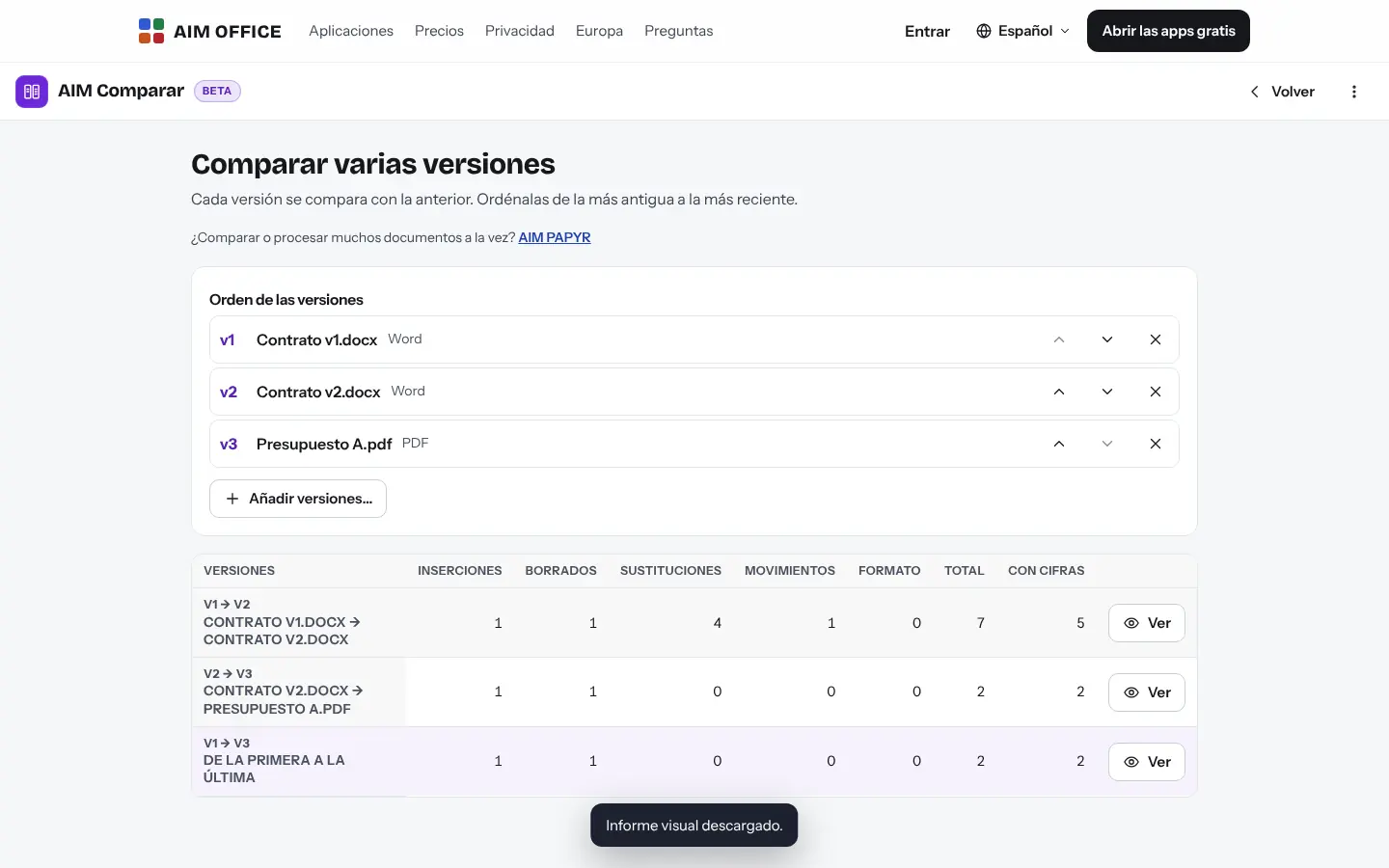
From version 1 to 2 and from 2 to 3, with a summary of how many changes there are at each step.
If a clause moves, it shows as moved, not as deleted and rewritten, even if it has been renumbered or edited inside.
Ignore capitalisation, spaces, punctuation, numbering or line breaks, and choose whether you care about formatting and style changes.
Download a DOCX file with real revision marks, with their author, to accept or reject each change in AIM Docs or your word processor.
Two 200-page documents are compared in under two seconds.
SMEs, freelancers and firms that already work this way.
The version of the contract the other party sends back, compared with yours: every clause touched, moved or added.
The deposit agreement draft reviewed by the buyer, with the changed figures and dates in plain view.
Two versions of an accounts spreadsheet, cell by cell per sheet, with new rows.
Two revisions of a PDF floor plan, compared visually to see which area has changed.
Each app does its own job and hands the work on to the next.
Open the tracked-changes DOCX file in AIM Docs and accept or reject each change.
Questions about what's changed in a contract? Ask AIM LEX.
When everything is in order, take the document to AIM Sign.
If a PDF is a scan without text, run text recognition in AIM PDF first or use the visual comparison.
What stays on your device, what travels encrypted and what we store. No small print.
Documents are read and compared in your browser. They aren't sent to our servers.
The last 20 comparisons are saved in your browser, with both complete documents, so you can come back to them. You can delete them whenever you like or turn saving off in “Comparison options”.
Nothing from your documents. No analytics or advertising.
Biomag S.L.U., a Spanish company. Hosted in Amsterdam (EU), with no advertising and no trackers. Read the privacy policy
Start free, no card. Pro only if you need it.
€0Forever. No sign-up, no card.
From €1.99€1.99 a month with annual billing, or €2.49 a month paying every 6 months. VAT included, no commitment.
Documents (.docx), PDFs with text, spreadsheets (.xlsx), CSV, Markdown and text, up to 80 MB each. HTML, XML, JSON and RTF files are compared as the text of their code, not as they look when opened. If you have another format, open it in AIM Docs or AIM Sheets and save it as DOCX or XLSX.
Use the visual comparison (up to 60 pages per PDF), or recognise the text first in AIM PDF.
Yes, once you have opened it once while online: the page and its programs stay in your browser and you can compare without internet.
Yes: cell by cell on every sheet, with new rows and the reference of each change.
No. Everything happens in your browser.
A PDF report, a web page with the marked-up document and a DOCX file with tracked changes.
No sign-up, no card and nothing to install. It opens in your browser in a second.