Your documents, just as they are
Opens and saves DOCX keeping styles, tables, images, headers, footers and tracked changes. It also opens old DOC files, templates, ODT, RTF, HTML, Markdown and plain text, as well as password-protected documents.
AIM Docs
Letters, reports, contracts and manuals with styles, tables, tracked changes, references and a Spanish spell checker. Open and save DOCX on your device, with nothing to install and no sign-up.
What usually happens, and how AIM Docs solves it.
Someone sends you a DOCX and, when you open it, the lines and pages no longer fall where the author left them.
AIM Docs draws the most common document fonts with free typefaces of the same measurements, so the document lays out the same way.
You pay a licence per person just to write letters, reports and contracts.
AIM Docs is free, forever and with no sign-up, with styles, tables, track changes and a Spanish spell checker.
Every computer has a different version of the program and nobody knows which one opens what.
It opens in the browser, always up to date, and installs as a desktop app to work offline.
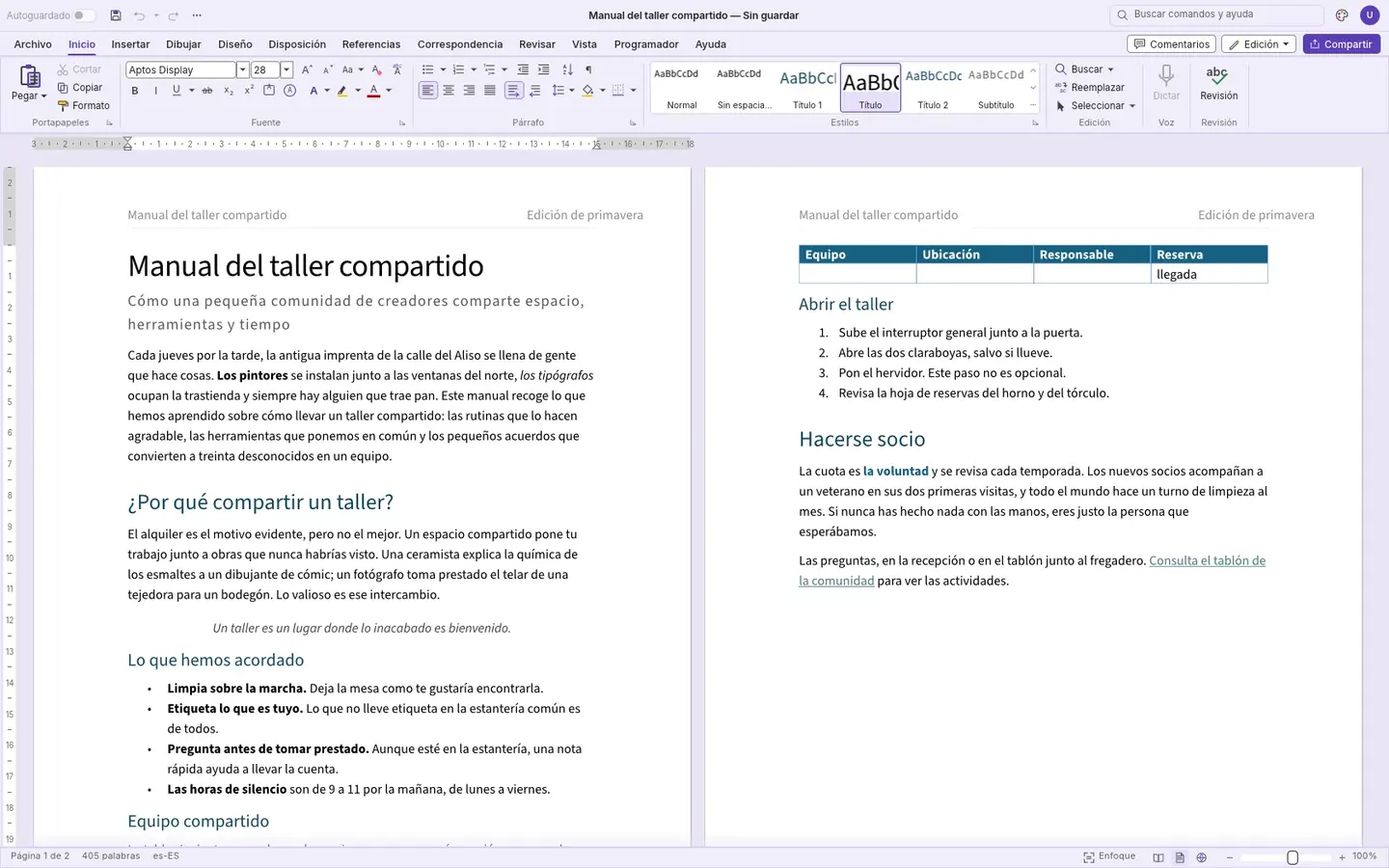
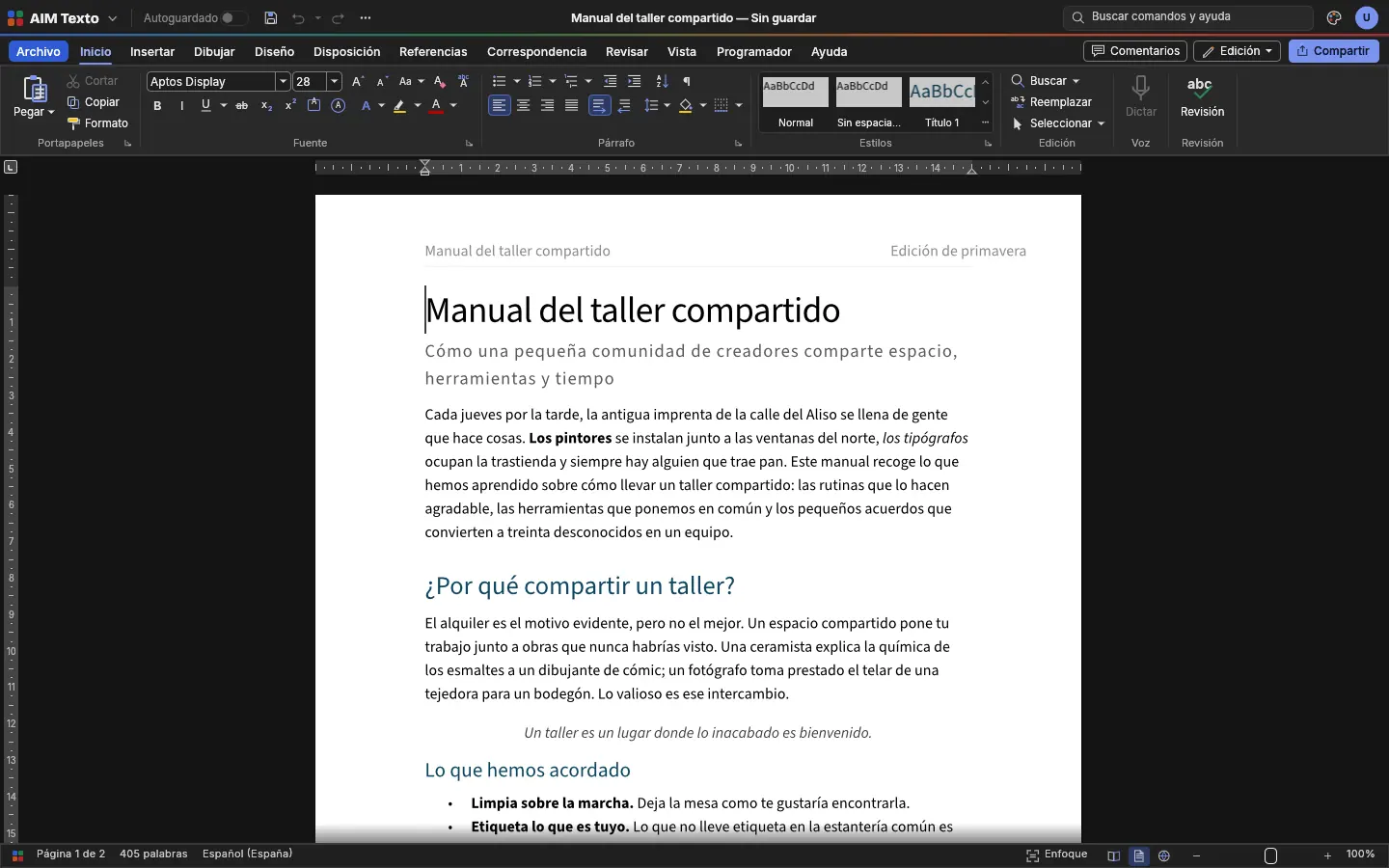
Getting started is this simple. And this is what you'll see: screenshots of the real app.
Drag a document into the window or use File › Open. With the app installed, double-click the file. Or start with a blank page.
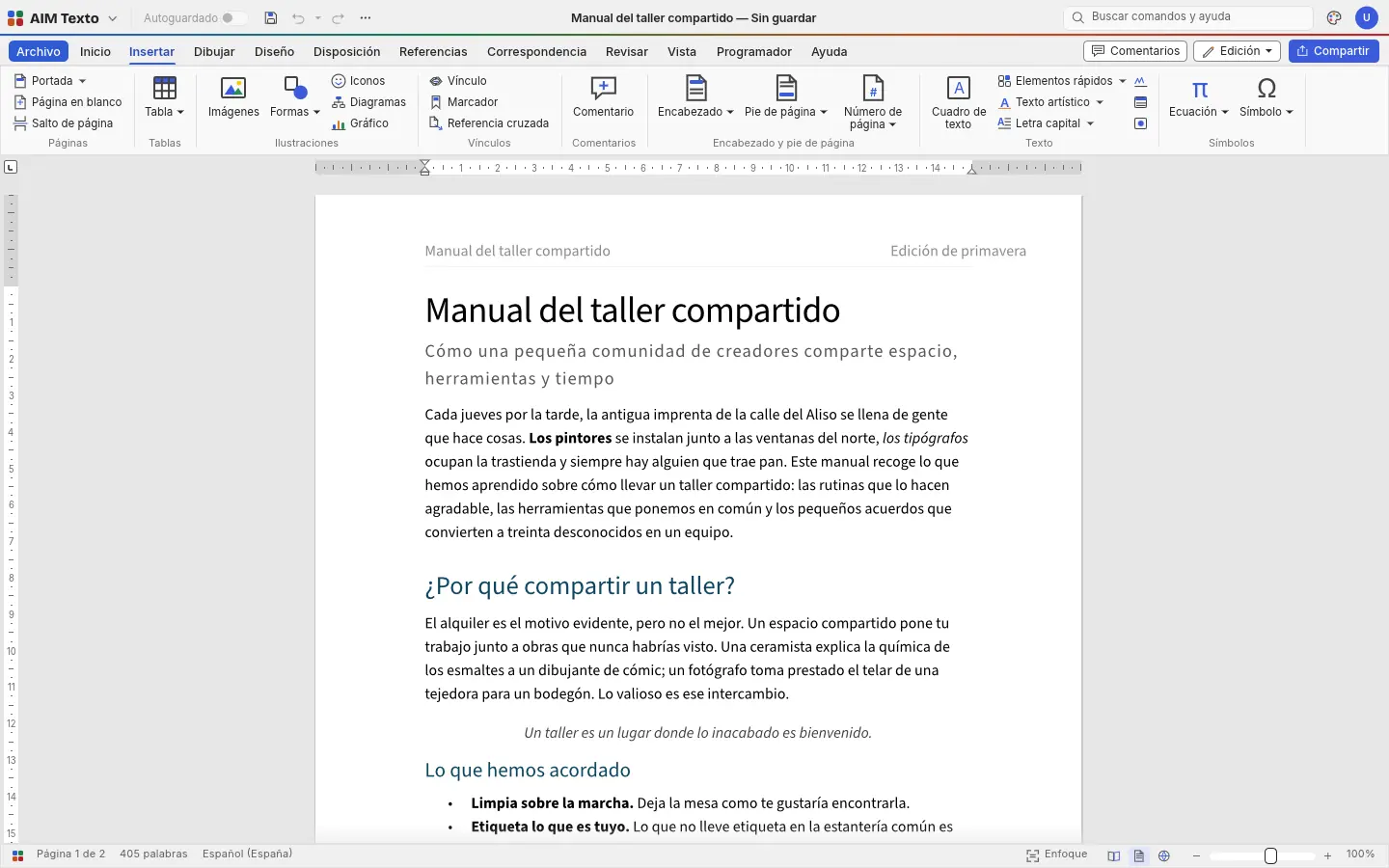
The ribbon you know: styles, fonts, paragraphs, tables, images, headers and footers, and everything where you expect to find it.
Saving keeps it as DOCX, ready to send to whoever needs it. Or export to PDF, ODT, RTF and more.
Everything AIM Docs does today, told by what it solves for you.
Opens and saves DOCX keeping styles, tables, images, headers, footers and tracked changes. It also opens old DOC files, templates, ODT, RTF, HTML, Markdown and plain text, as well as password-protected documents.
Styled tables, images you can crop and place with text wrapping, shapes, text boxes, links, breaks, page numbers, watermarks and symbols.
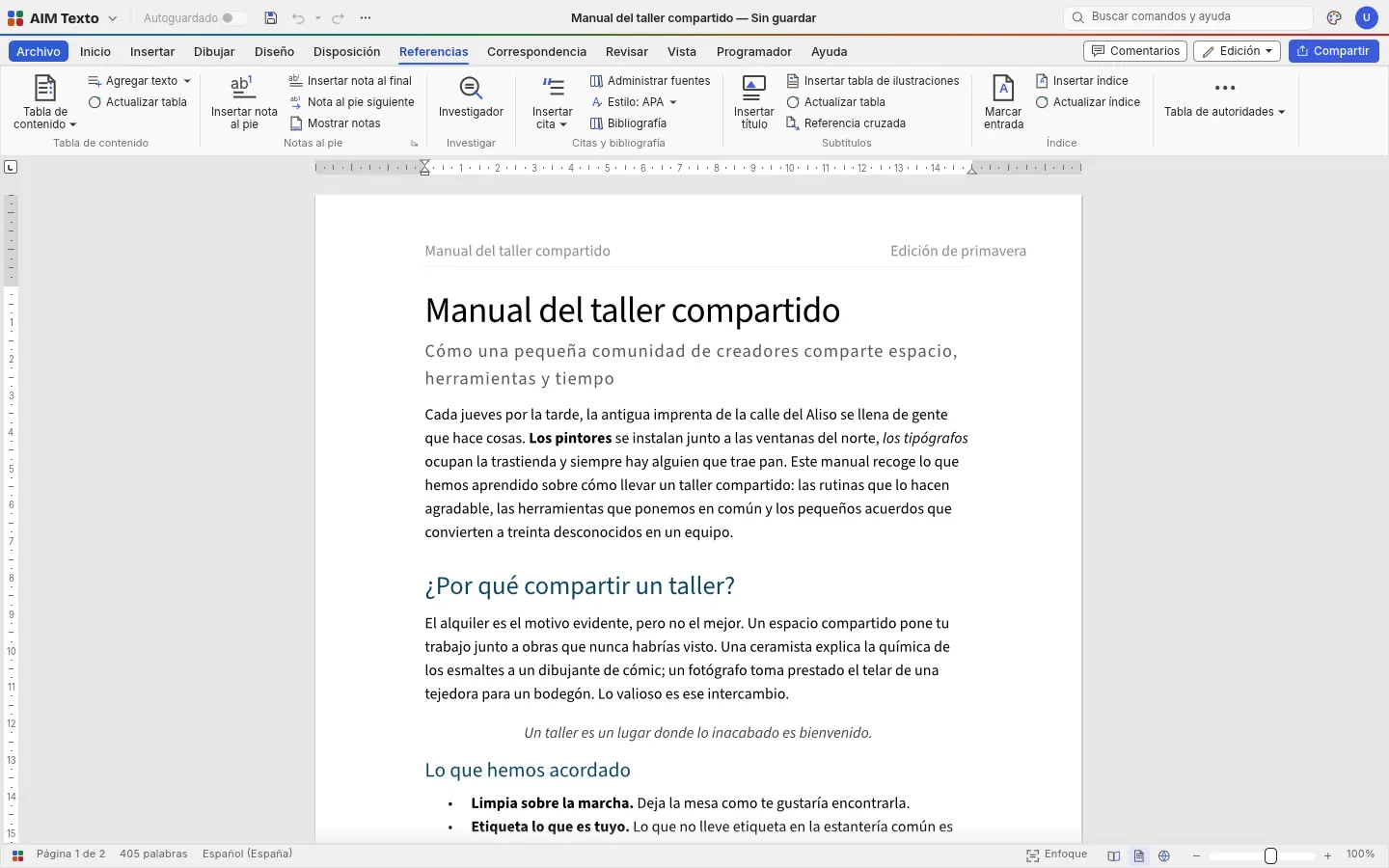
Table of contents, footnotes and endnotes, citations and bibliography, figure captions, cross-references and an index. For reports, theses, manuals and tenders.
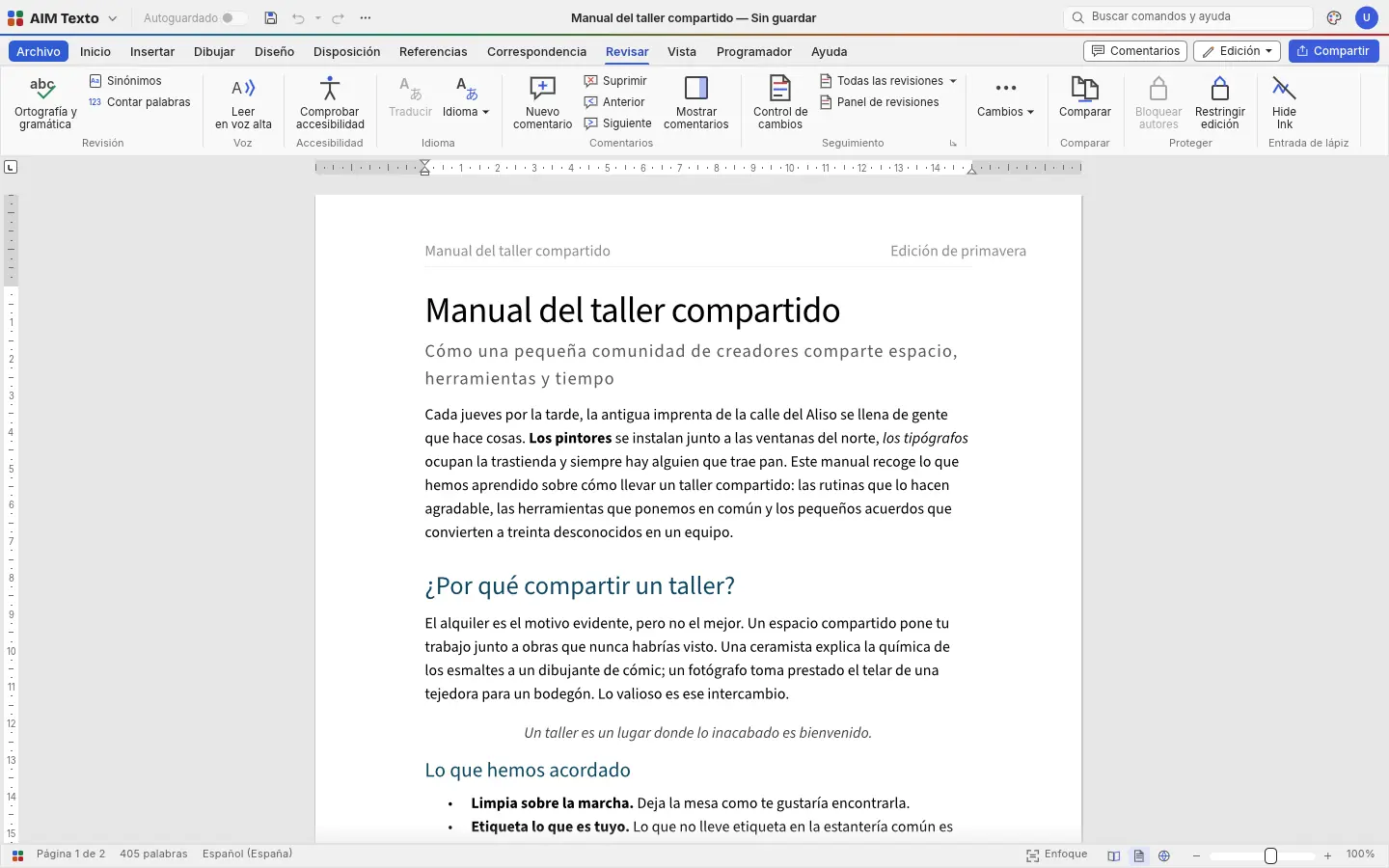
Spanish spell checker, comments in the margin, tracked changes to accept or reject one by one, and document comparison.
Live Styles gallery, style sets and themes. Change the look of the whole document with one click and move through its headings in the Navigation pane.
Personalised letters, envelopes and labels from a recipient list in CSV, with merge fields and a preview.
Margins, orientation, sizes, columns, sections, different headers on the first page and on odd and even pages, page borders and automatic hyphenation.
Export to PDF with fonts embedded and selectable text, ready to send or submit.
Install it from your browser to have it on your desktop with its own icon, open your documents with a double-click and work offline.
SMEs, freelancers and firms that already work this way.
Contracts with tracked changes to negotiate with the other party, and the final version in PDF.
Letters to every client with mail merge, and year-end reports with their table of contents.
Long manuals and syllabuses with a table of contents, footnotes and a bibliography.
Open the document a client or a government office sends you, fill it in and send it back in the same format.
Each app does its own job and hands the work on to the next.
Documents that arrive in AIM Mail open straight in AIM Docs.
Export the contract to PDF and request signatures with AIM Sign.
What's changed between two versions? AIM Compare gives you a DOCX file with track changes to review here.
Translate the document on your device with AIM Translate, keeping its formatting.
What stays on your device, what travels encrypted and what we store. No small print.
They open, are edited and are saved in your browser. Our servers never see or store them.
Once installed, AIM Docs opens and saves your documents even without internet.
With Pro you can store your files in AIM Cloud, on our server in Amsterdam (EU), and open them from any computer. Only the files you store in a vault are end-to-end encrypted.
Biomag S.L.U., a Spanish company. Hosted in Amsterdam (EU), with no advertising and no trackers. Read the privacy policy
Start free, no card. Pro only if you need it.
€0Forever. No sign-up, no card.
From €1.99€1.99 a month with annual billing, or €2.49 a month paying every 6 months. VAT included, no commitment.
Yes: DOCX, DOCM and templates, plus old DOC files (which are saved as DOCX). Saving produces DOCX, the format everyone uses.
We measured it with real business documents: text, styles, tables, images, headers and tracked changes are preserved. If a document contains objects embedded from other programs, we'll tell you.
Yes. Install AIM Docs from your browser and it will work without internet too.
No. You open the app and type. An account is only needed if you want to save to AIM Cloud with Pro.
Yes, in Spanish, with suggestions, plus word count and an accessibility check for the document.
Yes, with fonts embedded and selectable text. Also to ODT, RTF, HTML, Markdown, LaTeX, text and image.
No sign-up, no card and nothing to install. It opens in your browser in a second.