Boards that move with you
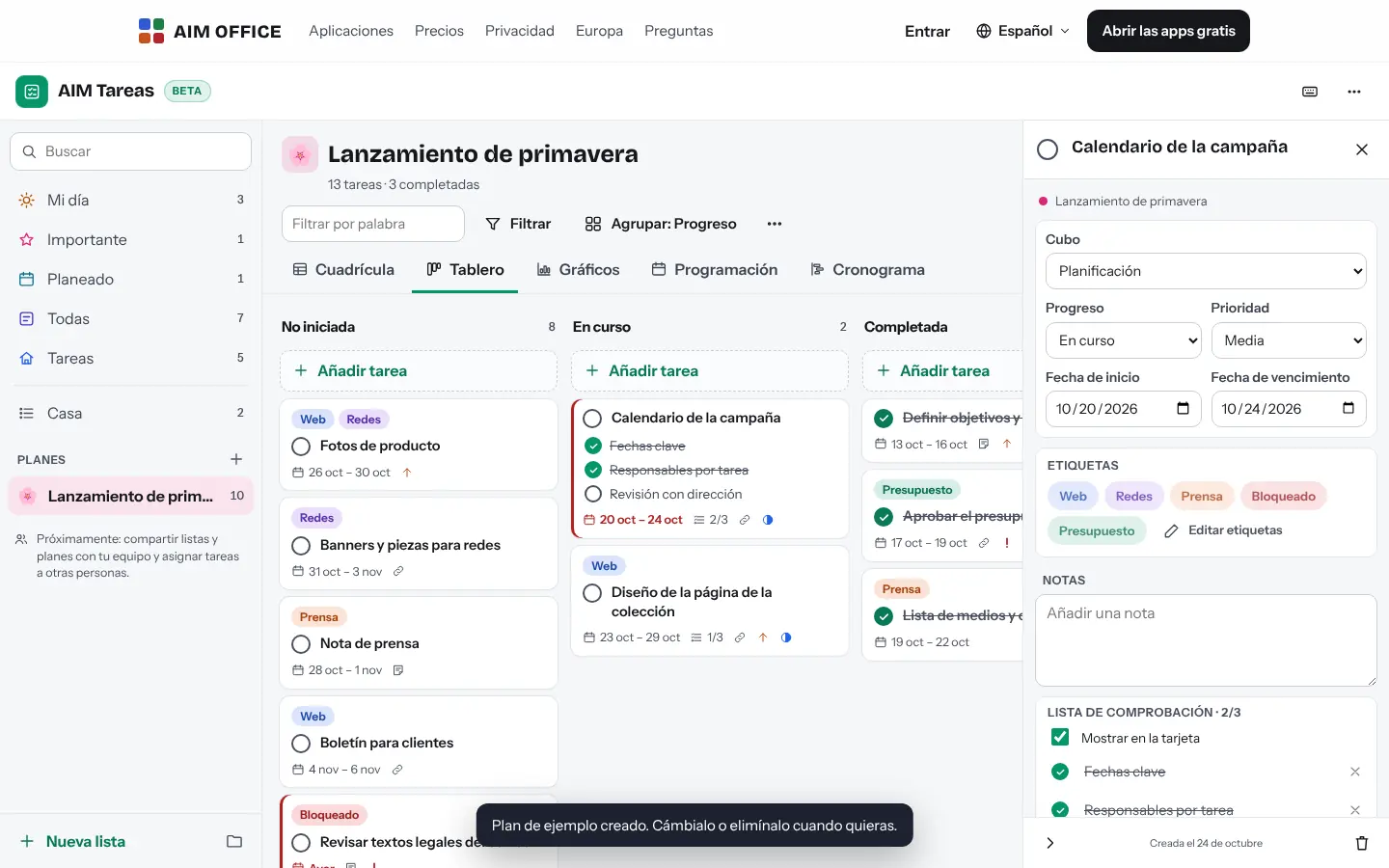
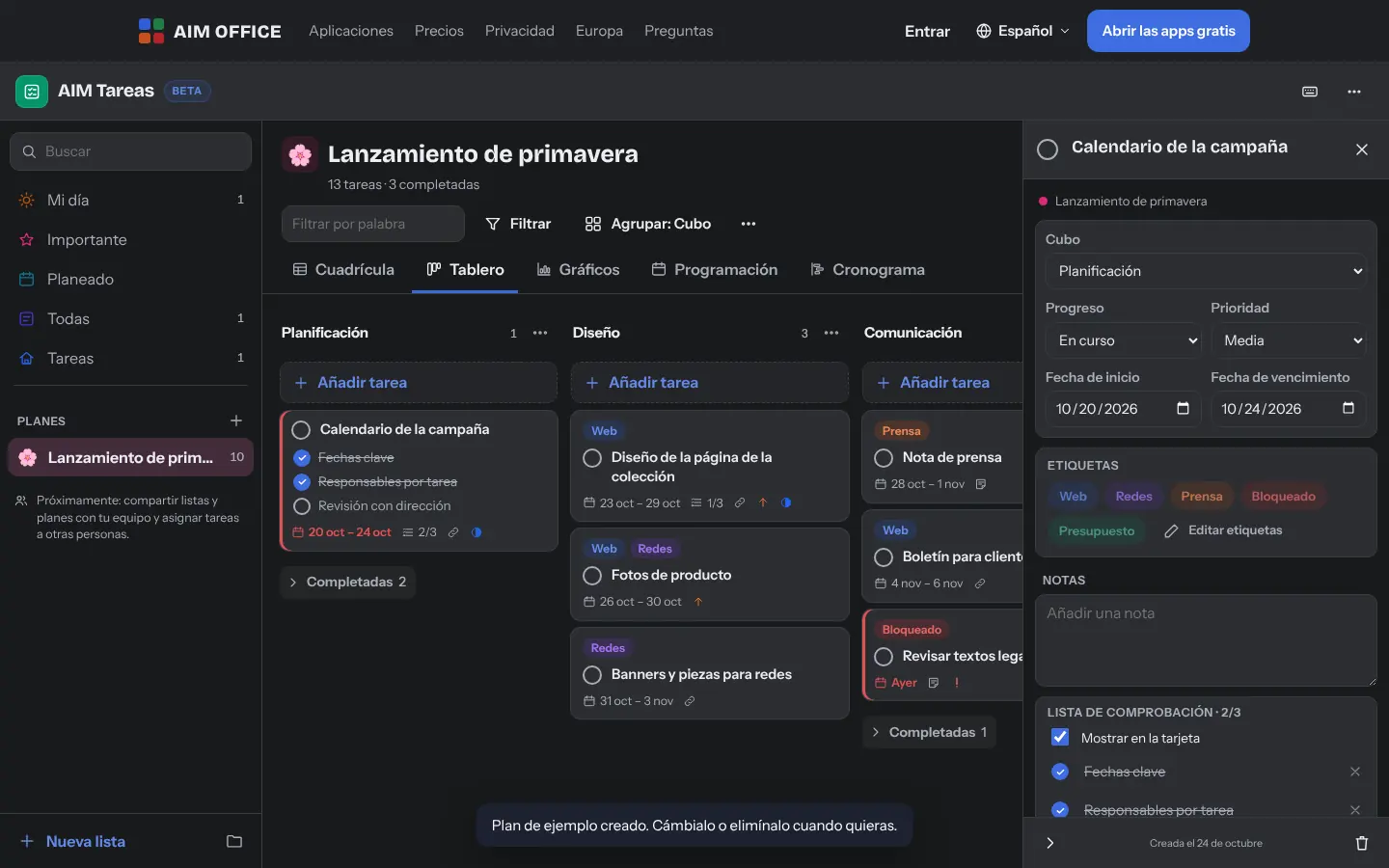
Group a plan's tasks by bucket, progress, priority, date or label and drag them from one column to another: when you drop a task, it updates accordingly. Works with a mouse, a finger and the keyboard.
AIM Tasks
Your daily tasks in simple lists and projects on boards, charts and a timeline with dependencies. No sign-up, with everything stored on your device.
What usually happens, and how AIM Tasks solves it.
Today's urgent things mix with your projects and you don't know where to start.
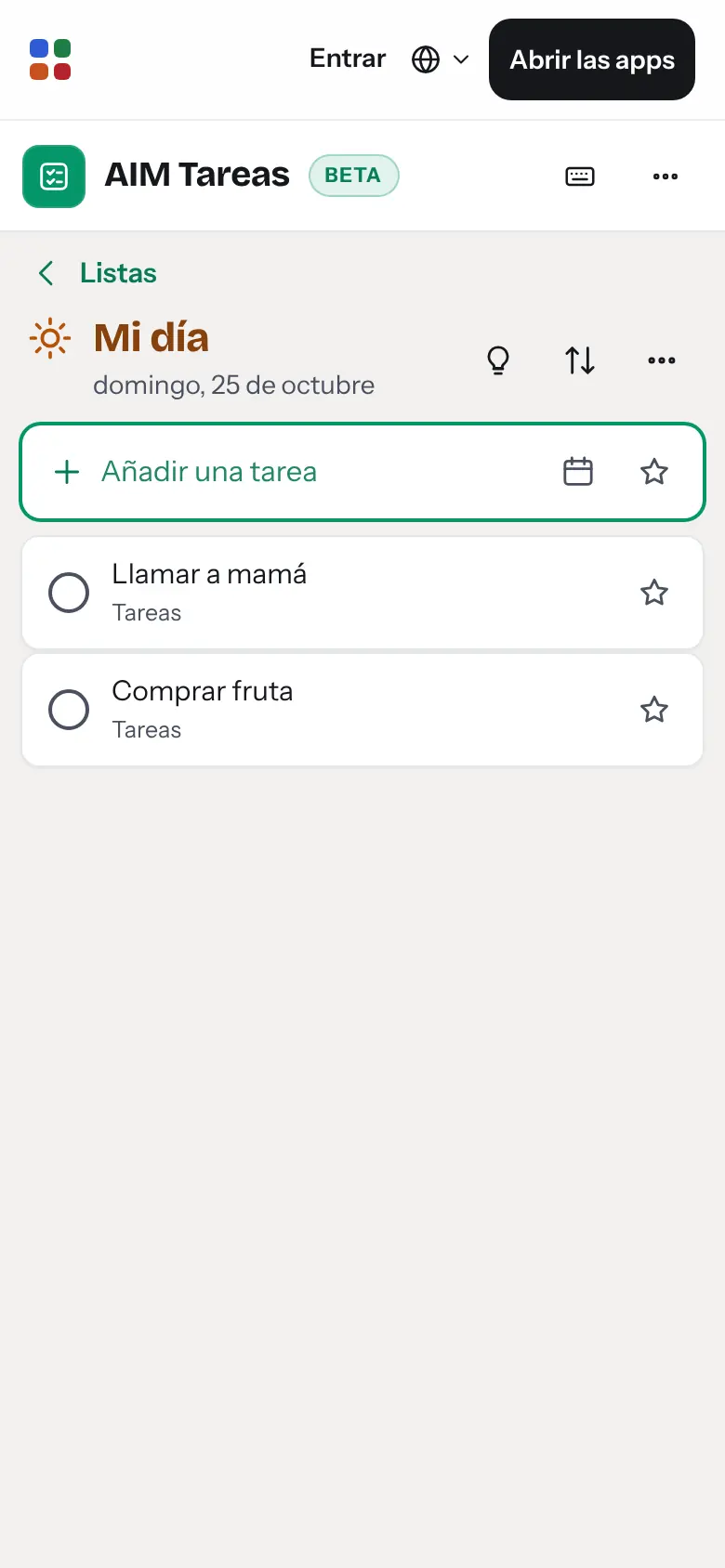
My Day is a list you choose every morning, with suggestions of what's due and what's overdue.
The project plan is in a spreadsheet nobody updates when something slips.
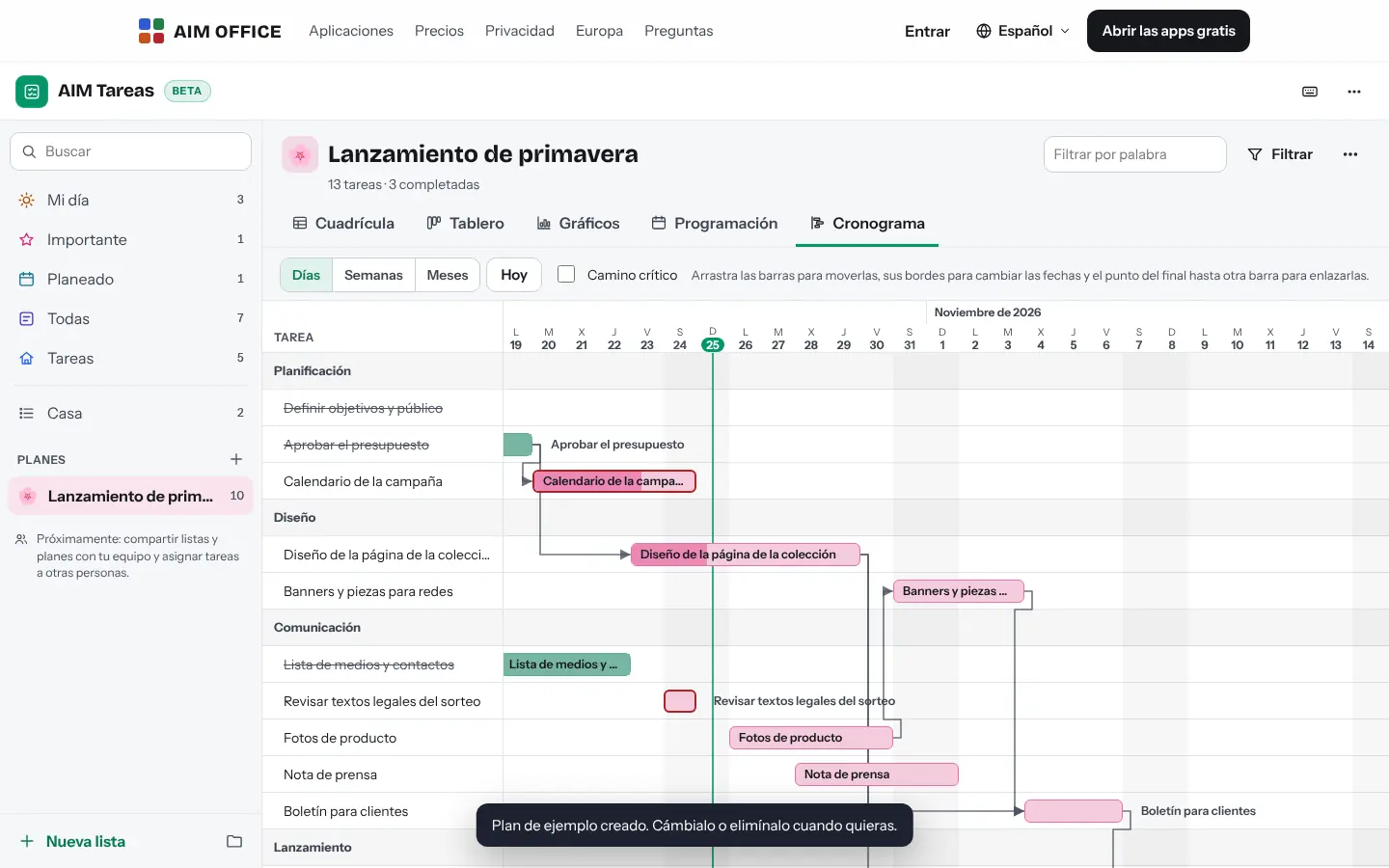
The timeline understands dependencies: if a task moves, the ones that depend on it move with it.
To start getting organised, you're asked to create an account for the whole team.
AIM Tasks works with no sign-up, with everything saved on your computer, and imports and exports XLSX.
Getting started is this simple. And this is what you'll see: screenshots of the real app.
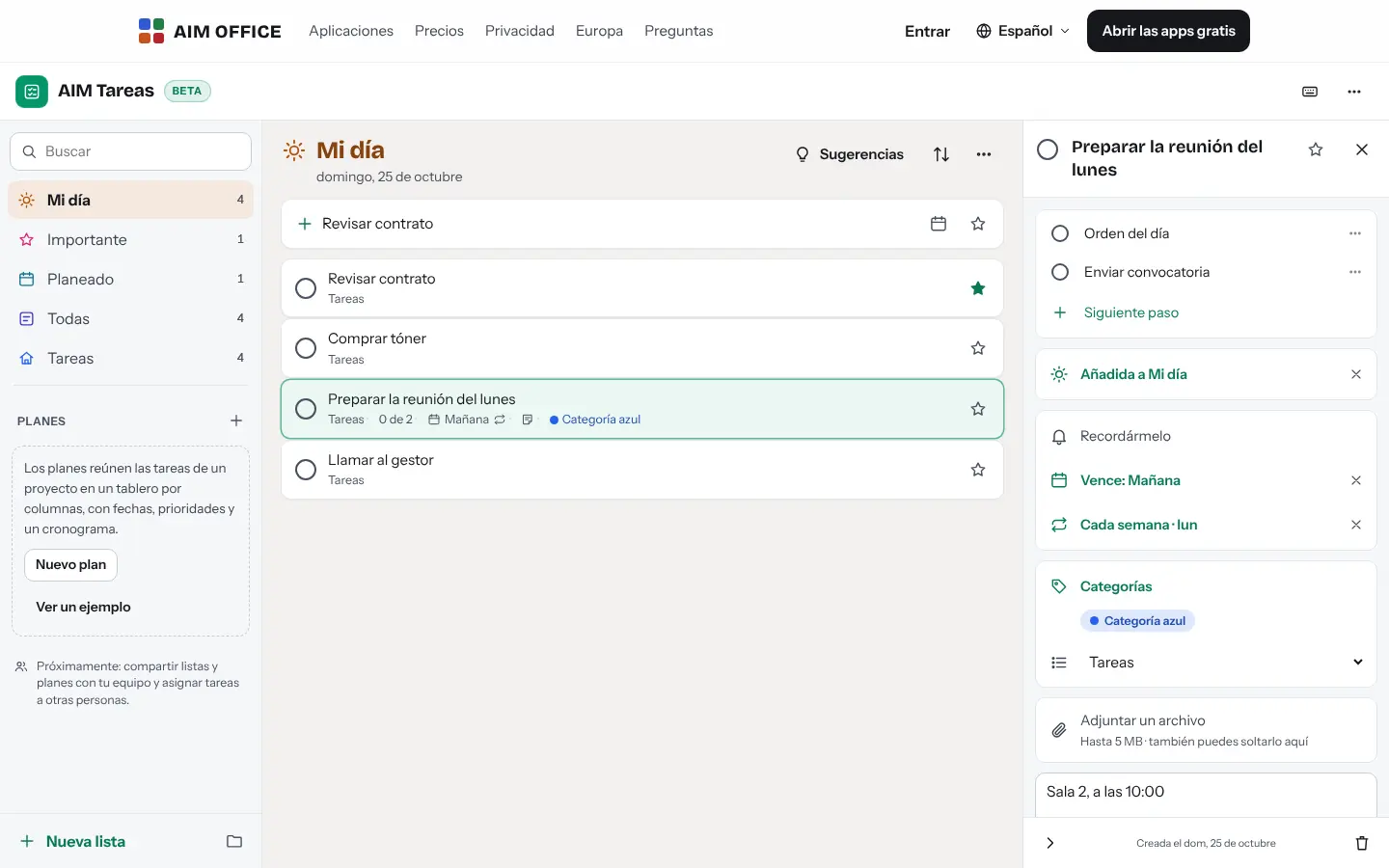
Type the task and press Enter. Give it a date, a reminder, steps and notes, or mark it as important so it doesn't get lost.
“My Day” starts empty every morning: choose what you're going to do today and let the suggestions remind you of what's due or what you left half done.
Create a plan and spread the tasks across columns, with progress, priority and labels. When you need it, see the whole plan on the timeline.
Everything AIM Tasks does today, told by what it solves for you.
Group a plan's tasks by bucket, progress, priority, date or label and drag them from one column to another: when you drop a task, it updates accordingly. Works with a mouse, a finger and the keyboard.
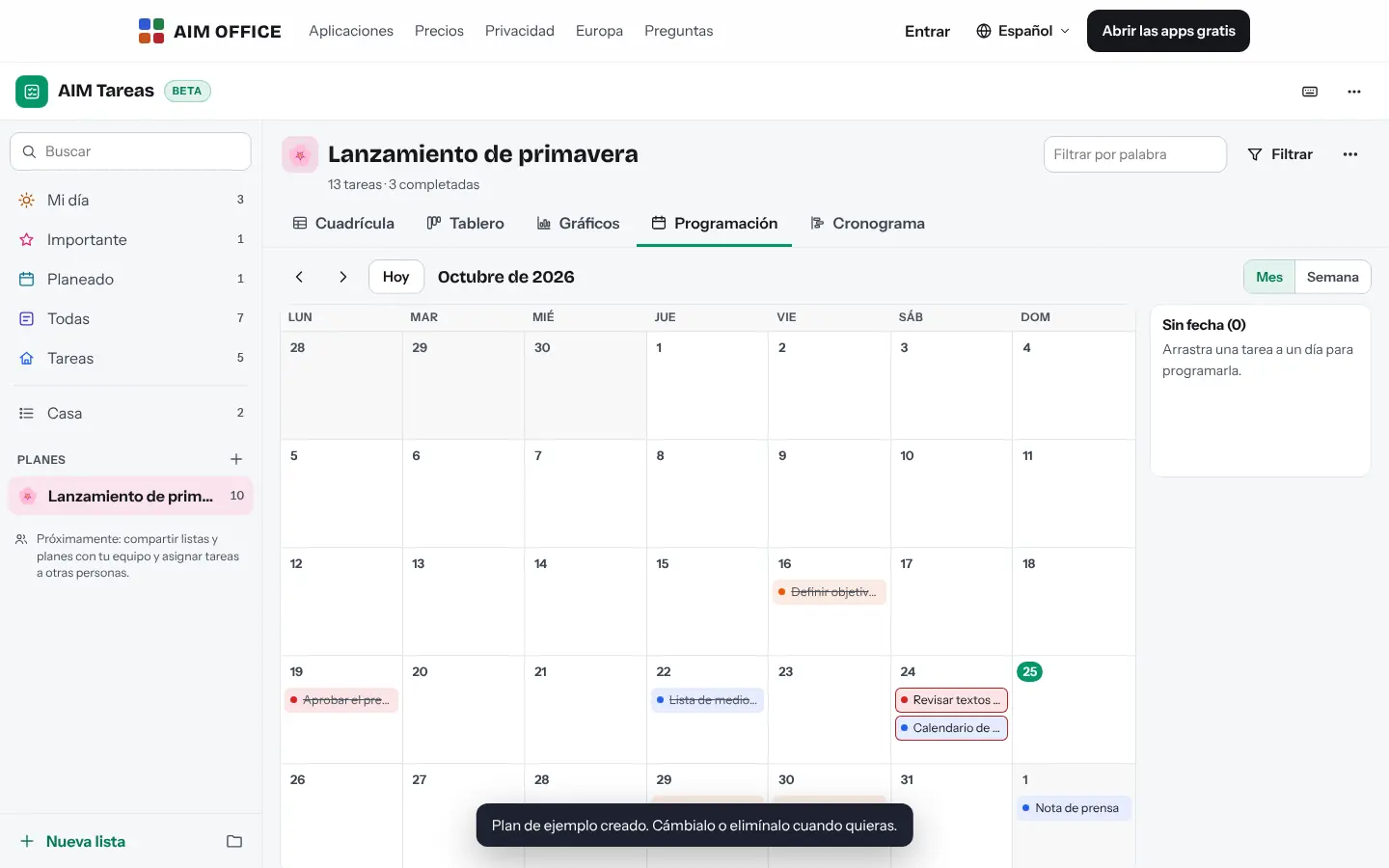
A list that empties every day so you choose what you're really going to do, with suggestions for what's due, what's overdue and what was left pending.
See the whole plan as bars by day, week or month. Link tasks with dependencies: if you move one, the tasks that depend on it shift while keeping their duration. Highlight the critical path in one click.
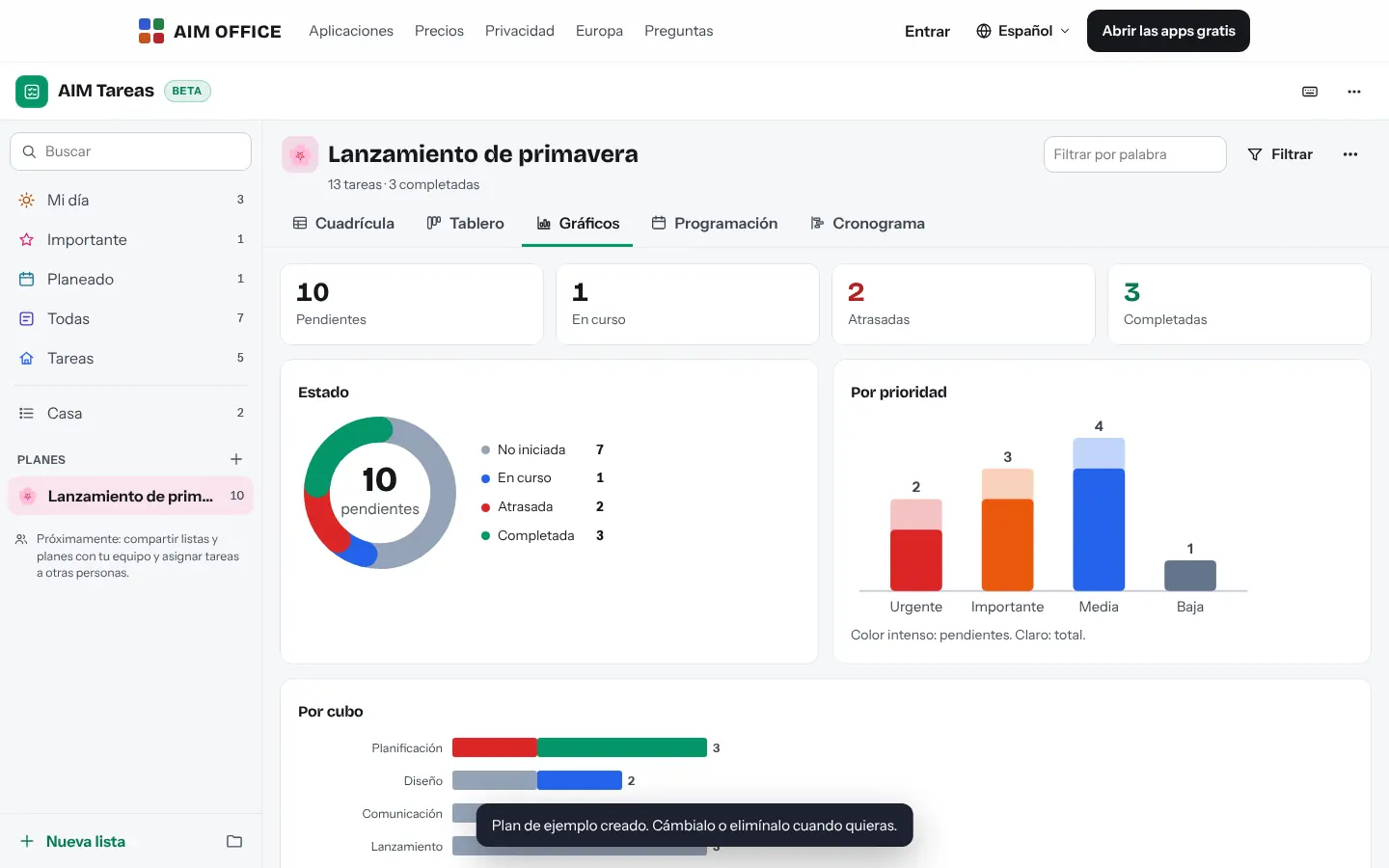
How many tasks are left, which are in progress, which are late and how they split by priority and bucket, up to date and without doing the maths.
Tasks can repeat every day, every workday, every week, month or year, or at a custom interval: when you complete one, the next appears with its steps unchecked. Create the whole “Month-end close” or “New customer setup” set at once, or save a list of your own as a template. Save the baseline of the dates in a list or plan and later see how far each task has deviated.
Each task has its due date, reminder, a checklist of steps, notes and attachments. Reminders alert you while AIM Tasks is open in the browser: with the tab in view you hear a sound and see an in-app alert; in the background, you get a browser notification if you have allowed it. They do not alert you when the tab is closed.
Click “Start timer” on a task: only one runs at a time, and it isn’t lost if you reload, close the tab or the browser crashes, because the start time is saved when it begins. You can also add, edit and delete time manually (with “Undo”), without overlaps, with a customer (suggested from AIM CRM if you use it in this browser), billable status and hourly rate. Timesheets show each week by task, list or customer, with filters, totals, rounding and export to XLSX, CSV, PDF and to a CSV or JSON with documented columns so PRAXIS can import them later; AIM Tasks doesn’t send them to PRAXIS yet.
Important, Planned (grouped by date) and All fill themselves. Search finds things accent-insensitively in titles, notes and steps.
Import tasks from an XLSX spreadsheet or a CSV (it recognises the columns even in a different order or language) and export to XLSX or to an .ics calendar.
Create, complete, mark as important, add to My Day or move between lists without touching the mouse. Press “?” to see them all.
SMEs, freelancers and firms that already work this way.
Each campaign is a plan with its phases in columns, its timeline and its delivery dates. The charts tell you instantly what's running late.
The job on a timeline: demolition first, then plumbing and electrics, then painting. If one phase slips, the following ones move automatically.
The day's errands in My Day, quarterly payments as recurring tasks and each client with their own list.
Each month's closing and each quarter's tax returns as tasks that come back on their own, with their steps so nothing slips through.
Each app does its own job and hands the work on to the next.
The decisions from a meeting leave AIM Minutes as tasks with an owner and a date, in CSV or XLSX, ready to import into AIM Tasks.
Export dated tasks to an .ics file and open it in AIM Calendar to see them alongside your appointments.
Export a plan to XLSX to work on it in AIM Sheets, and import it back whenever you like.
What stays on your device, what travels encrypted and what we store. No small print.
Lists, plans, tasks and attachments are stored in your browser. They are not sent to our servers and no account is needed.
Download a backup of everything whenever you like and restore it on another device. Export to XLSX and to an .ics calendar too.
Nothing from your tasks. No analytics, no advertising, no profiles.
Biomag S.L.U., a Spanish company. Hosted in Amsterdam (EU), with no advertising and no trackers. Read the privacy policy
Start free, no card. Pro only if you need it.
€0Forever. No sign-up, no card.
From €1.99€1.99 a month with annual billing, or €2.49 a month paying every 6 months. VAT included, no commitment.
No: tasks live in your browser and aren’t shared or assigned to other people. To pass a plan to someone, export it to XLSX.
Yes, with a browser notification, as long as AIM Tasks is open in a tab. If you close the browser, it can't notify you.
Yes, if you have them in XLSX or CSV. AIM Tasks recognises headers in several languages and understands dates written in many ways. Without a header, it reads title, date, notes and list in that order.
The chain of tasks that, if delayed, delays the end of the plan. AIM Tasks calculates it from the dependencies and highlights it on the timeline.
Yes. The app adapts to small screens: lists, My Day, board, charts and timeline. To drag, press and hold the task.
Yes. The sample plan is created in one click and, whenever you like, only the sample content is deleted. If you've added cards of your own, the plan stays.
No sign-up, no card and nothing to install. It opens in your browser in a second.