A booking page that's a pleasure to use
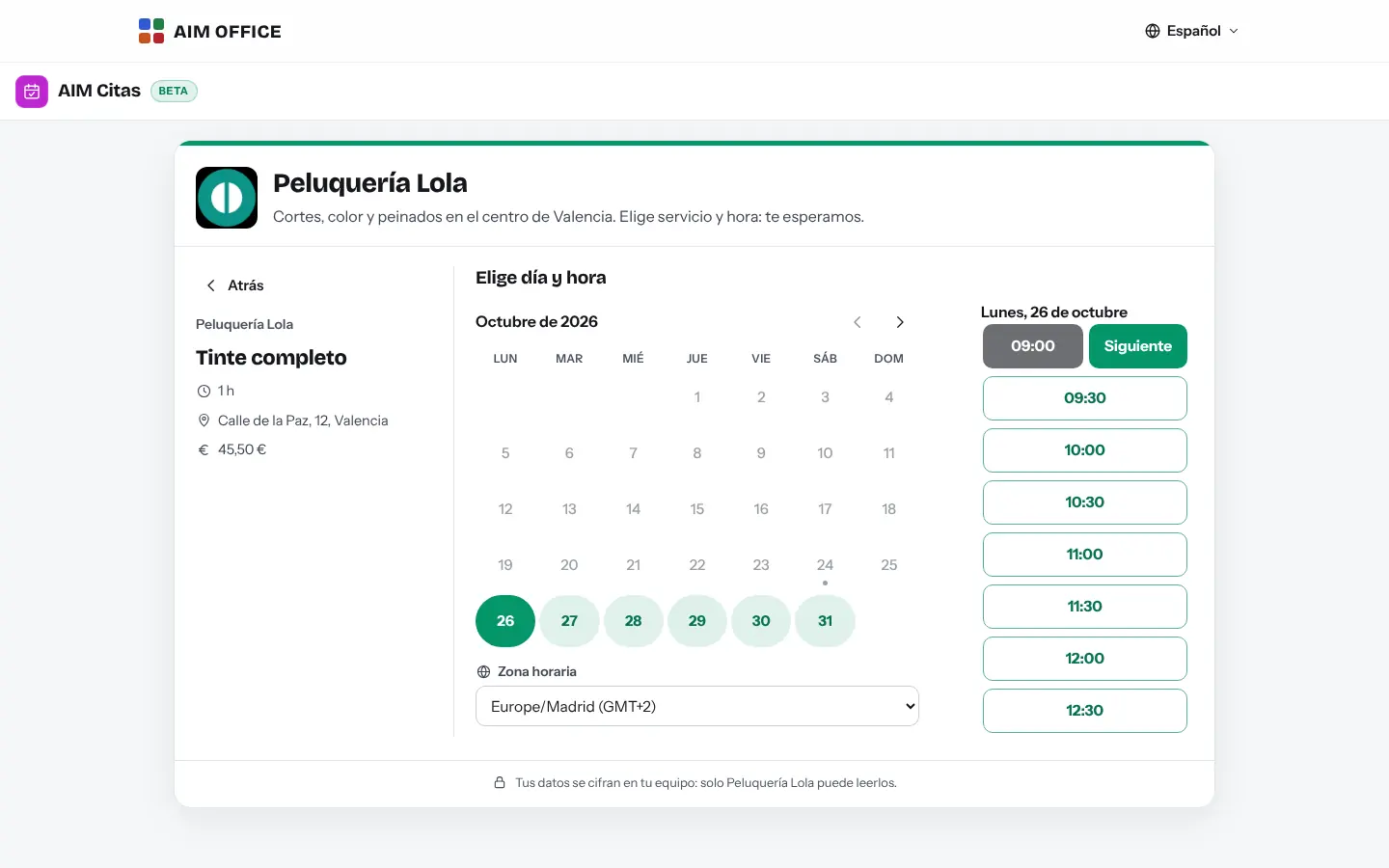
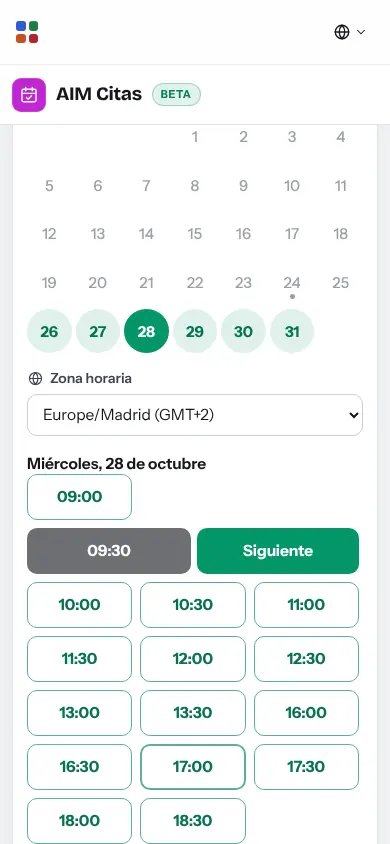
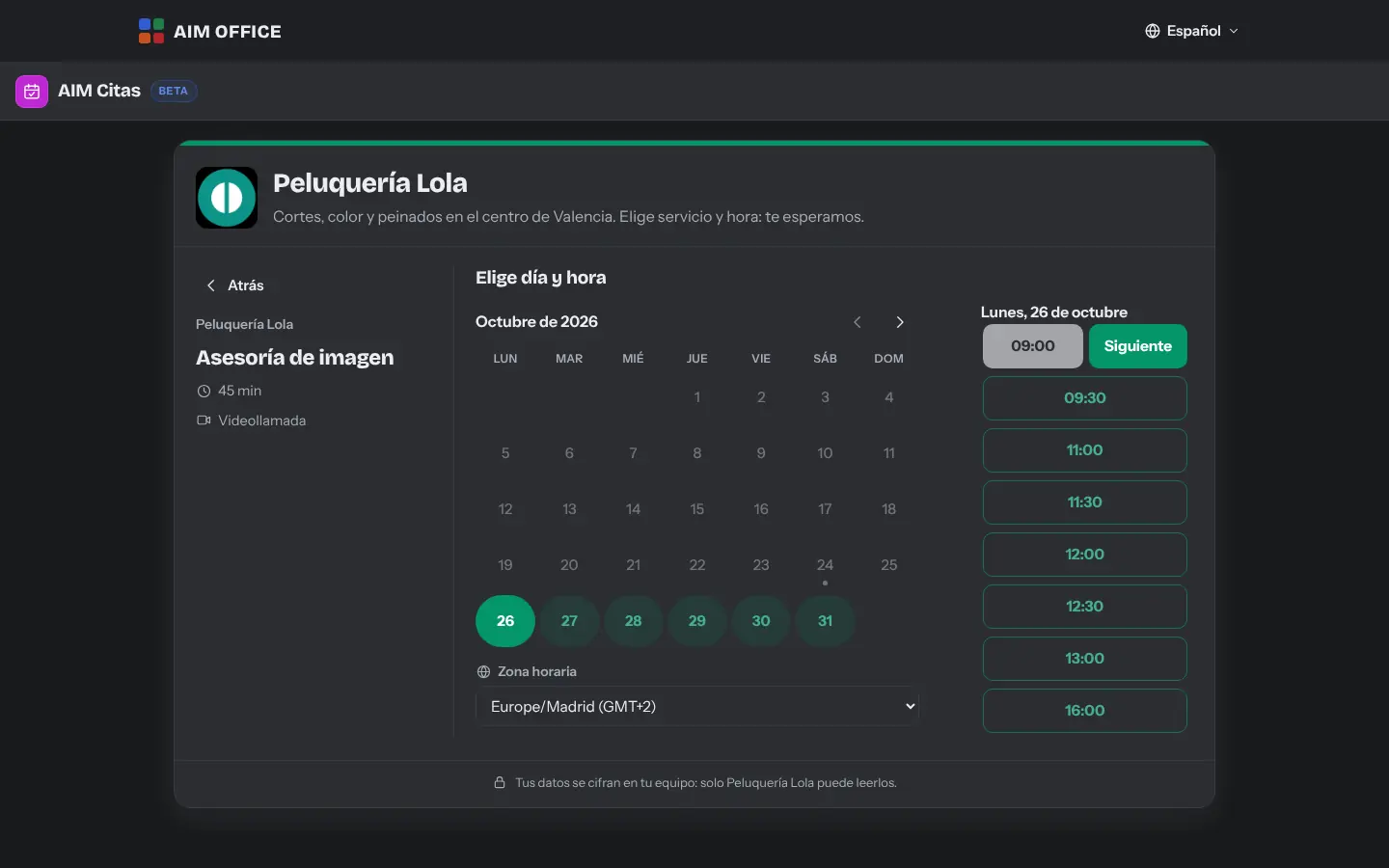
Your client picks a service, day and time from the free slots, leaves their name, email and phone number, and gets a confirmation with a reference and a file for their calendar.
AIM Bookings
Your booking page with your services, your hours and your closing days. The client picks a free day and time, leaves their details and the booking reaches you, encrypted.
What usually happens, and how AIM Bookings solves it.
You spend the day on the phone fitting in appointments.
Your clients book on their own on your page, choosing from the free slots at any time.
Two clients end up booked at the same time.
Slots never overlap, and appointments you take by phone block their time too.
Every public holiday you have to remember to close your calendar.
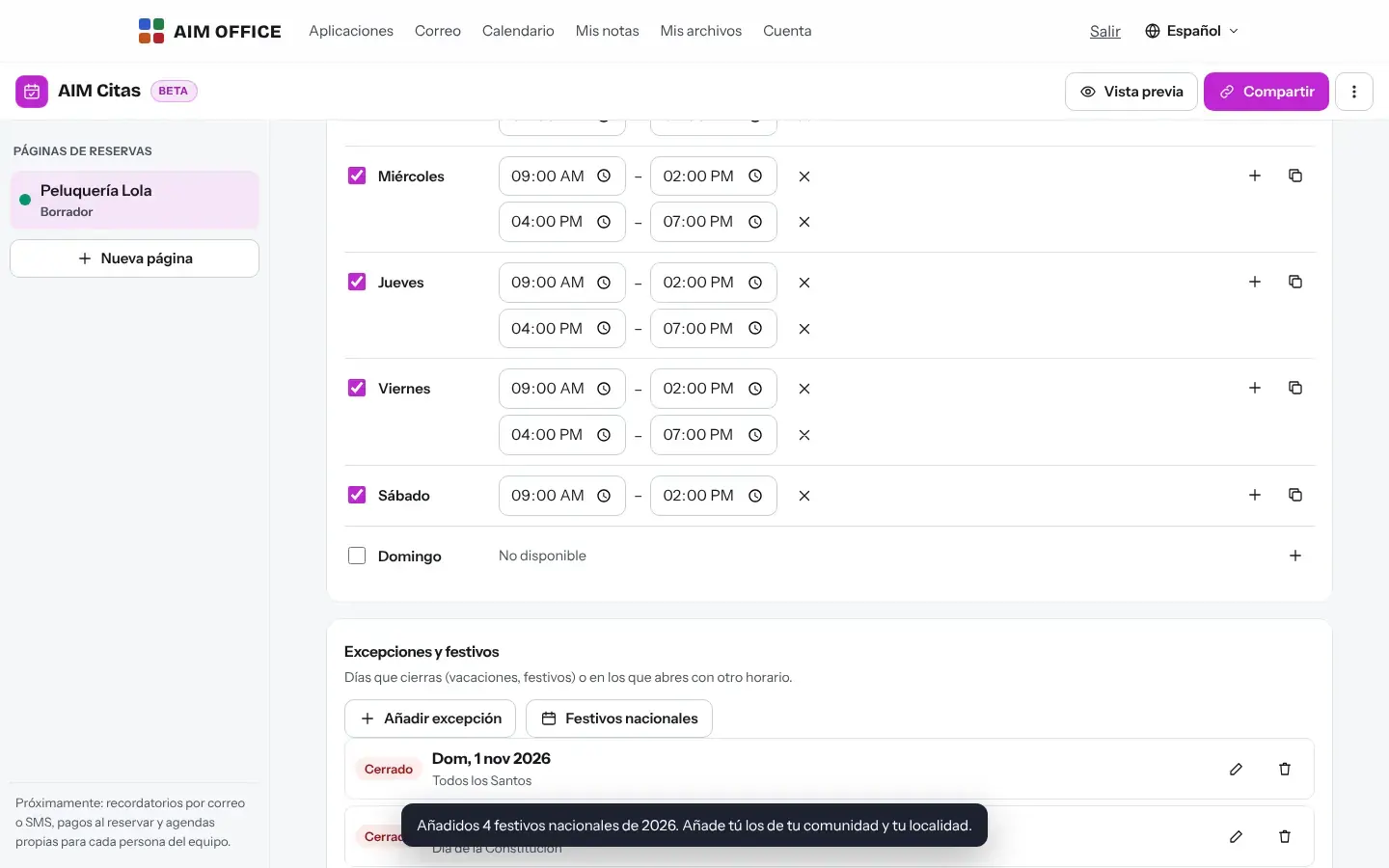
Choose your community and your page won’t open on its holidays (BOE data for 2026 and 2027), along with your closing days and special hours.
Getting started is this simple. And this is what you'll see: screenshots of the real app.
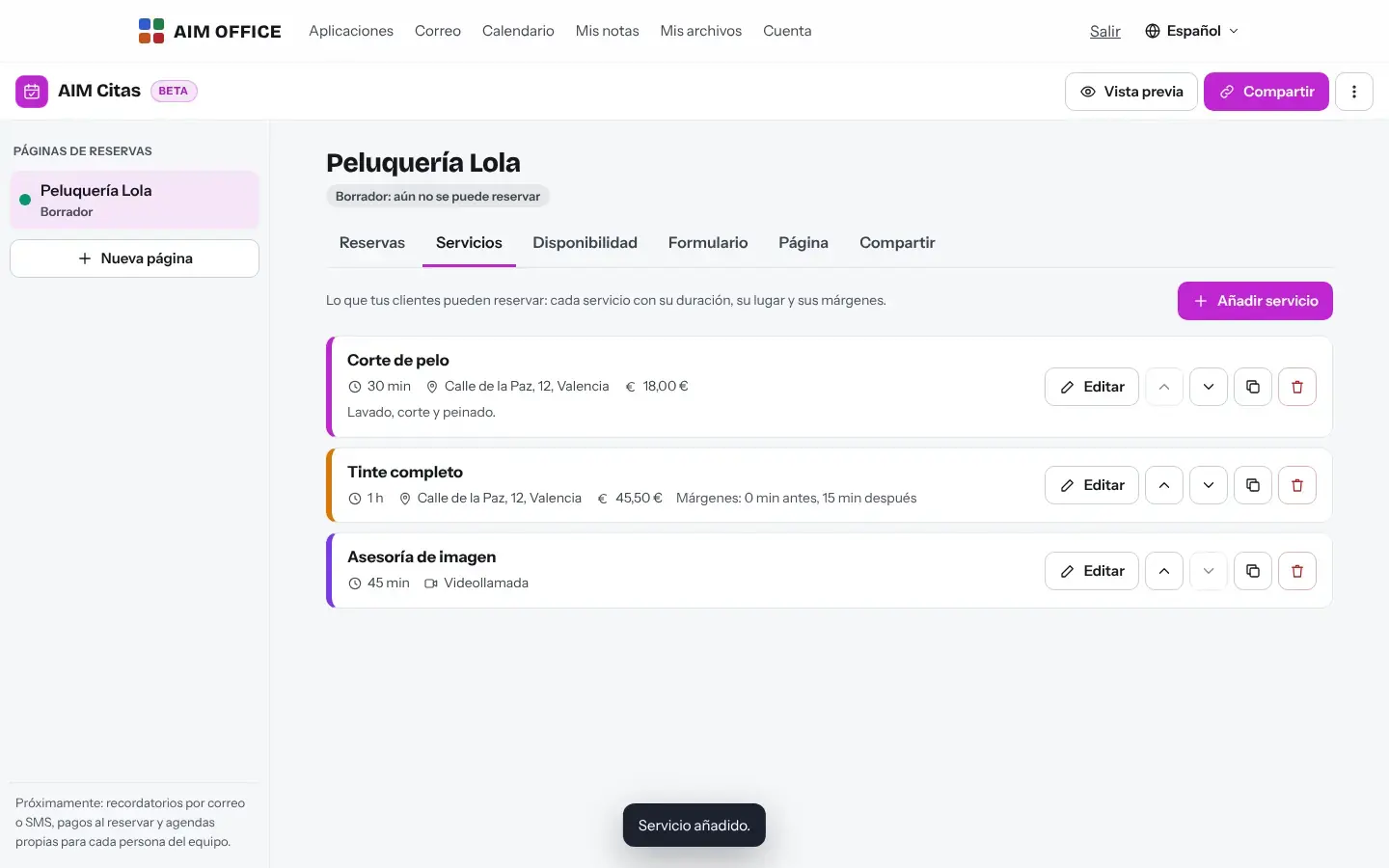
Enter your business name, your services with their duration, price and location, and your opening hours for each day of the week.
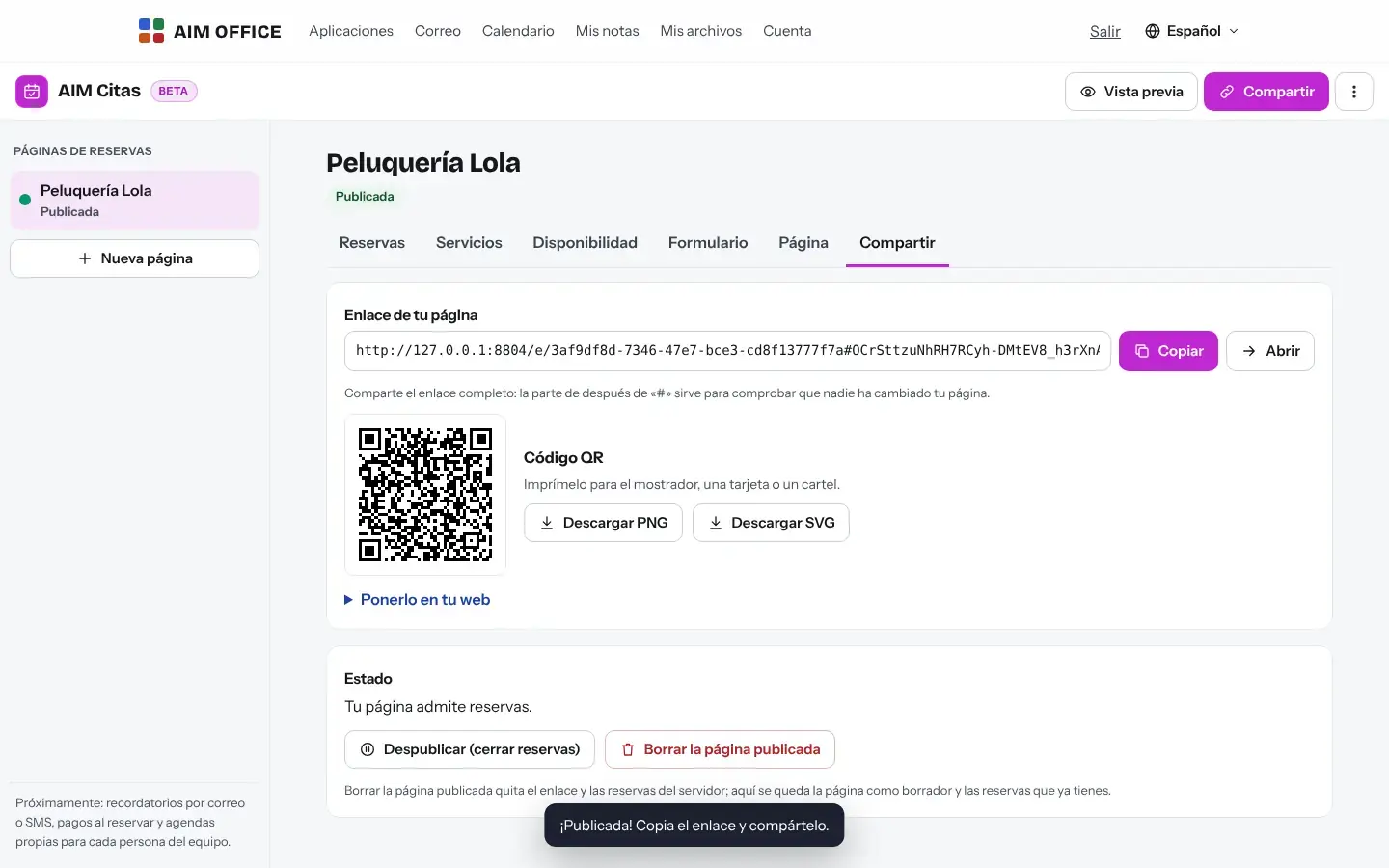
Copy the link for your website or social media, or print the QR code for your counter. To publish it you need your free account.
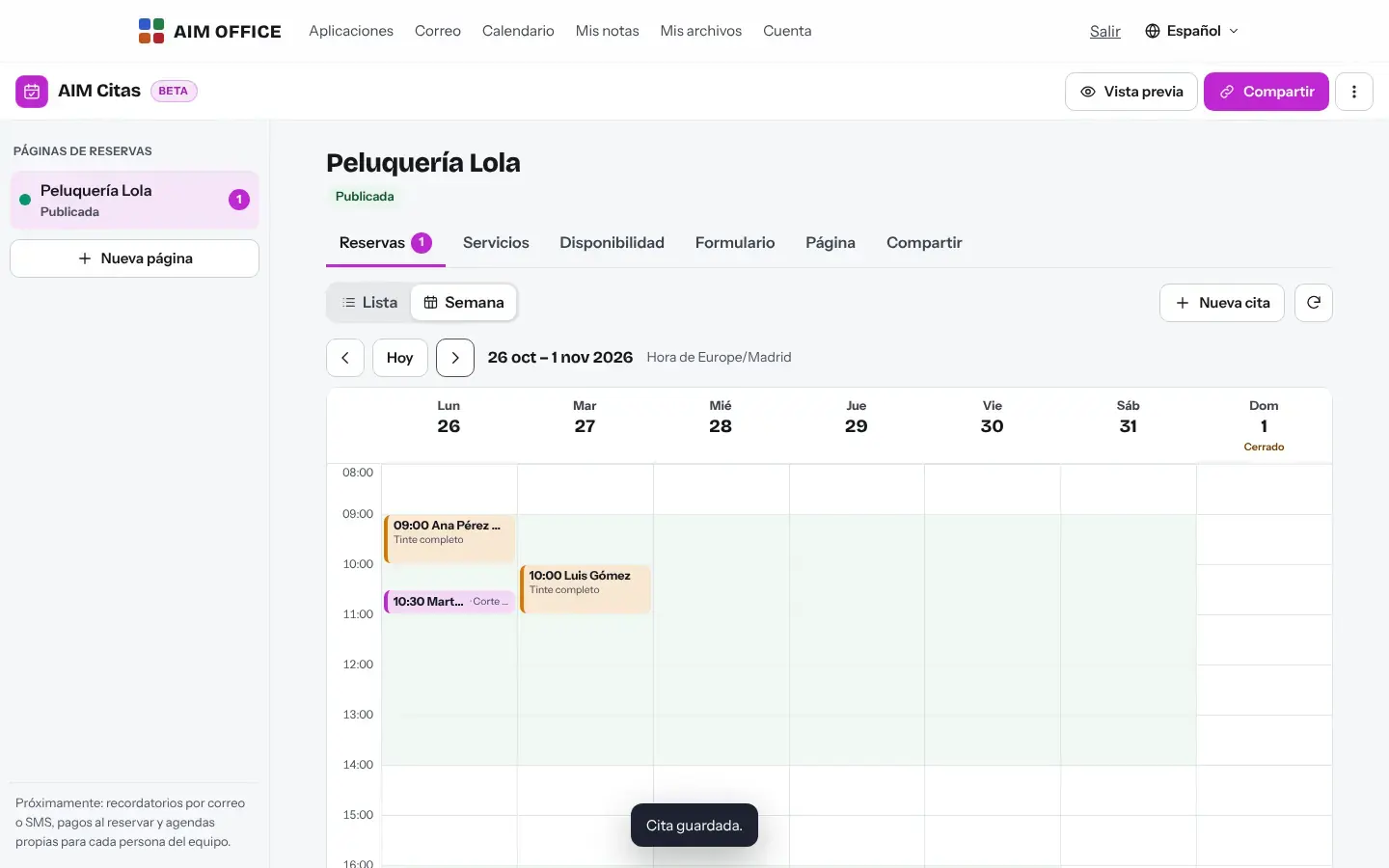
Appointments appear in your list and in the week view. Add them to your calendar or export them whenever you like.
Everything AIM Bookings does today, told by what it solves for you.
Your client picks a service, day and time from the free slots, leaves their name, email and phone number, and gets a confirmation with a reference and a file for their calendar.
A list of upcoming, past and cancelled appointments, or the whole week in a grid. Add appointments booked by phone by hand so they don't clash.
Several time slots per day (morning and afternoon), closing days, special hours and the option not to open on national holidays or on those of your community (BOE 2026 and 2027; in other years they are an estimate, flagged as such). It doesn’t include local holidays: add them as exceptions. The exception always wins.
Each service with its duration, price and location (your premises or a video call), and buffers before and after to prepare or tidy up between appointments.
Copy the link, put it on your website or download the QR code as PNG or SVG for your shop window, counter or business cards.
When booking, the customer gets a personal link to change the time or cancel their appointment, with no account. You decide how far in advance and how many times; your hours, holidays and buffers apply, and you see the change in your bookings. You turn it on or off on your page.
Minimum and maximum notice and the maximum number of appointments per day are applied on your booking page, in the browser of the person booking. The server prevents two appointments from overlapping, even if they last different lengths, rejects dates in the past or more than two years ahead, and limits bookings per day; if someone gets around any other rule by hand, your panel alerts you to the out-of-hours booking.
Slots are calculated in your time zone and shown in the booker's. The clock changes in March and October never double up or swallow a booking.
Add the questions you need (Is this your first visit? Any allergies?). Export your bookings to XLSX, CSV or an .ics calendar.
SMEs, freelancers and firms that already work this way.
Haircut, colour and styling with their duration and price, split opening hours and local holidays marked. The QR code on the mirror does the rest.
First visits and check-ups with their durations and a buffer between patients. Form answers arrive encrypted.
30-minute appointments for tax return season, in person or by video call, with a maximum number per day.
One-hour lessons booked at least a day in advance, and the week at a glance to stay organised.
Each app does its own job and hands the work on to the next.
Download your bookings as an .ics calendar and open them in AIM Calendar with “Import”. Customers also receive their appointment for their own calendar.
For services by video call, create a room in AIM Meetings and paste its link as the booking's location.
Export the bookings to CSV and import them into AIM CRM to follow up your clients and their quotes.
What stays on your device, what travels encrypted and what we store. No small print.
What the person booking types (name, email, phone, answers) is encrypted in their browser for your business. We can't read it.
The encrypted page, the encrypted bookings and, in the clear, the time, duration and margins of each booking, so that no one books the same slot twice. If you let your customer change their appointment, also a digest of their secret (the secret travels only in their link) and how many times they changed it. If your customer asks for the reminder, also their email, the time, the time zone, the place and, only if you choose it, the service, kept separately and only until the reminder is sent, the appointment passes or you cancel it.
To publish the page you need your free account. The keys are kept in your keychain, encrypted with a recovery code that only you have. Each published page counts as one link of your plan.
Biomag S.L.U., a Spanish company. Hosted in Amsterdam (EU), with no advertising and no trackers. Read the privacy policy
Start free, no card. Pro only if you need it.
€0Forever. No sign-up, no card.
From €1.99€1.99 a month with annual billing, or €2.49 a month paying every 6 months. VAT included, no commitment.
No. They open your page, pick a time and enter their details. You do need your free AIM account to publish it.
Yes, by email, if you turn it on in your page (24 or 2 hours before; it comes turned on in new pages, with only the time and the place) and your client leaves the box ticked when booking. It includes the time and the place and, if you choose it, the service, in their language. It goes by unencrypted email: if the service could reveal health data or other highly personal data, leave “time only”. To send it we store their email and that data separately and unencrypted, and we delete them when it is sent, when the appointment has passed, when you cancel it or when the page is deleted. We do not send SMS, and there are no payments when booking or calendars per person.
Yes, if you leave it on for your page: the confirmation includes a personal link, with no account. You choose the deadline (24 hours by default), how many times they can change it and whether they can cancel. The server only knows the time slot and that it was changed; the booking stays encrypted. The link isn’t included in the email reminder: only the person who booked has it.
Yes. Add an exception with closed days or special hours. Spain's national holidays are already marked.
The server accepts only the first one: it checks the time of each booking, with its duration and buffers, before confirming it.
Yes: copy the link and put it on a button on your website, your social media or your email signature. With AIM Sites you can build the website and link to it.
Yes, to XLSX, CSV or .ics calendar, whenever you like.
No sign-up, no card and nothing to install. It opens in your browser in a second.