Automatic cropping and straightening
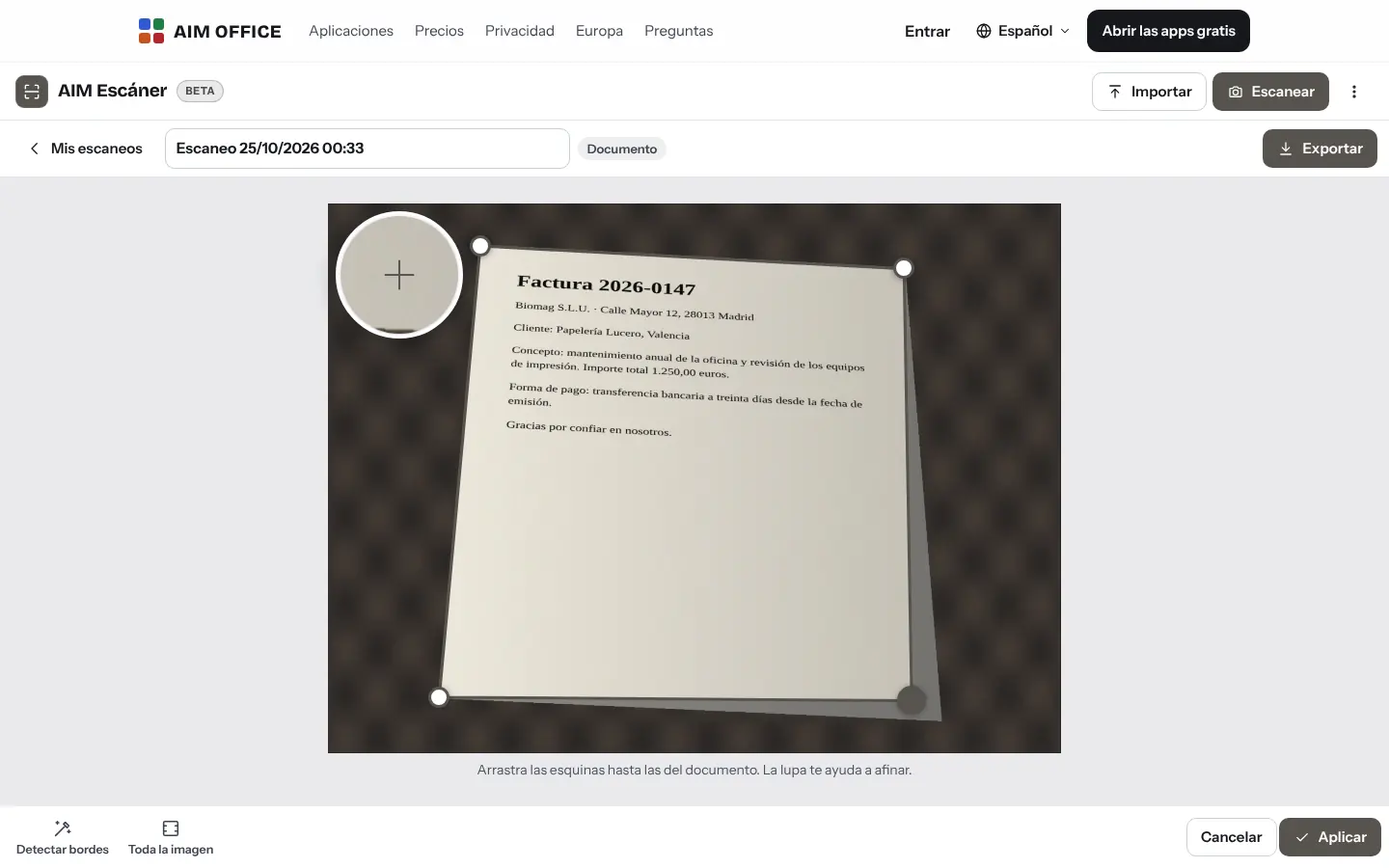
It finds the document in the photo even if it's skewed or shadowed, and straightens it to its real proportions: an A4 page photographed at an angle becomes an A4 again.
AIM Scan
Take a photo of a document, a receipt, a whiteboard or a business card: AIM Scan crops it, straightens it, cleans it up and turns it into a PDF whose text you can search. All on your device.
What usually happens, and how AIM Scan solves it.
A crooked photo of a document is no use to send to anyone.
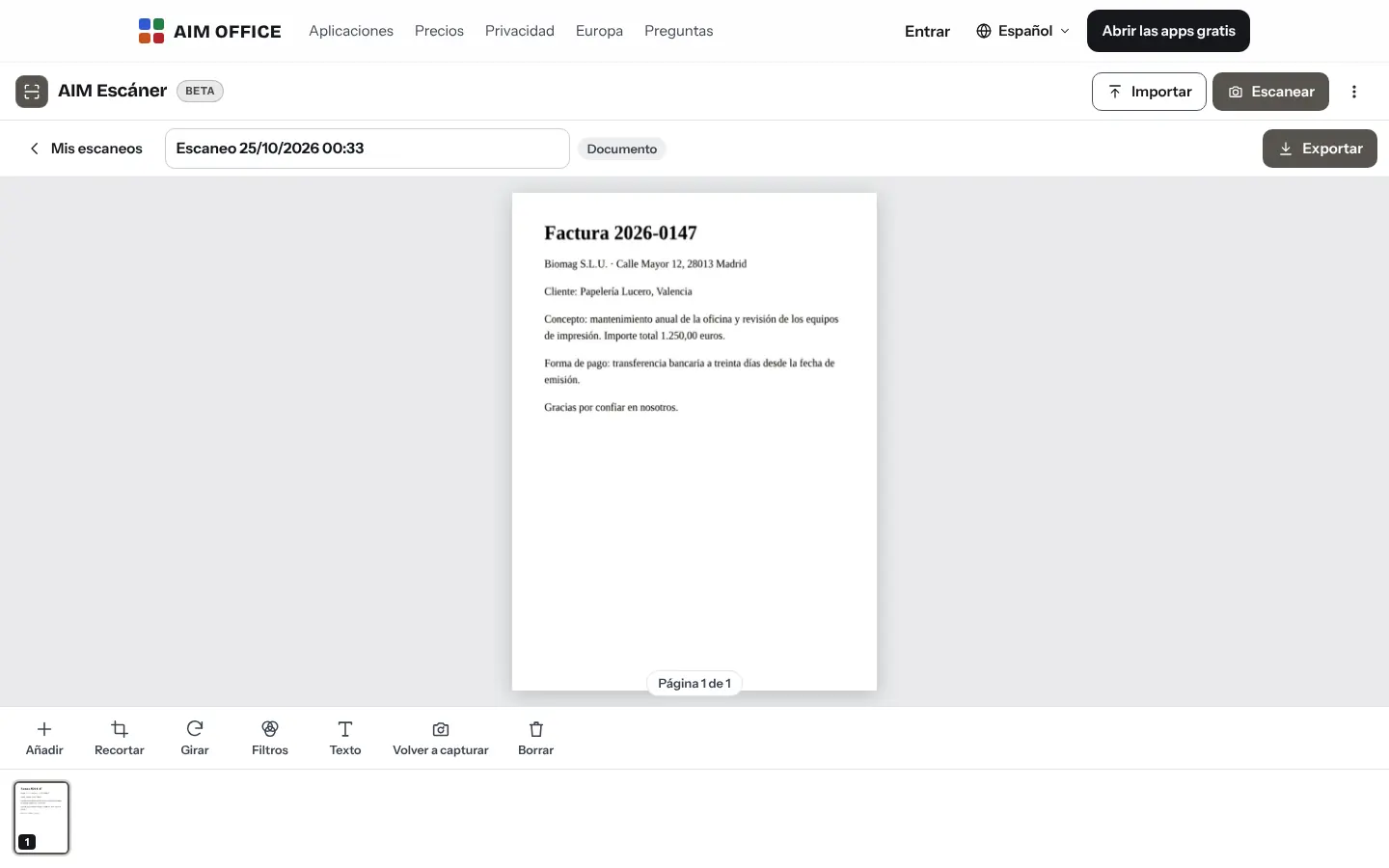
AIM Scan finds the document, straightens it to its real size and whitens the paper.
To find something in a scanned document you have to read it all.
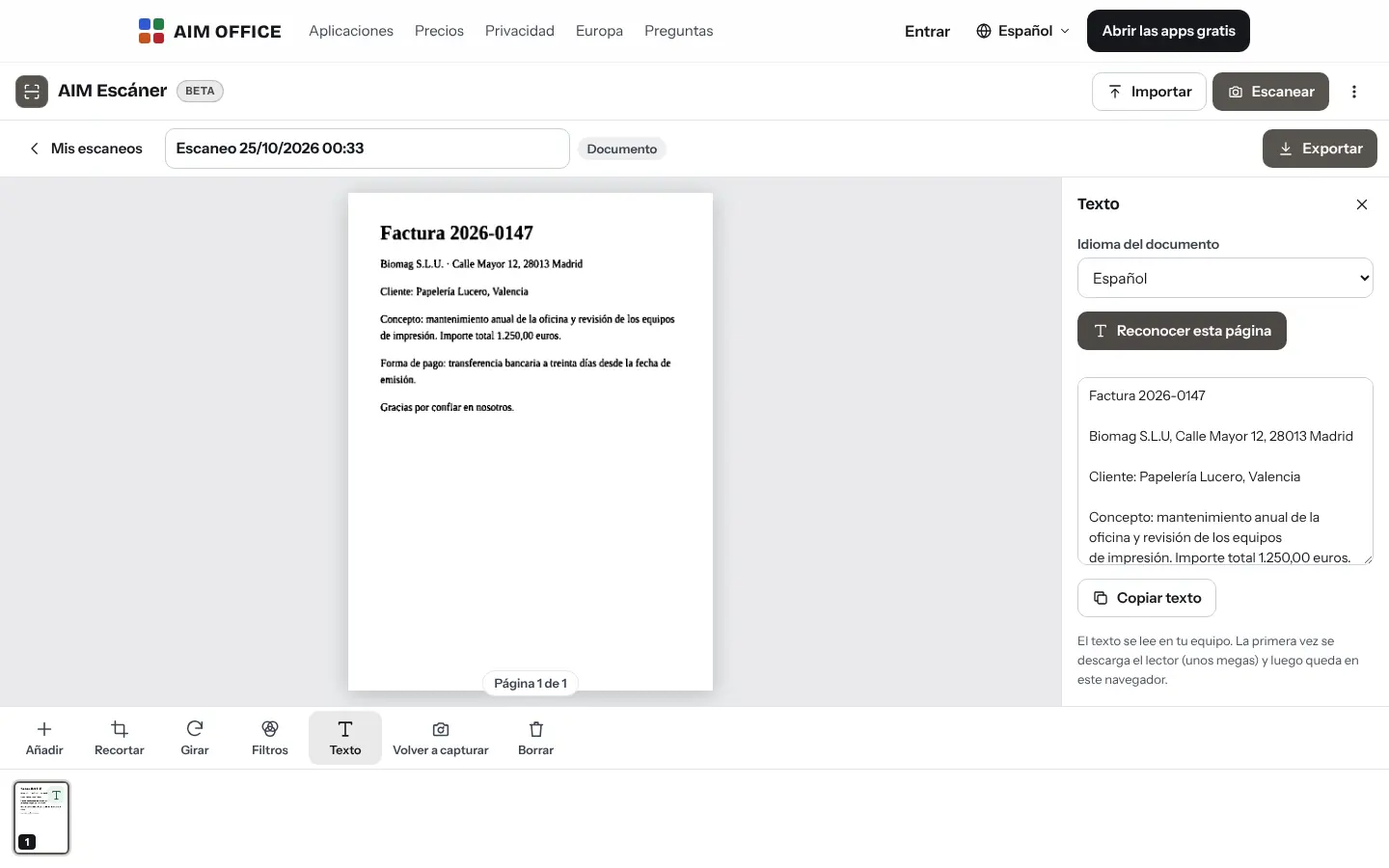
It recognises the text on your computer and stores it in the PDF so you can search it.
Business cards pile up in a drawer.
Take a photo of the card and AIM Scan gives you the contact as a .vcf for your address book.
Getting started is this simple. And this is what you'll see: screenshots of the real app.
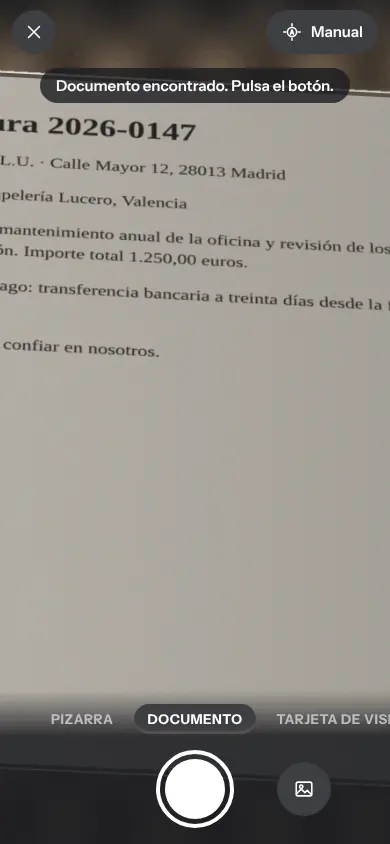
Choose document, whiteboard, business card or photo. AIM Scan finds the edges and takes the shot by itself when the paper is still, or you tap.
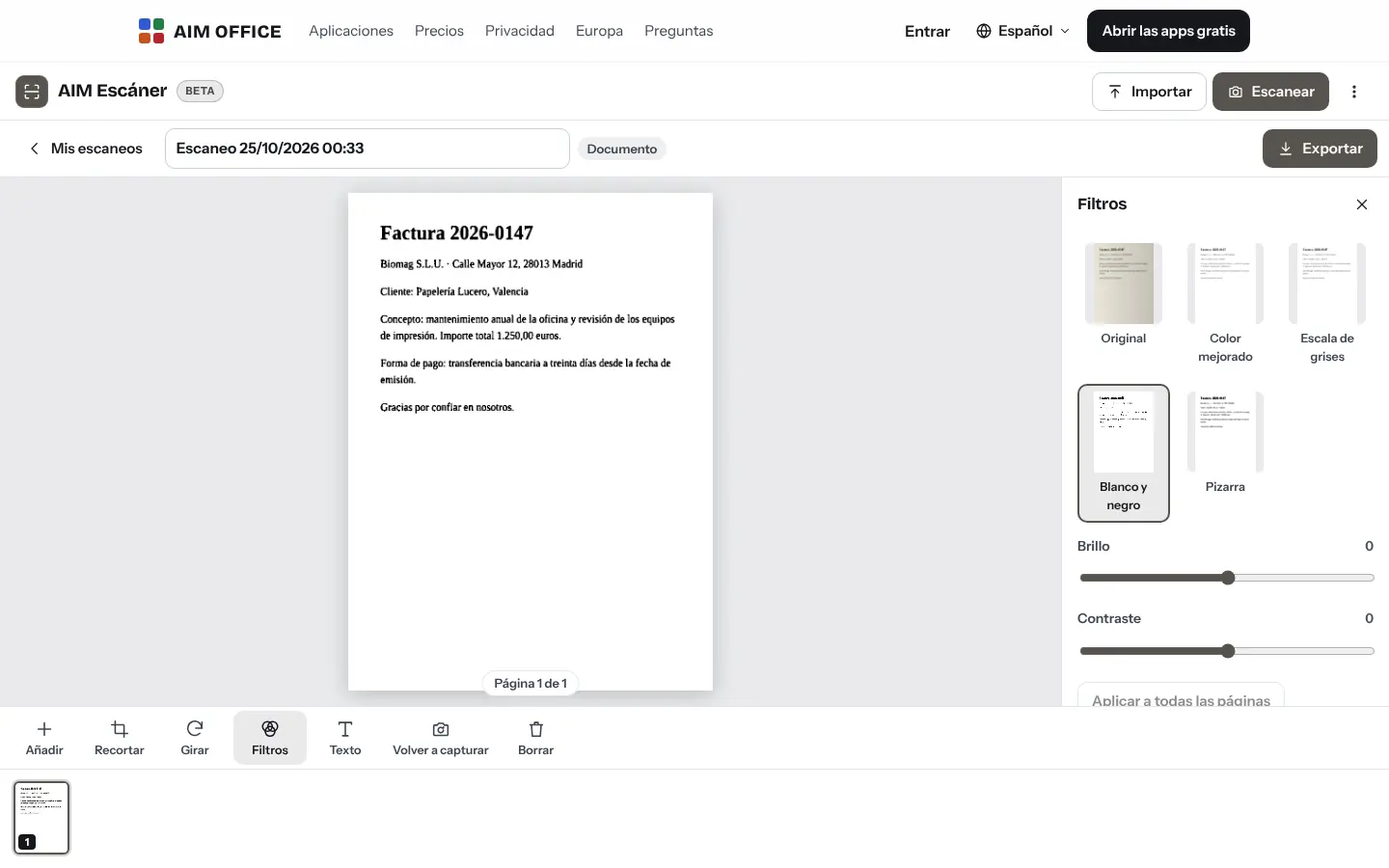
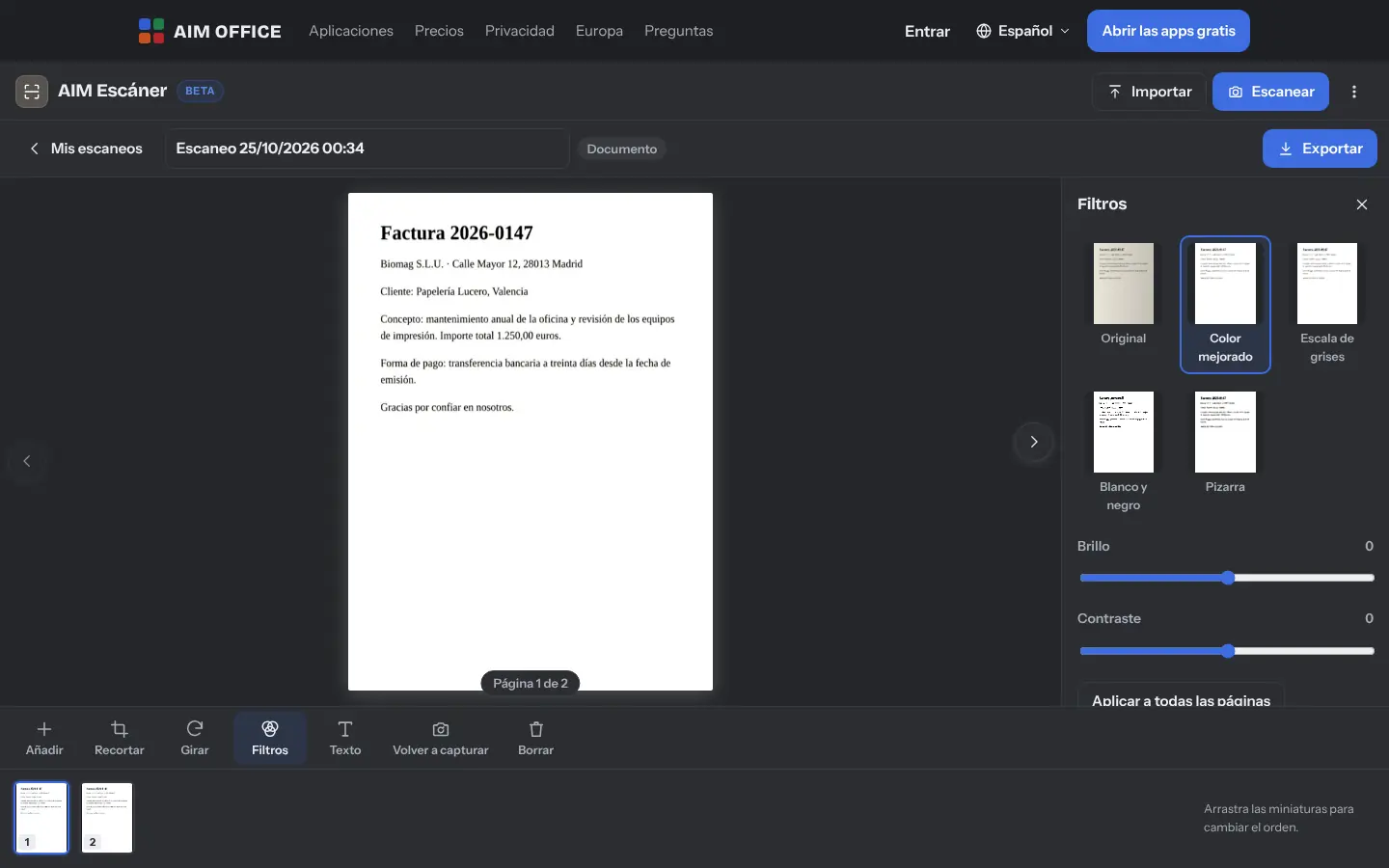
Adjust the corners with the magnifier, rotate the page and pick a filter: enhanced colour, greyscale or black and white, so it's easier to read.
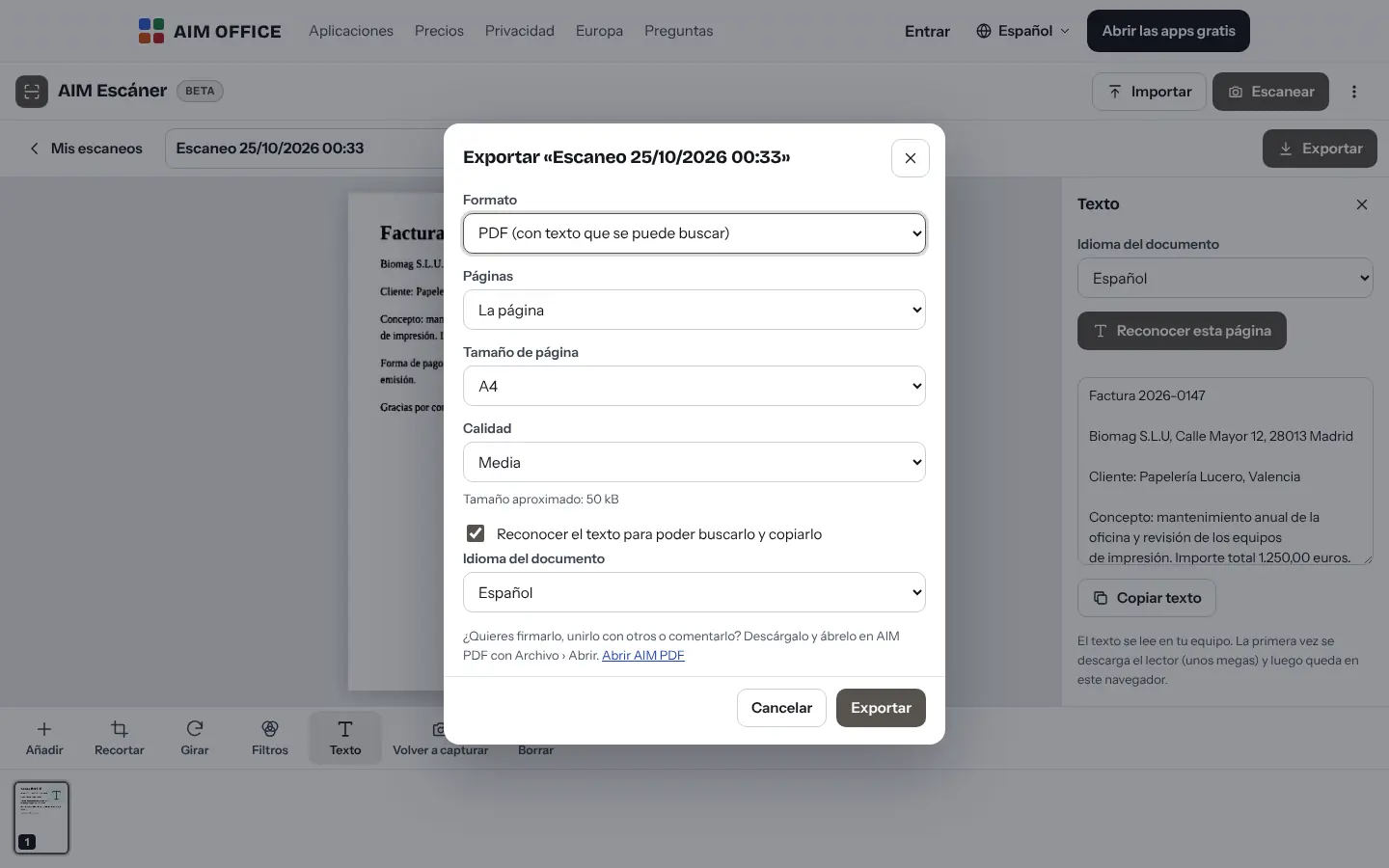
Download a PDF with text you can search and copy, a DOCX file, JPG or PNG images, or the contact from the business card.
Everything AIM Scan does today, told by what it solves for you.
It finds the document in the photo even if it's skewed or shadowed, and straightens it to its real proportions: an A4 page photographed at an angle becomes an A4 again.
Rotate, crop and reorder pages. Add more pages to the same document with the camera or with photos you already have.
AIM Scan reads the text on every page without sending it anywhere. Copy it, search it or keep it inside the PDF so you can find it later.
Enhanced colour removes shadows and whitens the background; black and white keeps only the text; whiteboard mode brings out what's written. With brightness and contrast at hand.
Searchable PDF in A4, Letter or fitted to the image; DOCX to edit the text; or JPG and PNG images.
Photograph a business card: AIM Scan extracts the name, job title, company, phone and email, and gives you the contact as a .vcf for your address book.
All your scans with their thumbnails, searchable by name and by recognised text, and a bin in case you make a mistake.
On a computer, turn pages, rotate, crop and export without touching the mouse.
SMEs, freelancers and firms that already work this way.
Your clients' paper receipts and invoices, scanned with a phone and turned into searchable PDFs.
Suppliers' delivery notes, filed as PDF the moment the goods arrive.
Business cards from a trade fair, turned into contacts before you're back at the office.
The whiteboard at the end of the class or brainstorming session, straight and clean, in PDF for everyone.
Each app does its own job and hands the work on to the next.
Open the PDF in AIM PDF to merge it with others, fill it in, sign it or protect it.
Export to DOCX and edit the recognised text in AIM Docs.
Drag the .vcf contact from a business card into AIM Calendar to save it in your contacts.
From paper to PDF, and from PDF to signature: take it to AIM Sign to request signatures.
What stays on your device, what travels encrypted and what we store. No small print.
Photos, pages and recognised text are stored in your browser. They are not sent to our servers. Since they are the only copy of your documents, make a backup from time to time: the browser may delete its data if it runs out of space.
Text recognition runs in your browser. The first time, it downloads the reader from our website and your browser stores it. The text is always read on your device.
Download a backup of all your scans whenever you like.
Biomag S.L.U., a Spanish company. Hosted in Amsterdam (EU), with no advertising and no trackers. Read the privacy policy
Start free, no card. Pro only if you need it.
€0Forever. No sign-up, no card.
From €1.99€1.99 a month with annual billing, or €2.49 a month paying every 6 months. VAT included, no commitment.
No. Open AIM Scan in your phone's browser and allow the camera. If you like, add it to your home screen.
Yes. Add pages with the camera or by importing photos, reorder them and export them as a single PDF.
Yes: import photos (JPG, PNG or WebP) or a scanned PDF, and AIM Scan extracts its pages (up to 100 per PDF) so you can crop and clean them and recognise the text. Each file can weigh up to 80 MB. PDFs that store their pages in black and white with JBIG2 or CCITT compression cannot be opened yet: it tells you so.
Yes, once you have opened it once while online: the page stays in your browser and your scans are in it. Text recognition too, once you have used it online (the first time it downloads the reader and the language).
No. Everything, including text recognition, happens on your device.
You choose the document's language before the text is recognised. It recognises Spanish, English, French, German, Italian and Portuguese; not yet Catalan, Galician or Basque.
No sign-up, no card and nothing to install. It opens in your browser in a second.