Truly private translation
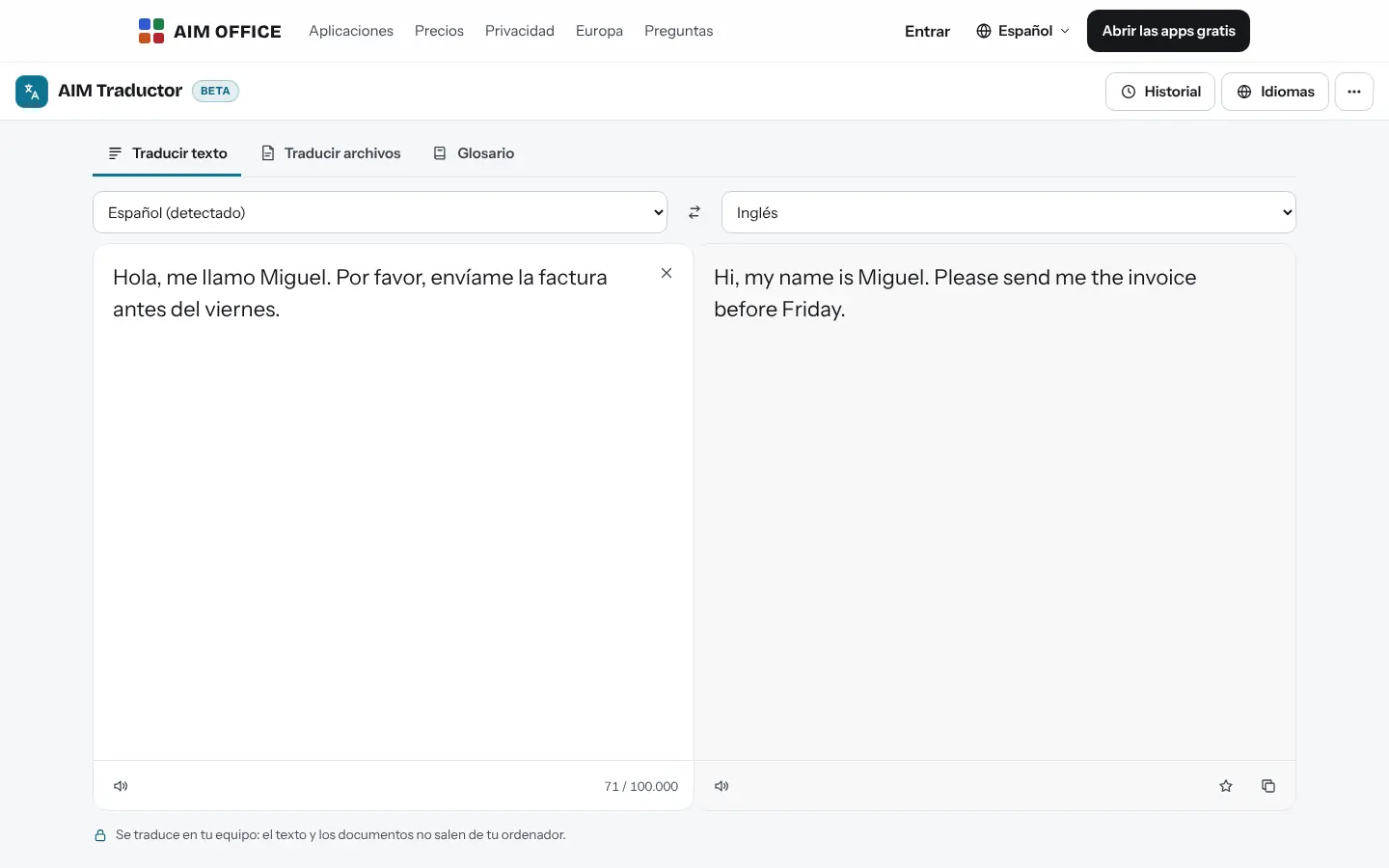
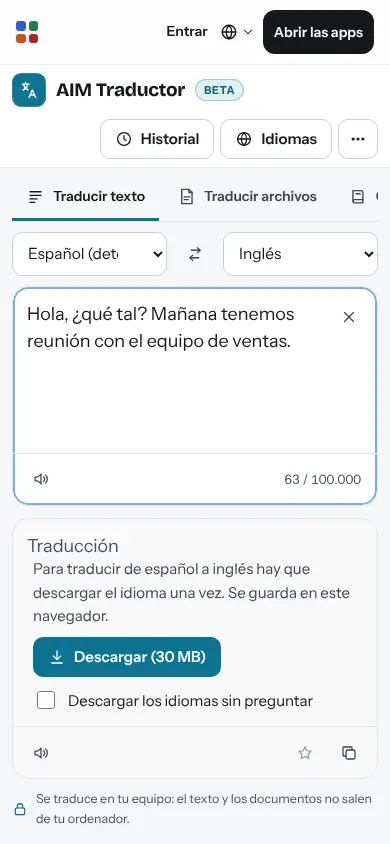
The translation engine runs in your browser. Neither the text nor the documents leave your device: ideal for contracts, reports and customer data.
AIM Translate
Text, documents, spreadsheets, presentations, PDF and subtitles translated on your own computer, keeping the formatting. Spanish, English, Catalan, Galician, Basque, French, German, Italian, Portuguese and Chinese.
What usually happens, and how AIM Translate solves it.
You paste a contract into a web translator without knowing where the text ends up.
AIM Translate translates in your browser: neither the text nor the document leaves your computer.
The translation gives you plain text and you have to lay it out again.
It keeps headings, bold, tables and links in documents, and numbers and formulas in spreadsheets.
Your product names come out translated differently every time.
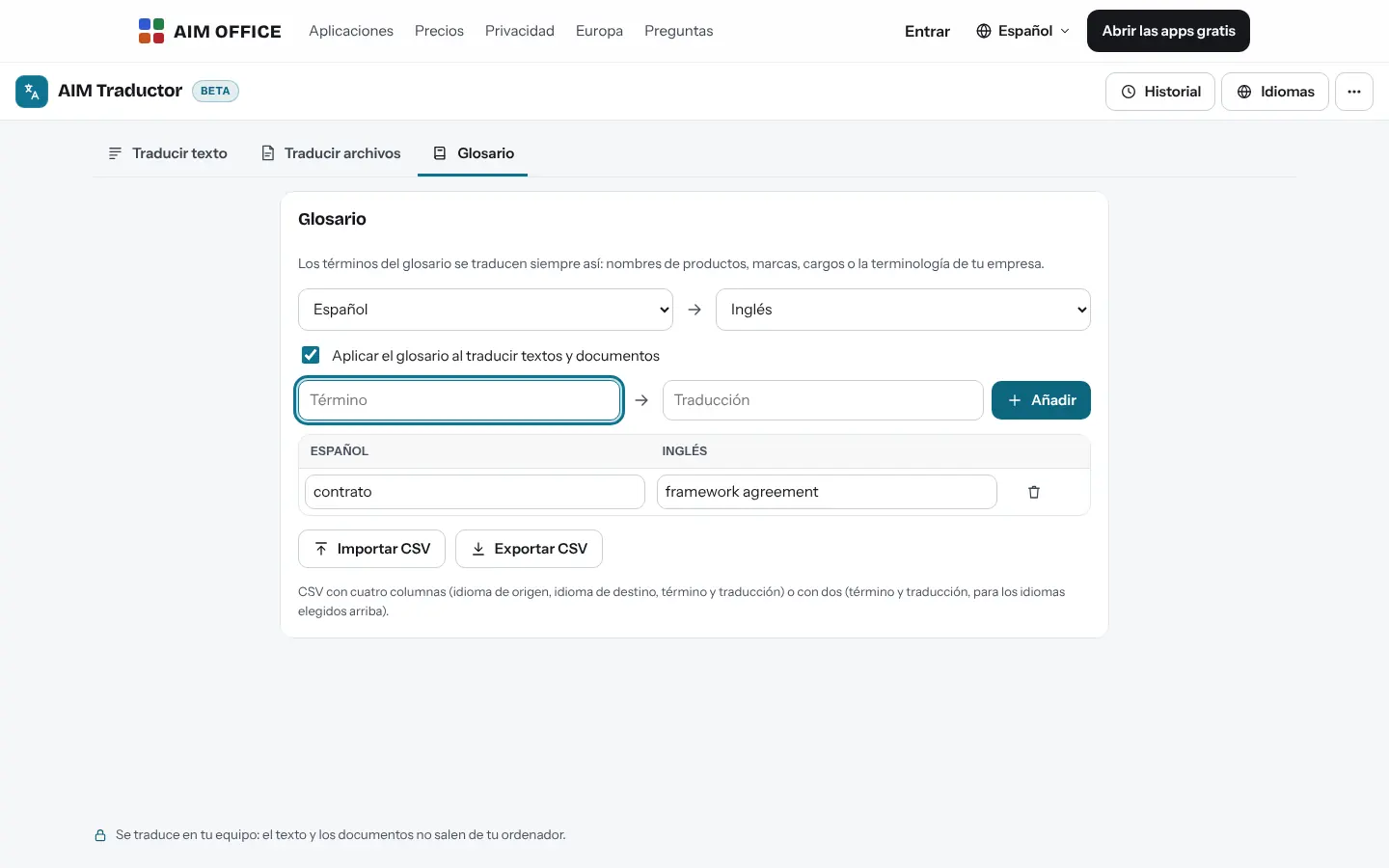
Your glossary makes those terms always translate the same way.
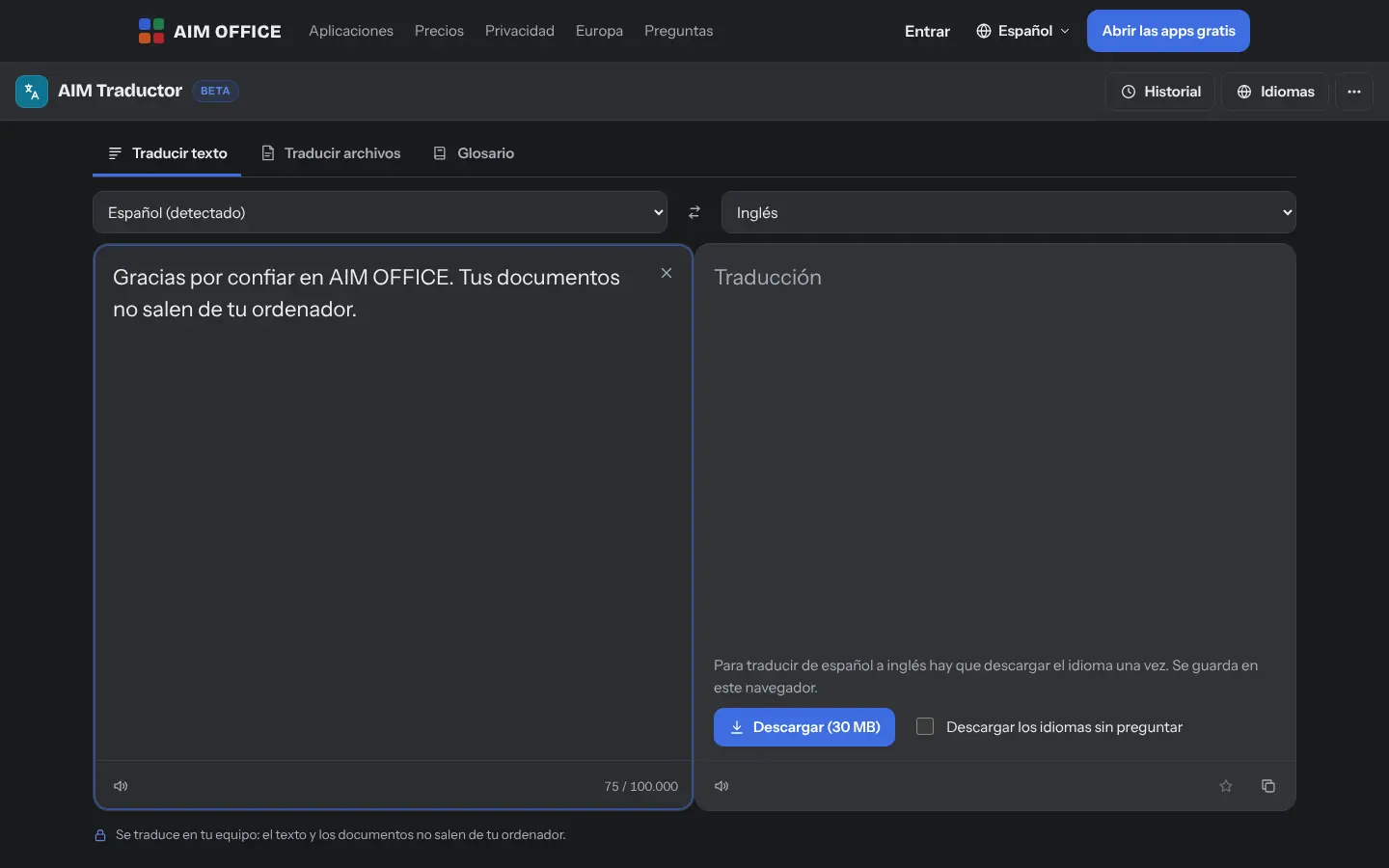
Getting started is this simple. And this is what you'll see: screenshots of the real app.
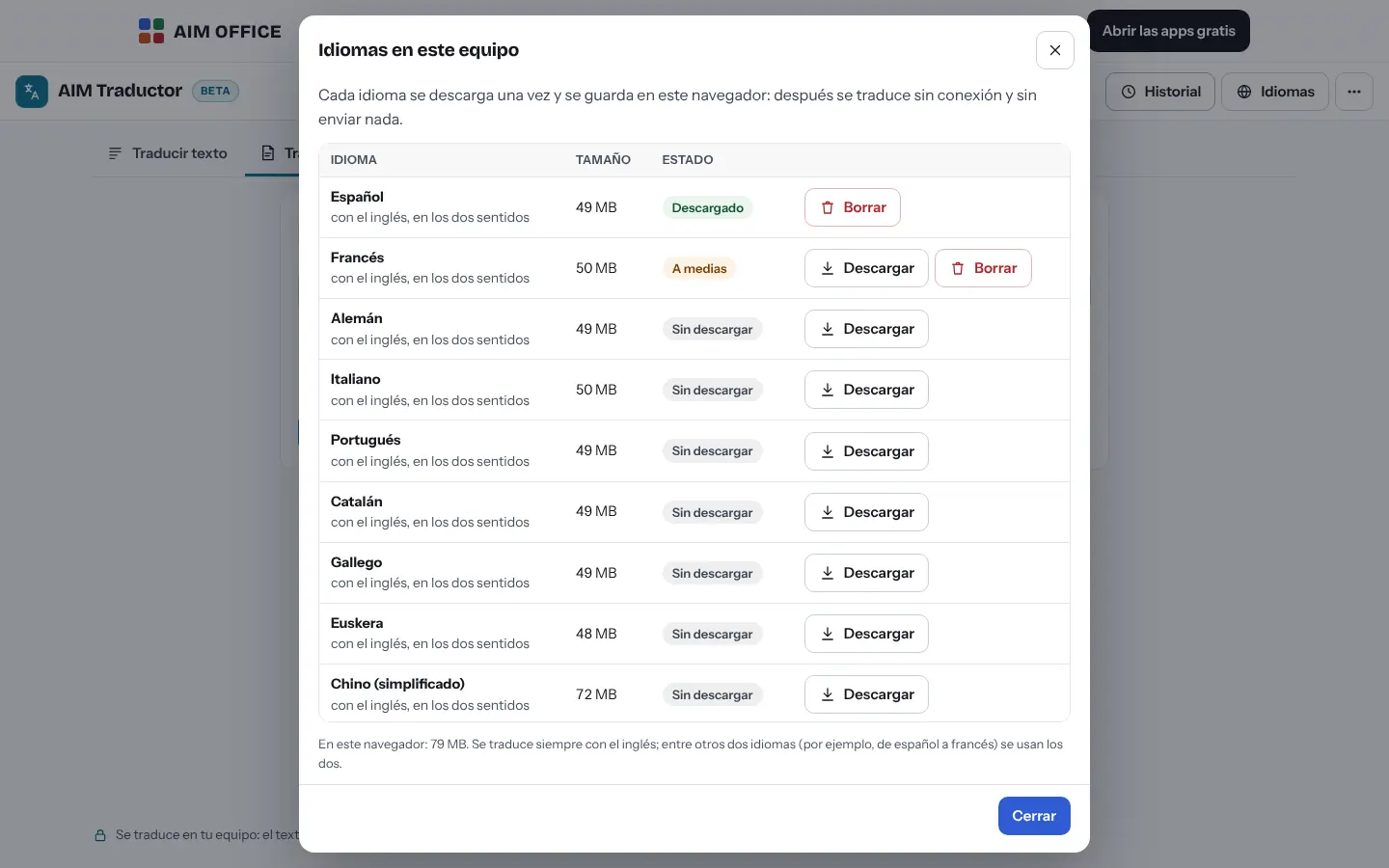
Each language pair is downloaded the first time and stays in your browser. From then on, translation happens on your device.
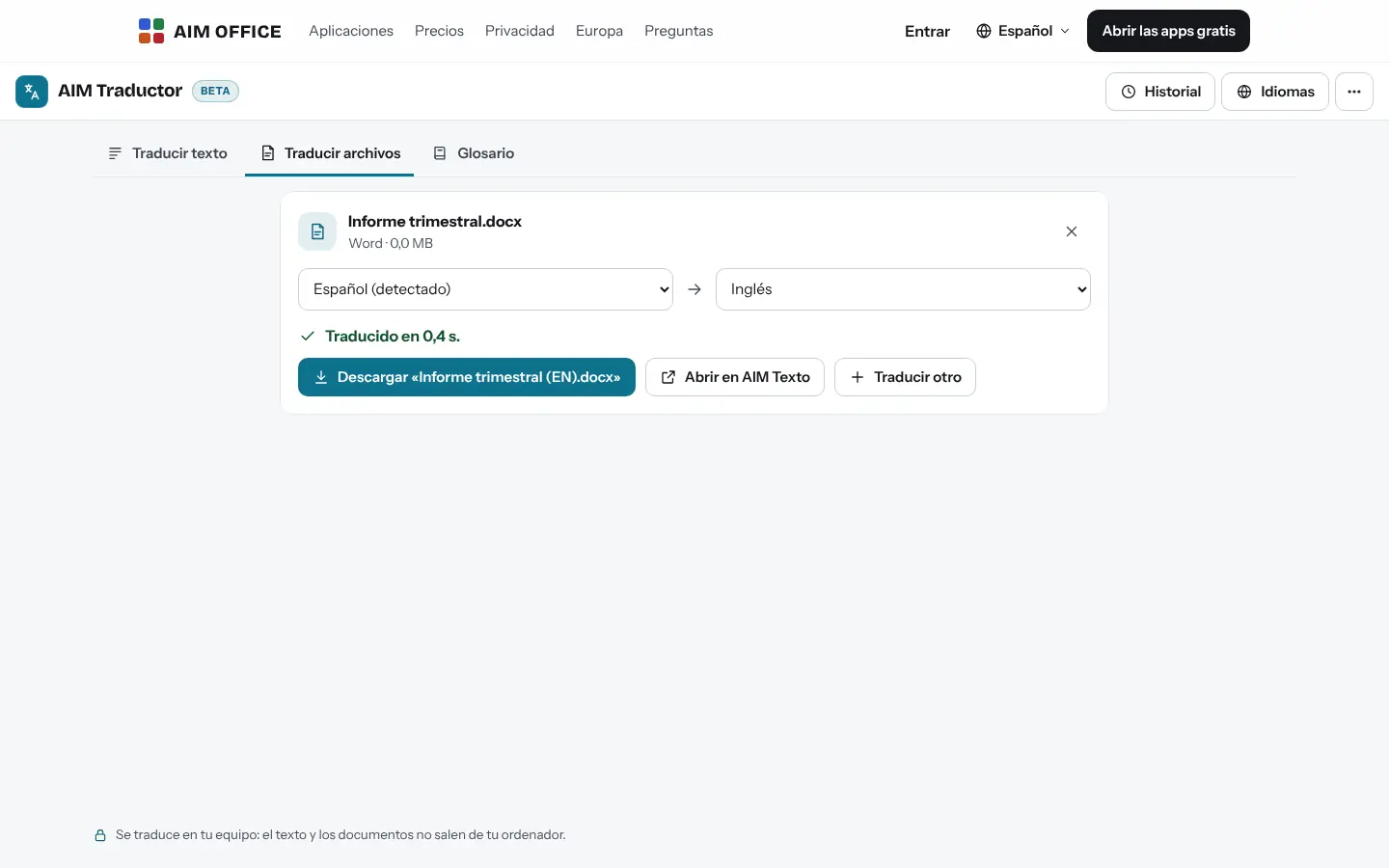
Paste some text or drop in a document: DOCX, XLSX, PPTX, PDF, subtitles, web page or Markdown.
Select a sentence to copy it or add it to the glossary, apply your glossary and download the translated document with its formatting.
Everything AIM Translate does today, told by what it solves for you.
The translation engine runs in your browser. Neither the text nor the documents leave your device: ideal for contracts, reports and customer data.
In documents, headings, bold text, tables and links are kept; in spreadsheets, numbers and formulas stay intact; in presentations, slides and notes; in subtitles, the timings.
Product names, brands and industry terms that are always translated the same way. Import and export it as CSV.
Spanish, English, Catalan, Galician, Basque, French, German, Italian, Portuguese and Chinese (Simplified). Download only the ones you use and delete them whenever you like.
Select a sentence of the translation to copy it or add a term to your glossary.
Paragraphs and headings are extracted from a PDF with text and translated into a DOCX document you can edit.
If you turn it on, it saves the latest translations in your browser; mark the ones you reuse and export them to CSV. History comes turned off.
Paste the text and AIM Translate detects the source language.
SMEs, freelancers and firms that already work this way.
Contracts and legal documents translated without sending them to an outside service, with their terminology in the glossary.
Product sheets in XLSX and catalogues in PPTX translated into French or German without redoing the formatting.
Reports and consent forms translated for foreign patients without their data leaving the computer.
.srt and .vtt subtitles translated with their timings intact, ready for your videos.
Each app does its own job and hands the work on to the next.
Open the translated document in AIM Docs to review it; with Pro, it is saved straight to AIM Nube.
A paper document? Scan it with AIM Scan, recognise the text and translate it.
If a PDF has no text (it's a scan), run it through AIM PDF's text recognition first.
If you're going to share the translated document, remove the personal data first with AIM Anonymise.
What stays on your device, what travels encrypted and what we store. No small print.
Texts and documents are translated in your browser and aren’t sent to our servers or to any translation service. Only if, with Pro, you open the result in AIM Docs, it is saved in your AIM Cloud.
Downloaded languages, your glossary and your favourites are saved in your browser. History is only saved if you turn it on.
It only serves each language's files, the first time. It doesn't see what you translate.
Biomag S.L.U., a Spanish company. Hosted in Amsterdam (EU), with no advertising and no trackers. Read the privacy policy
Start free, no card. Pro only if you need it.
€0Forever. No sign-up, no card.
From €1.99€1.99 a month with annual billing, or €2.49 a month paying every 6 months. VAT included, no commitment.
Between 45 and 75 MB per language. It downloads once and stays in your browser; you can delete it whenever you like.
Yes, for the languages you have already downloaded: open AIM Translate once with a connection and translate once in each language pair you will use (for example, Spanish to English). After that, the page, the engine and those languages are in your browser, and you can reload it and translate without internet. Offline you can’t download new languages, the PDF reader only works if you have already used it once, and you can’t open the result in AIM Docs or save it to AIM Cloud. If you clear your browser data, or the browser does it to free up space, you will need to download the language again.
Yes. It translates directly from and into English; between other languages it goes via English, without you having to do anything.
Documents (.docx), spreadsheets (.xlsx), presentations (.pptx), PDF with text (to .docx), subtitles (.srt and .vtt), web pages and Markdown, plus plain text.
It's a high-quality machine translation, useful for understanding and for drafts. For an official document or anything you'll publish, always review it.
No sign-up, no card and nothing to install. It opens in your browser in a second.